EasyManua.ls Logo

Elmo EL55R2 - Minimizing the Screen; Stopwatch Screen

Elmo EL55R2
89 pages
Print Icon
To Next Page IconTo Next Page
To Previous Page IconTo Previous Page
Loading...
50
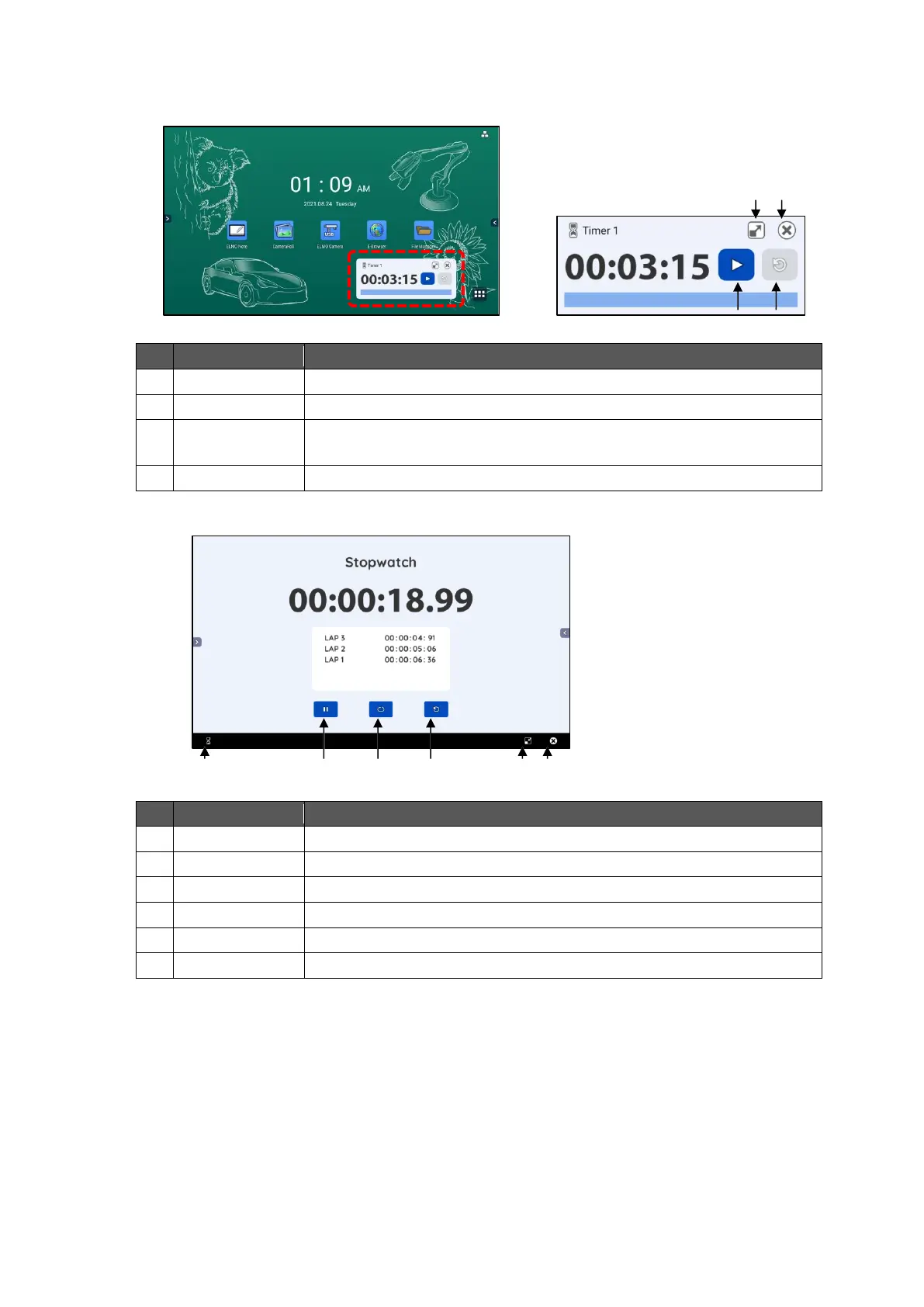
Minimizing the Screen
If the screen is minimized, the Timer will be displayed in reduced size.
No.
Name
Function
1
Start / Stop
To start the timer. Tap this icon again to stop the timer.
2
Reset
To reset the timer to the start time.
3
Maximize
screen
To maximize the screen.
4
Exit
To end the ELMO timer app.
Stopwatch Screen
No.
Name
Function
1
Start / Stop
To start the stopwatch. Tap this icon again to stop the stopwatch.
2
Lap time
To get a lap time every time you tap.
3
Reset
To reset the stopwatch to the start time.
4
Timer screen
To display the Timer List screen or Task List screen.
5
Minimize screen
To minimize the screen.
6
Exit
To end the ELMO timer app.
2
3
1
4
4
1
2
3
5
6

Table of Contents

Related product manuals