64
◼
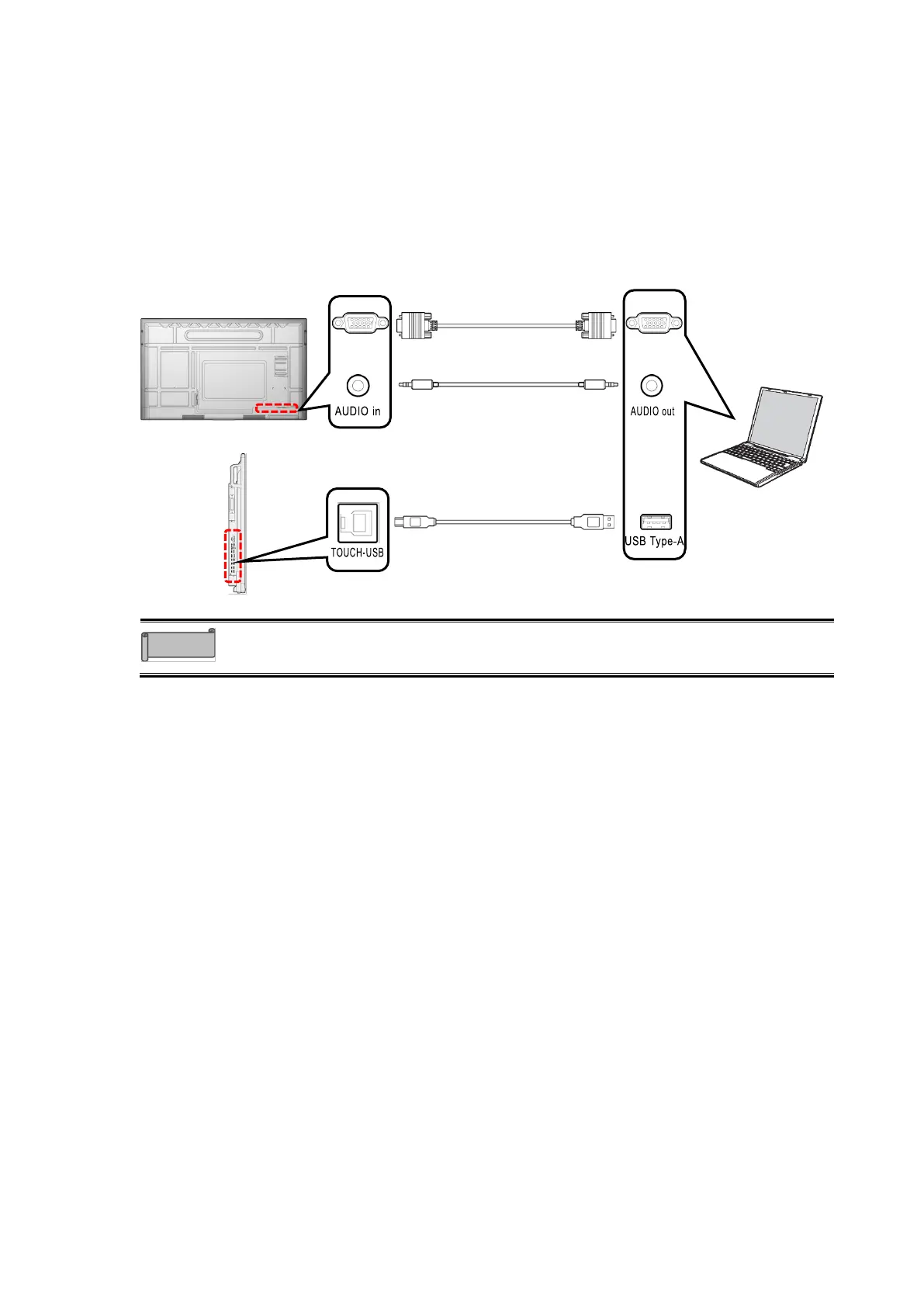
Connecting with VGA cable and Audio cable
If you connect the VGA in port on the bottom of the display monitor and the VGA out port of
the computer with a VGA cable, the computer screen will appear on the display monitor.
If you connect the Audio in port on the bottom of the display monitor and the Audio out port of
the computer with a stereo mini audio cable, the computer audio will be played through the
display monitor.
If you connect the TOUCH-USB port on the side of the display monitor and the USB Type-A
port of the computer with the supplied USB cable, you can operate the computer by touching
the screen of the display monitor.
Use a computer with an OS that is still supported. The computer’s
specifications must meet the minimum system requirements for that OS.



 To Next Page