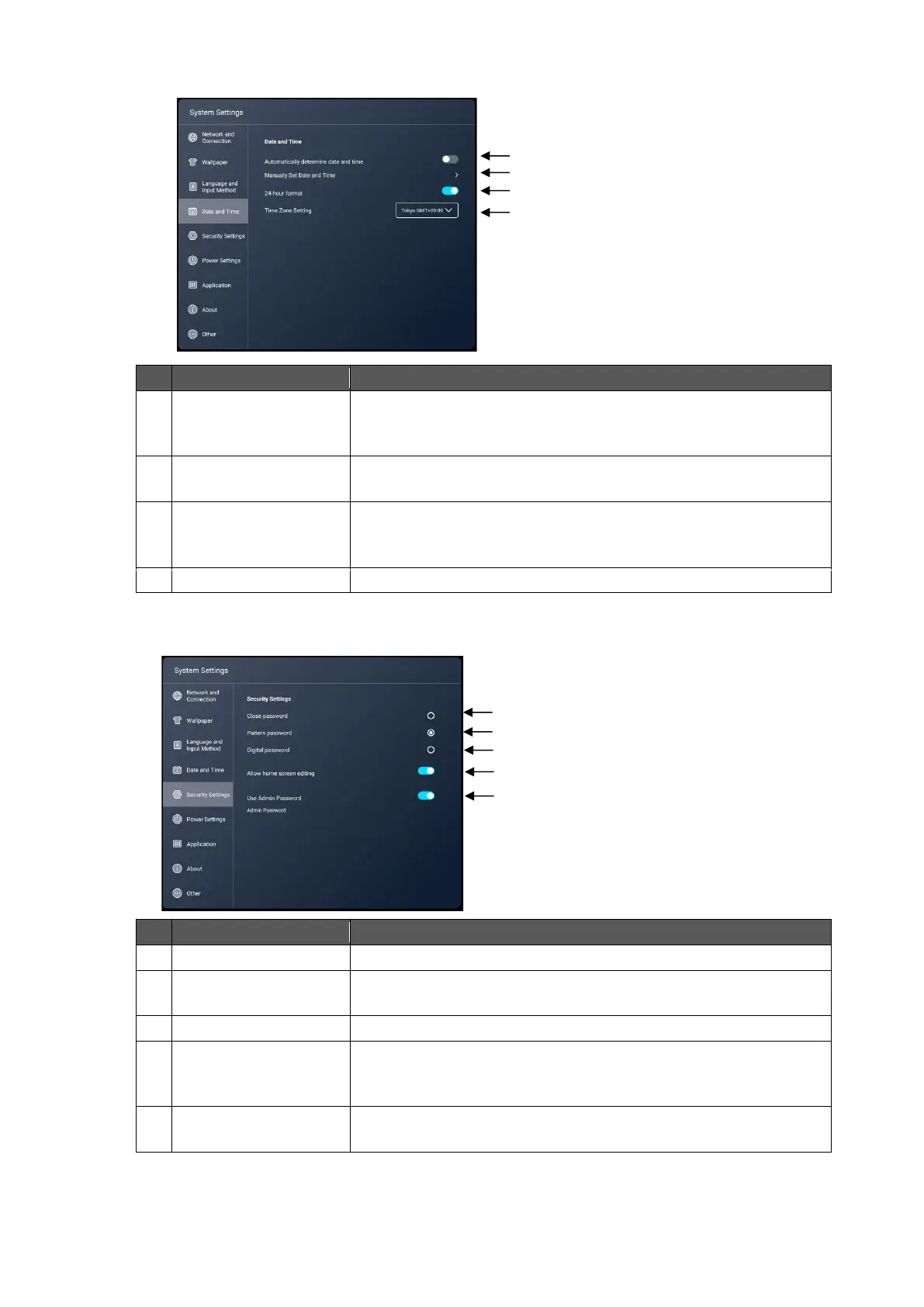
Automatically
determine date and
time
To set whether or not to use the date and time information
provided by the network.
Manually Set Date and
Time
To set the date and time of the system manually when
"Automatically determine date and time” setting is set to OFF.
To switch between 12-hour display and 24-hour display.
ON: 24-hour display
OFF: 12-hour display
To set the time zone of the system.
To disable the password to edit the Home screen.
To set a pattern password to edit the Home screen.
Set a pattern by connecting 4 dots or more.
To set a 4 digit password to edit the Home screen.
Allow home screen
editing
To set whether or not to allow the user to register or delete the
app icon (shortcut) or change its position. (P. 21)
Default setting: OFF
Use Admin Password
Admin Password
To change the administrator password.
Set a 7 digit password.



 To Next Page