150
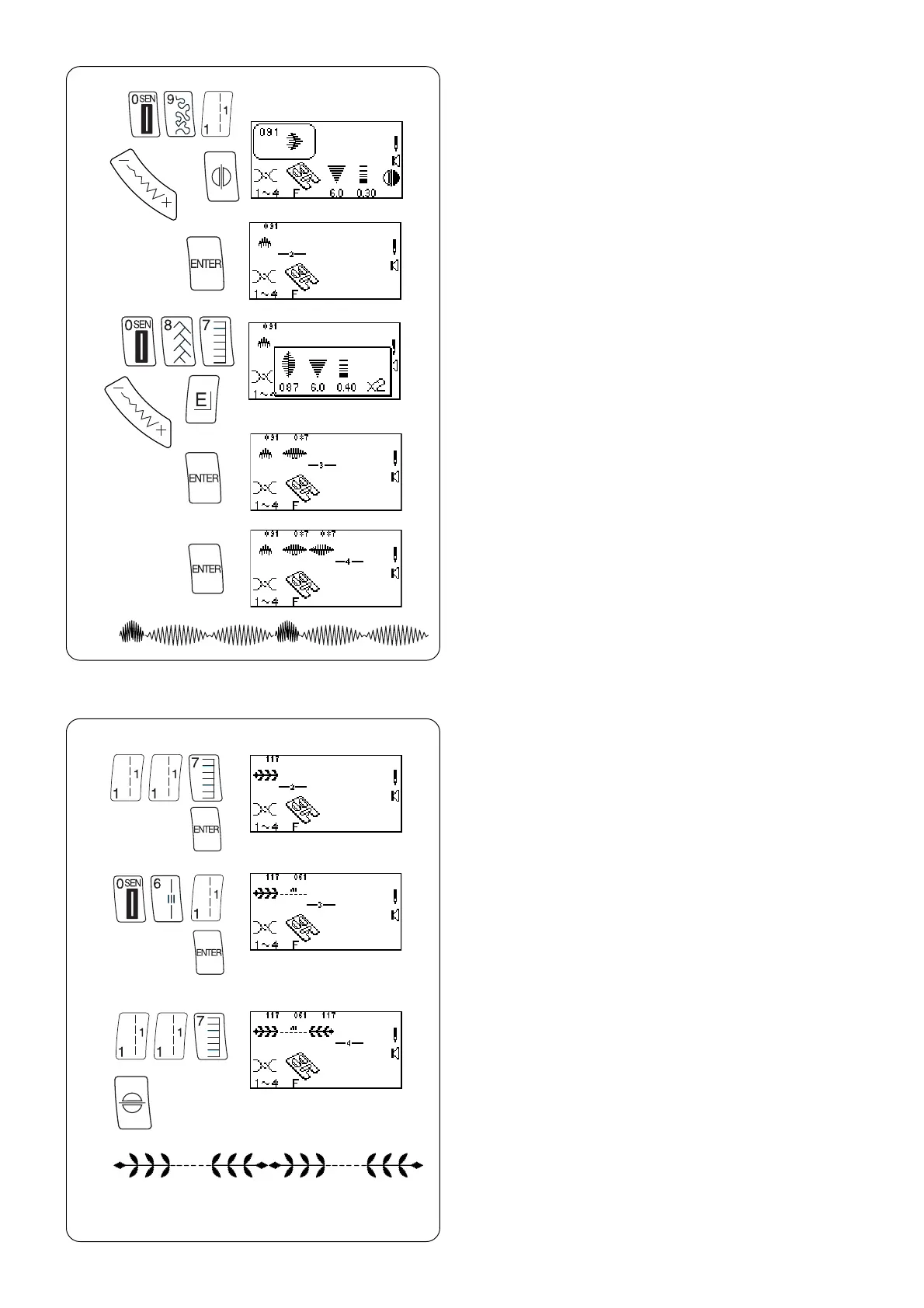
Combining Sequence
z Select 091.
(Press “Mirror Image” key and change stitch width
or length if desired.)
z
x
c
v
b
n
x Press “ENTER” key to memorize. A blinking cursor
will appear to indicate where next selected and
entered stitch will be memorized within the
sequence.
c Select 087.
(Press “Elongation” key and change stitch width or
length if desired.)
v Press “ENTER” key.
b Press “ENTER” key.
n Place fabric and stabilizer under foot and sew
memorized sequence repeatedly.
NOTE: Total capacity of one sequence is 50.
x
c
v
z
Inserting a Second Color
z Select 117. Press “ENTER” key.
x Select 061. Press “ENTER” key.
c Select 117. Press “Face to Face” key. Press
“ENTER” key.
v Place fabric and stabilizer under foot and sew
memorized sequence twice.



 To Next Page