30
Attaching and Removing Presser Feet
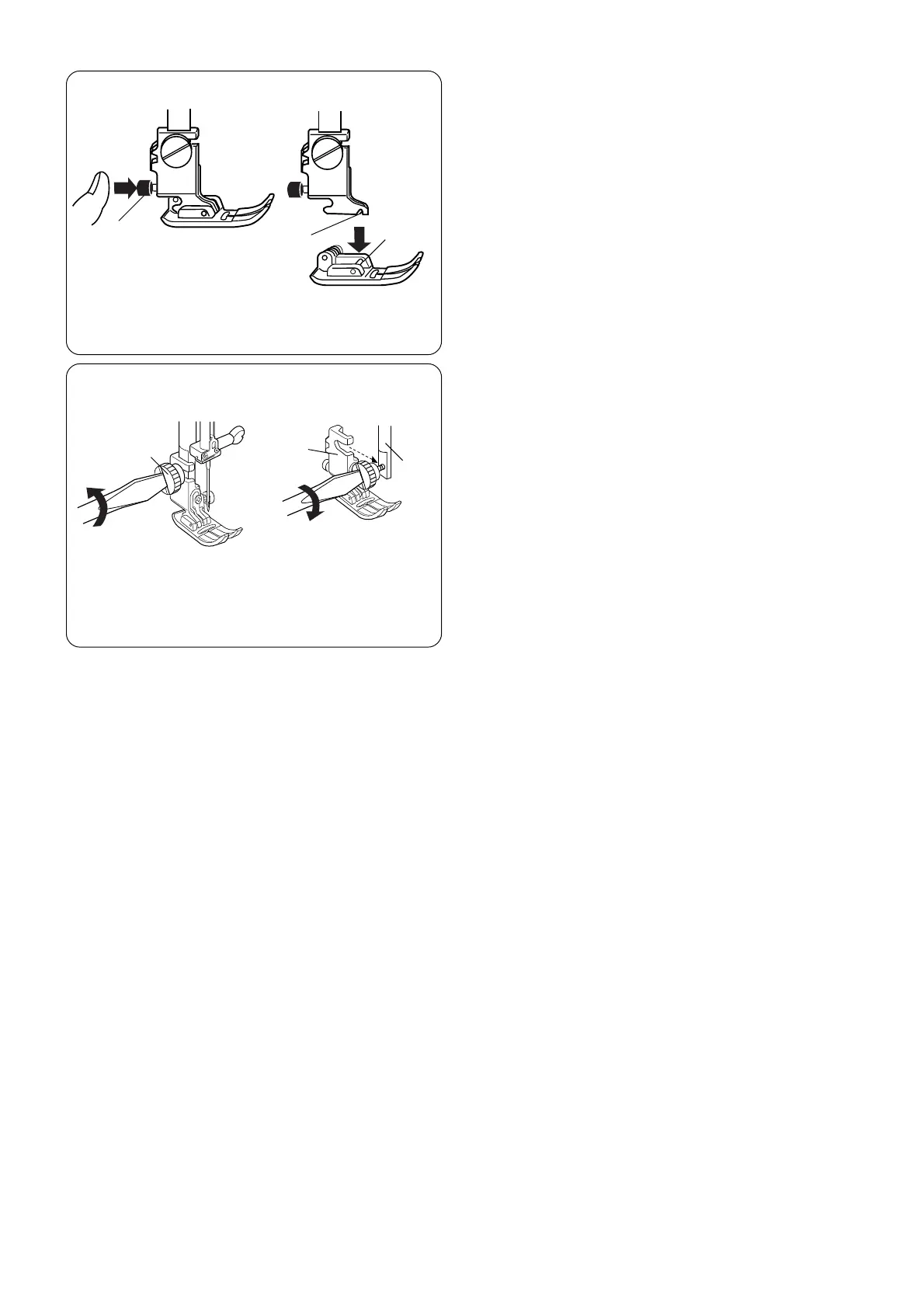
Press the “Up/Down Needle” key until the needle
is in the raised position.
Tu rn OFF the power switch. Raise the presser foot
and press the red button q on back of the shank.
The presser foot will drop off.
Place the selected presser foot so the pin e on
the foot lies just under the groove w of the shank.
Lower the presser bar and attach the foot.
Attaching and Removing Shank
Tu rn OFF the power switch. Raise the presser
bar.
Tu rn the thumbscrew q counterclockwise with the
screwdriver to remove the shank.
To attach, loosen the thumbscrew q counterclockwise
with the screwdriver. Attach the presser foot w to the
presser bar e. Tighten the thumbscrew by turning it
clockwise.
q
w
e
q
w
e



 To Next Page