40
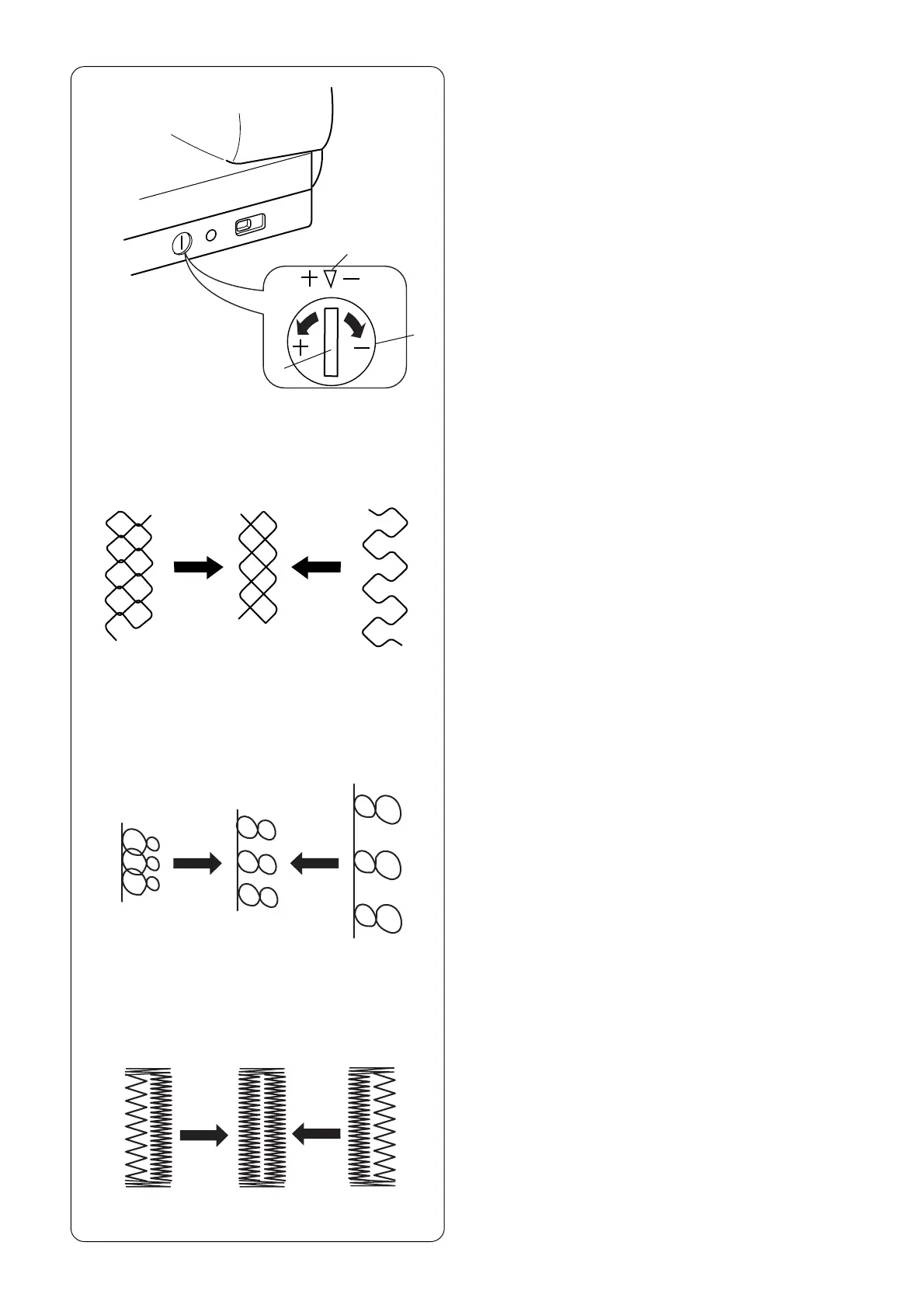
Using the Fine Adjustment Screw
Choice of fabrics and threads may affect the stitch
formation when sewing decorative stitches, letters
and numbers or classic 4 step memory buttonhole
(071). The fine adjustment screw can be used to
either lengthen or shorten the stitch.
q Fine adjustment screw
w Standard mark
e Setting mark
To fine tune, use a screwdriver to move the setting
mark.
w
q
e
rt
y
u
(+) (–)
(+) (–)
• If stitches are too short r, correct by turning the
screw in the direction of “+”.
• If stitches are too long t, correct by turning the
screw in the direction of “–”.
• If letters are overlapped y, correct by turning the
screw in the direction of “+”.
• If letters are too spread out u, correct by turning the
screw in the direction of “–”.
071 Classic 4 Step Memory Buttonhole
(Applies only to this style.)
Always make the adjustment according to the left side.
When adjustment screw is turned, it changes both
sides of the buttonhole.
• If left side of buttonhole is less dense (too open) i
compared to right side, corrected by turning screw in
direction of “+”.
• If left side of buttonhole is more dense (too closed)
o compared to right side, corrected by turning
screw in direction of “–”.
NOTE: After making any fine tuning adjustment press
“Enter” key or reselect buttonhole to reset machine.
(+) (–)
io



 To Next Page