86
Sensor Buttonholes (Totally Automated
Buttonholes)
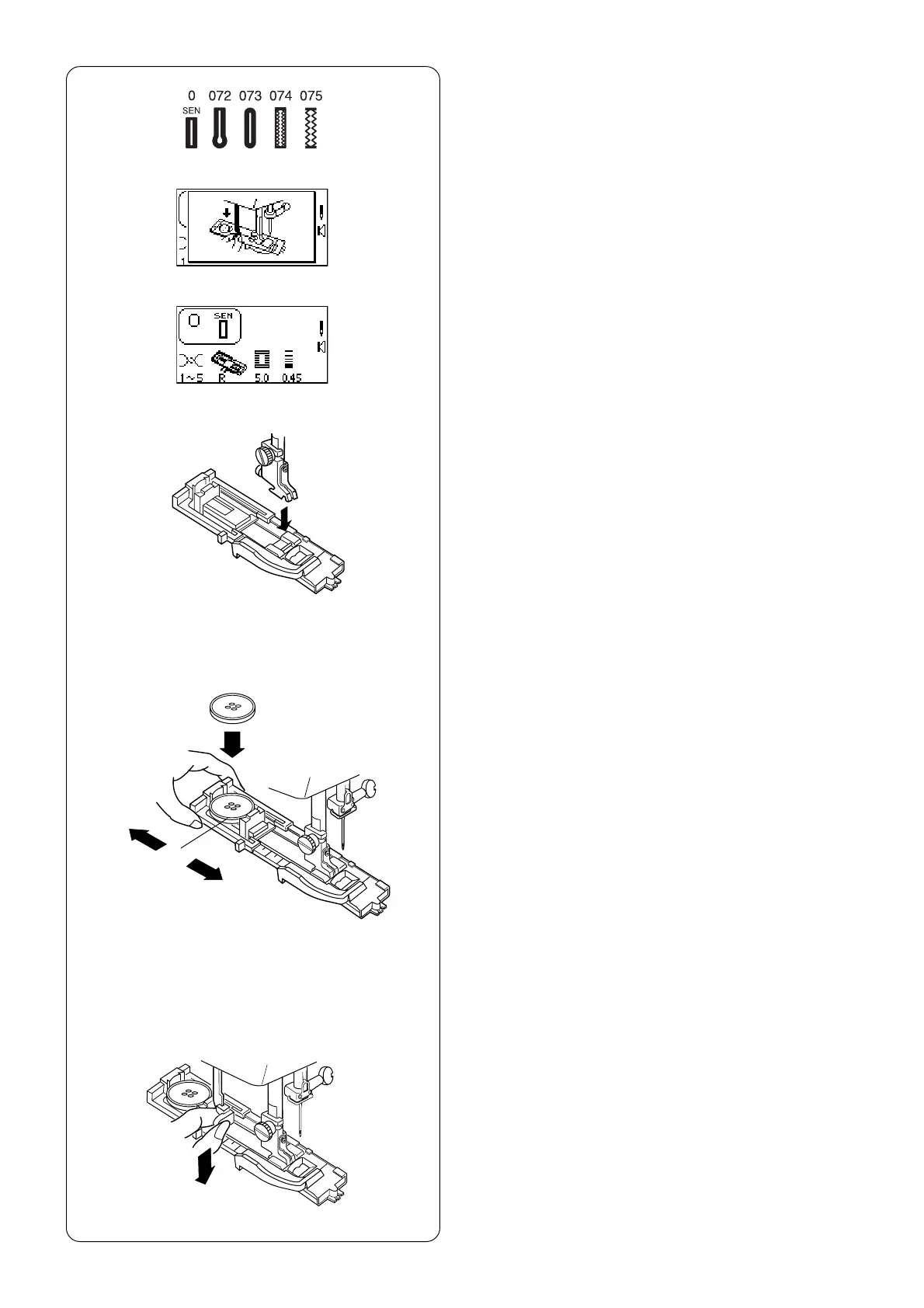
Select a buttonhole - 0, 072 thru 075.
The LCD screen will briefly show a message
advising that the buttonhole lever must be lowered.
Alter the buttonhole width to match the fabric and
thread. See page 92.
When attaching buttonhole foot (R), make sure the
button opening is at the back of the foot.
Extend the buttonholder q to the back and place
the button in it. Push the holder together tightly
around the button.
Placing the button in the automatic buttonhole foot
(R) automatically sets the size of the buttonhole.
The buttonholder adjusts for buttons with a diameter
between 0.5 cm (3/16˝) to 2.5 cm (1˝). If your button
is larger than 2.5 cm (1˝), see page 96.
Pull the buttonhole lever down as far as it will go.
q



 To Next Page