160
Individually Adjusting Stitch Width or
Length
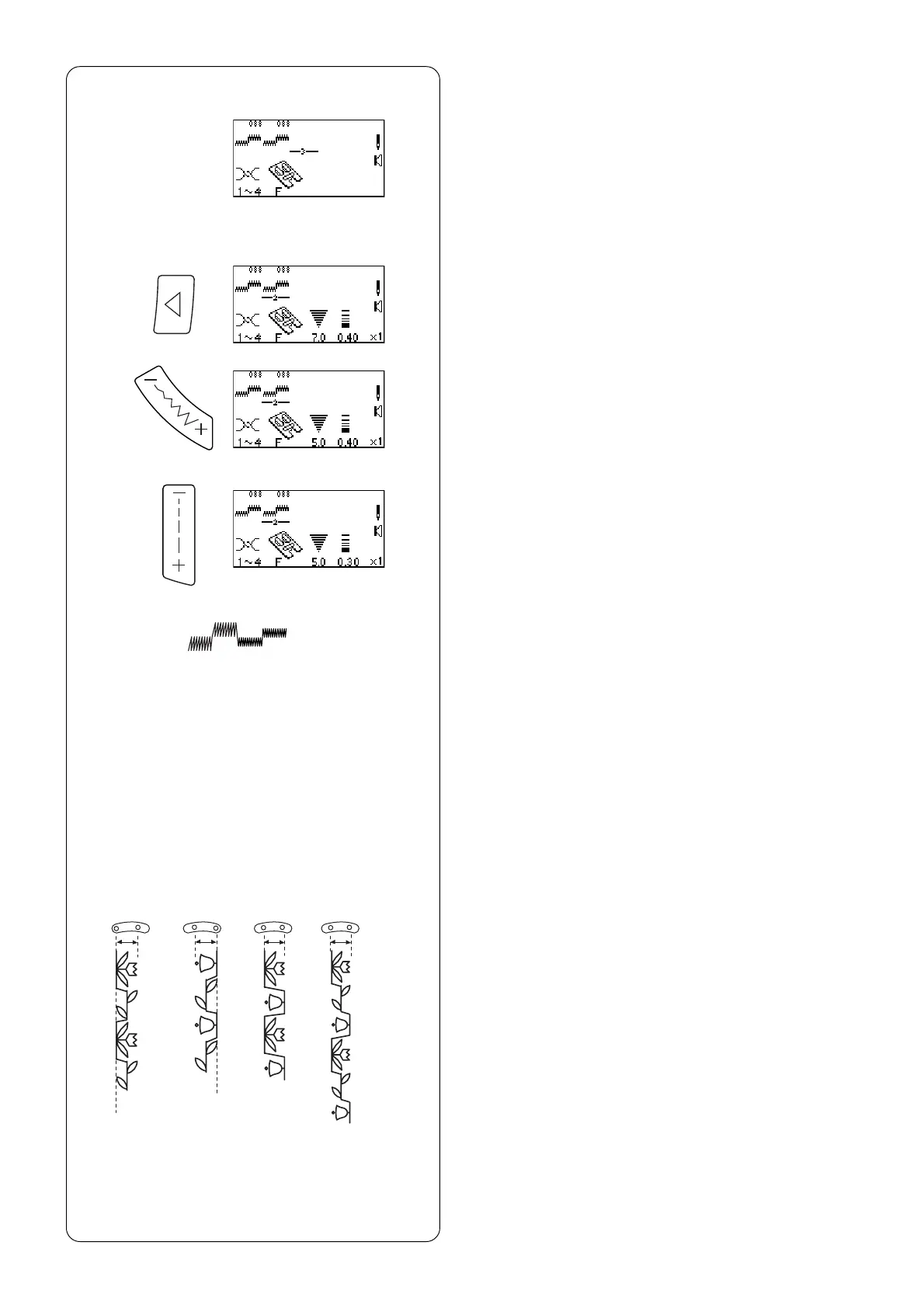
If the cursor is positioned under a stitch in the
programmed sequence, the stitch width or length
adjustment is applied only to that stitch.
z Program 088 two times.
z
x
c
v
b
x Press “Review Memory Left” key to move cursor.
c Press “–” on “Stitch Width/Needle Position” key.
v Press “–” on “Stitch Length” key.
b Place fabric and stabilizer under foot and sew.
NOTE: If the cursor is to the right of the last stitch
in the sequence and either the “Stitch Width/Needle
Position” key or “Stitch Length” key is pressed then
all individually adjusted settings will be replaced
with the uniformly adjusted setting.
Alignment of Stitches Within a Sequence
Often stitches in a sequence have different needle
start positions – left, center or right. Your machine
will automatically determine a common alignment
point based on the stitches in the sequence. There
are 4 possibilities:
q Left and center needle positions are aligned to left.
w Right and center needle positions are aligned to
right.
e Left and right needle positions are aligned to
center.
r Left, center and right needle positions are aligned
to center.
qwer



 To Next Page