59
www.elstat.io
9.8 How to configure the COM port
Configure the COM port as follows:
1. Start the parameterloader as follows:
2. Click Parameter Loaderin the Start menu.
3. Double-click the file ParameterLoader.exe.
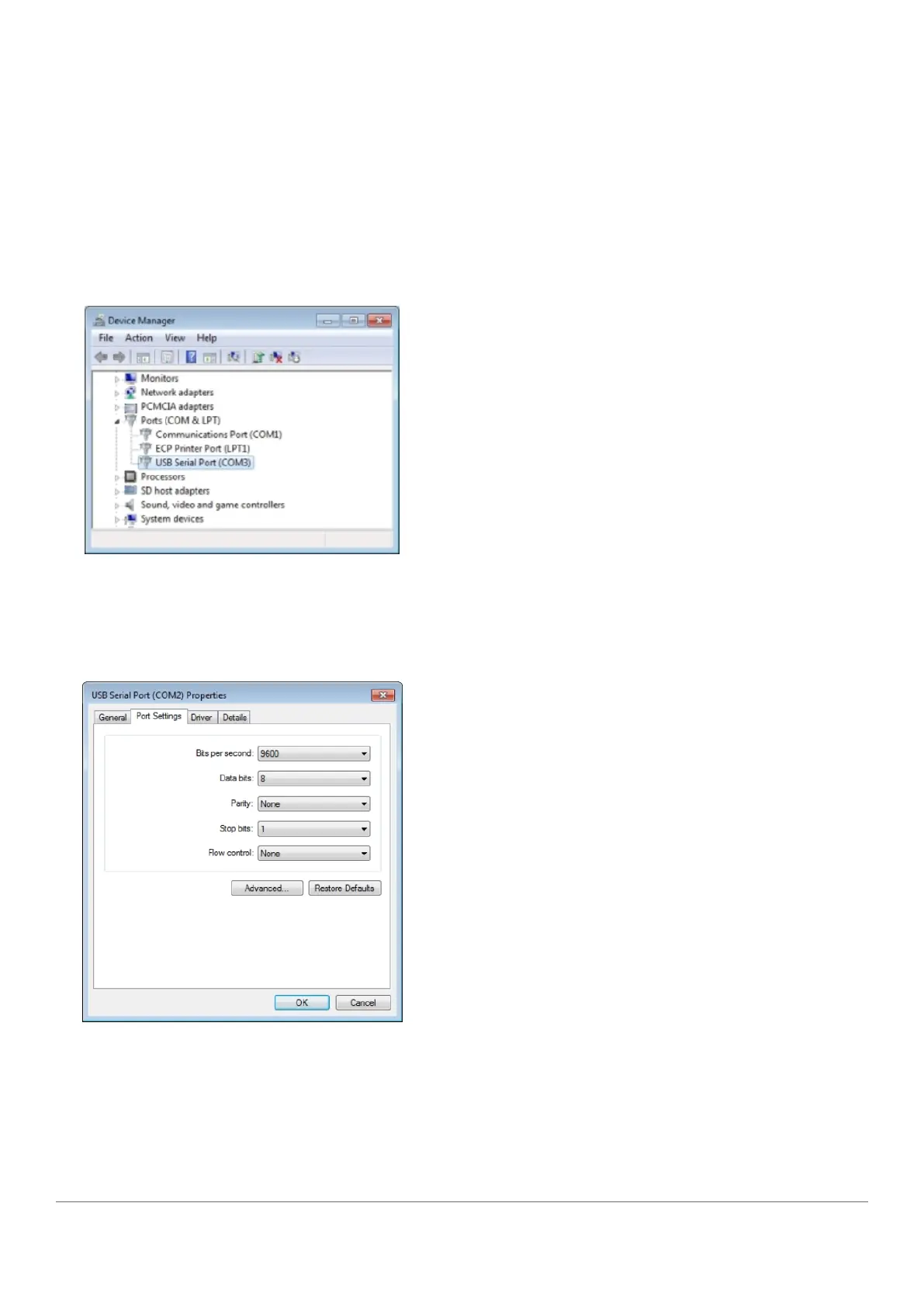
4. Click the Start menu, select Control panel > System Device Manager > Ports (COM & LPT) as shown below
5. Check the COM port allocated to the USB docking cradle (USB Serial Port). For example, in the diagram above,
COM3 has been allocated
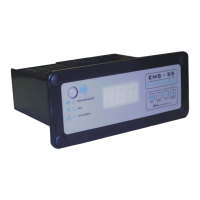
6. Double-click the USB serial port and make a note of the port settings, as shown below.


 To Next Page