Need help?
Do you have a question about the Elstat ems25 Series and is the answer not in the manual?
Explains the purpose and scope of the guide for Elstat controllers.
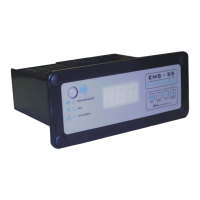
Describes display, sensors, and component control for ems25 series.
Details the general characteristics and IP rating of the ems25 series.
Lists relay specifications for ems25+ and ems25advanced controllers.
Shows panel aperture dimensions for ems25 series controller mounting.
Details how to mount the appliance sensor in the refrigerated compartment.
Explains how to mount the evaporator sensor near the evaporator.
Guides on mounting the condenser sensor to monitor system temperature.
Details mounting the door switch and its activator on the cooler.
Explains mounting enhanced door switches and their activators.
Describes connecting two door switches in series for double-door coolers.
Explains how controllers manage product temperature using appliance sensors.
Details how controllers measure activity via door switches and motion sensors.
Describes the controller's operation in ready mode for optimal serving temperature.
Explains the saving mode operation for energy efficiency when outlets are closed.
Explains defrost cycles to prevent evaporator icing.
Details freeze-up protection to prevent over-cooling.
Explains how controllers manage compressor cycles and rest time.
Describes how light delay and marketing mode control cooler lights.
Explains how controllers signal alarm conditions with codes and buzzers.
Explains Activity Frequency (AF) and Learning Period (LP) parameters.
Explains the 7-day matrix structure and states used by controllers.
Details how the controller learns activity patterns over 7 days.
Explains how the controller learns activity patterns over 1 day.
Explains how the matrix updates based on activity after the learning period.
Details how controllers switch modes based on saving restart period.
Describes the sequence of displays shown when the controller powers up.
Lists and describes various display codes and their meanings.
Explains alarms for appliance, condenser, and evaporator sensor failures.
Provides an example sequence for accessing the controller menu.
Details how to navigate controller menus like Parameter List and Test Routine.
Guides on viewing parameter settings for the ems25+ controller.
Provides references to key operational parameters.
Guides on viewing parameter settings for the ems25advanced controller.
Provides references to key operational parameters.
Explains how to run the test routine to check relays and inputs.
Details testing sensors, door switches, and motion sensor.
Guides on performing a half reset to clear the self-learning matrix.
Guides on viewing the last three faults or alarms.
Explains that controllers gather statistics on temperature, activity, and operation.
Guides on how to view gathered statistics using up and down buttons.
Details specific statistics categories like door openings and temperature.
Lists common alarm codes, meanings, and recommended actions.
Provides a chart to verify controller operation in ready mode.
Guides on troubleshooting condenser high temperature alarms.
Guides on troubleshooting door open alarms with a door switch.
Guides on troubleshooting door alarms without a door switch.
Guides on troubleshooting motion sensor issues.
Guides on troubleshooting refrigeration system failure alarms.
Guides on troubleshooting sensor failures.
Guides on troubleshooting freeze-up protection issues.
Guides on troubleshooting issues where the cooler is not cooling.
Explains the purpose and naming conventions of XML files for parameter loading.
Explains the role of checksums in verifying firmware and parameter sets.
Lists accessories required for parameter programming.
Provides instructions for installing drivers on Windows XP.
Guides on selecting driver folder and completing installation.
Guides on installing the parameter loader software.
Covers Start Menu folder selection and confirming setup.
Provides steps to start the parameter loader application.
Guides on connecting the USB docking cradle.
Details how to configure the COM port for the docking cradle.
Guides on accessing and editing COM port settings within the loader.
Guides on loading parameter settings using the parameter loader.
Explains how to view the download counter for programming tools.
Guides on viewing the version of the parameter programming tool.
Lists display codes shown during parameter downloads.
Lists parameters grouped by their functions like temperature and defrost.
Groups parameters by owners like performance, design, and operation.
Outlines rules for setting temperatures to avoid conflicting conditions.
Details the alarm delay parameter for door open alarms.
Explains the activity frequency parameter for self-learning.
Lists values and descriptions for the activity frequency parameter.
Details the marketing mode parameter for cooler lights.
Explains the buzzer enable parameter for alarm conditions.
Details the buzzer duration parameter for alarm conditions.
Explains the calibration parameter for appliance sensor temperature offsets.
Details the parameter for selecting Celsius or Fahrenheit units.
Explains the parameter for refrigeration system failure.
Details the display stability parameter for temperature readings.
Explains the parameter for the maximum time of a defrost cycle.
Details the parameter for the period between defrost cycles.
Explains the differential parameter for compressor cut-in temperature.
Details the display parameter for showing temperature or USE.
Explains the delay parameter for switching to saving mode.
Details the parameter for temperature to end a defrost cycle.
Explains the parameter to stop cooling and prevent freeze-up.
Details the parameter for the inactive period of the evaporator fan.
Explains the parameter for the active period of the evaporator fan.
Details the parameter for preventing excessive condensation with the evaporator fan.
Explains the parameter for maximum condenser temperature.
Details the parameter for starting continuous compressor operation.
Explains the parameter for delaying cooler light switch-off.
Details the parameter for selecting 1-day or 7-day learning period.
Explains the parameter to disable saving mode temperature.
Details the parameter for minimum time between compressor cycles.
Explains the parameter for compressor cut-in temperature in saving mode.
Details the parameter to enable input from the motion sensor.
Explains the parameter for compressor cut-out temperature in ready mode.
Details the parameter for time to reach set point from saving mode.
Explains the parameter for compressor cut-out temperature in saving mode.
Details electrical ratings for inputs and outputs.
Shows a diagram of the ems25+ rear panel with terminal references.
Provides additional information on control classification and approvals.
Shows dimensional drawings of the ems25+ controller.
Lists controller relay specifications for compressor, lights, and fan.
Lists environmental characteristics like IP rating and temperature.
Lists product approvals from various certification bodies.
Lists controller relay specifications for compressor, lights, and fan.
Lists environmental characteristics like IP rating and temperature.
Lists product approvals from various certification bodies.
Describes the components of the small decorative trim kit.
Guides on fitting the small decorative trim and gasket to the controller.
Describes the two styles of large decorative trim kits.
Guides on fitting large trim with a remote motion sensor.
Guides on fitting large trim without a remote motion sensor.
 General
| Brand | Elstat |
|---|---|
| Model | ems25 Series |
| Category | Control Systems |
| Language | English |

 To Next Page