103
Additional features overview/details
Appendix
IND100077-219
LAN Teaming
The network ports support VLAN and Teaming functionality.
For Windows 10, Intel Network Connections version 23.2.x or newer is required.
For Linux OS, adapter teaming is implemented using the native Linux Channel bonding module.
Latest Intel network driver/software is available at:
https://downloadcenter.intel.com/product/64402/Intel-Ethernet-Controller-I210-IT
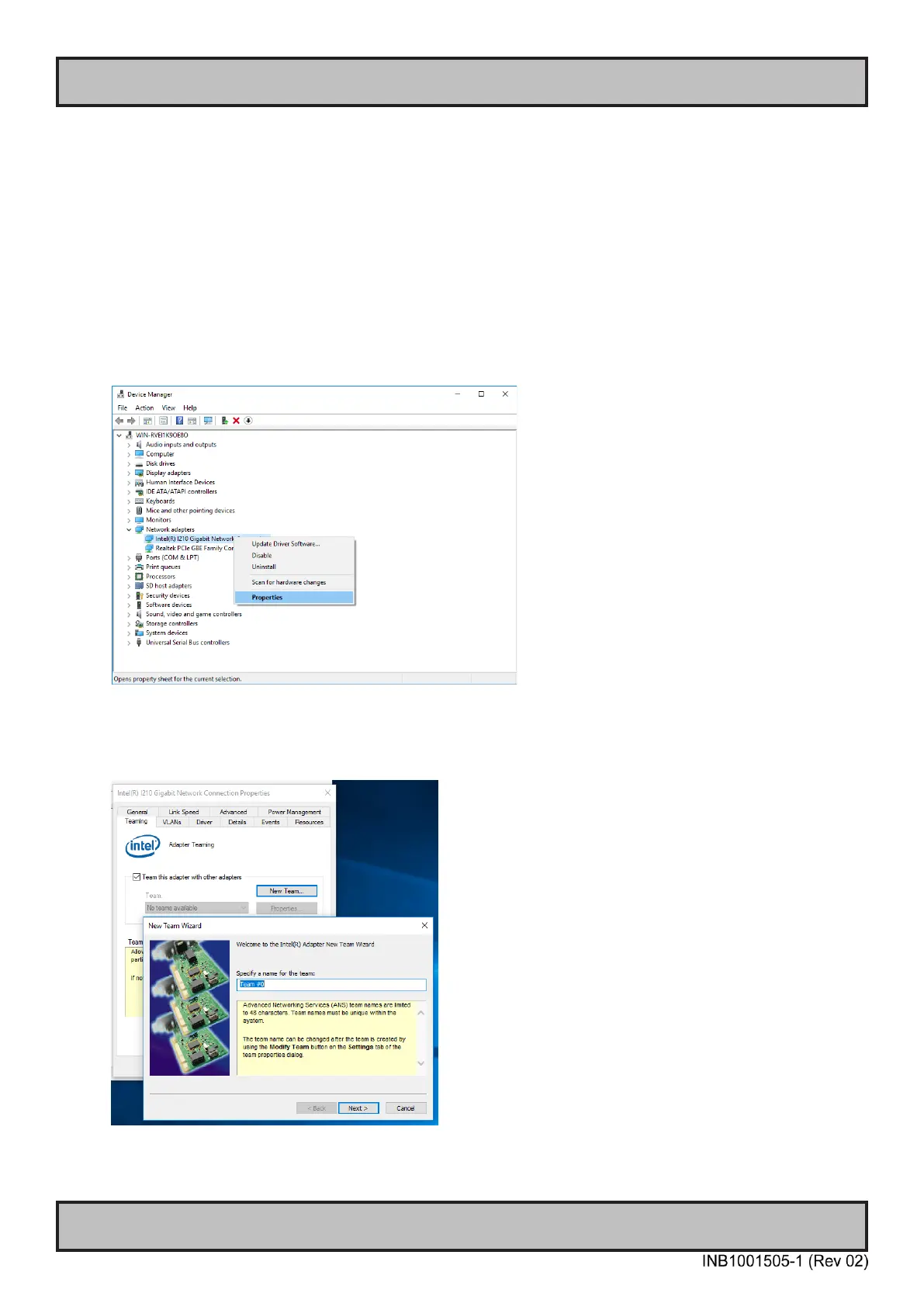
Procedure to set up teaming in Windows 10:
- Open Device Manager and expand Network adapters
- Right-click on intel port and select properties.
- Open the Teaming tab and check “Team this adapter with other adapters”
- If Teaming tab is not shown, you need to update Intel network driver/software.
- Click on “New Team…” button, specify team name and press Next.
- Select the network ports to be added to the team then press Next.



 To Next Page