27
Installation Procedures
Installation
IND100078-71
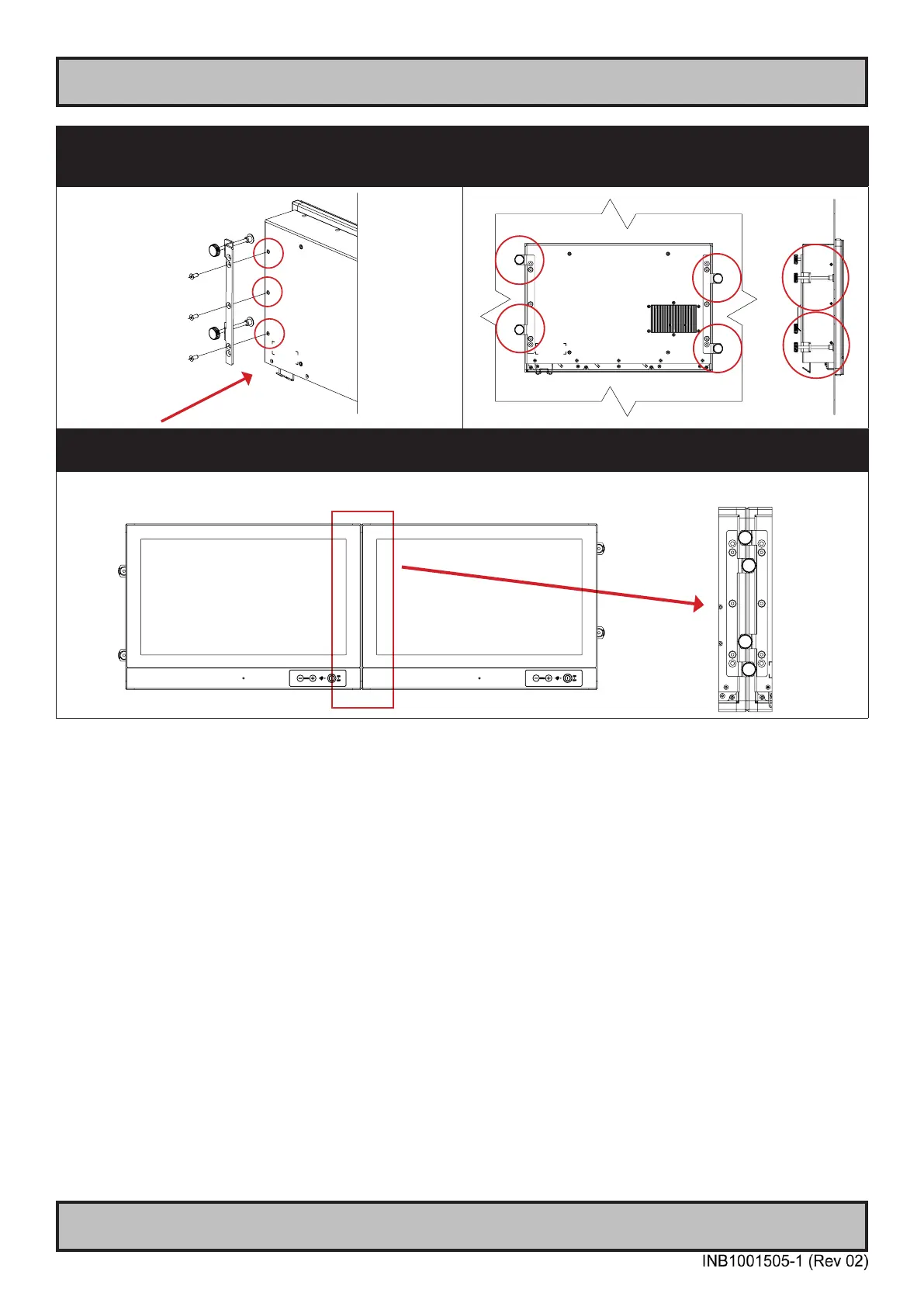
▼ 5: Once unit is in place, mount the other left bracket
on the left side with 3 x M5x12 Countersunk Hex screws
as illustrated and fasten it using Torque Force 3.75nm
▼ 6: Finally, in a even way fasten each of the 4 Thumb
Screws to securly fasten the unit to the rear of the Panel
Cutout.
▼ 7: The Console Mounting Kit also allow to edge-to-edge mounting of two or more units, due to the intersection
design of the brackets on the rear. Example below illustrates the intersection.
Front View
Rear Details



 To Next Page