The disk-array enclosure will power up immediately once you
attach it to an active AC power source. Plan your power
configuration before connecting to a power distribution unit or
standby power supply.
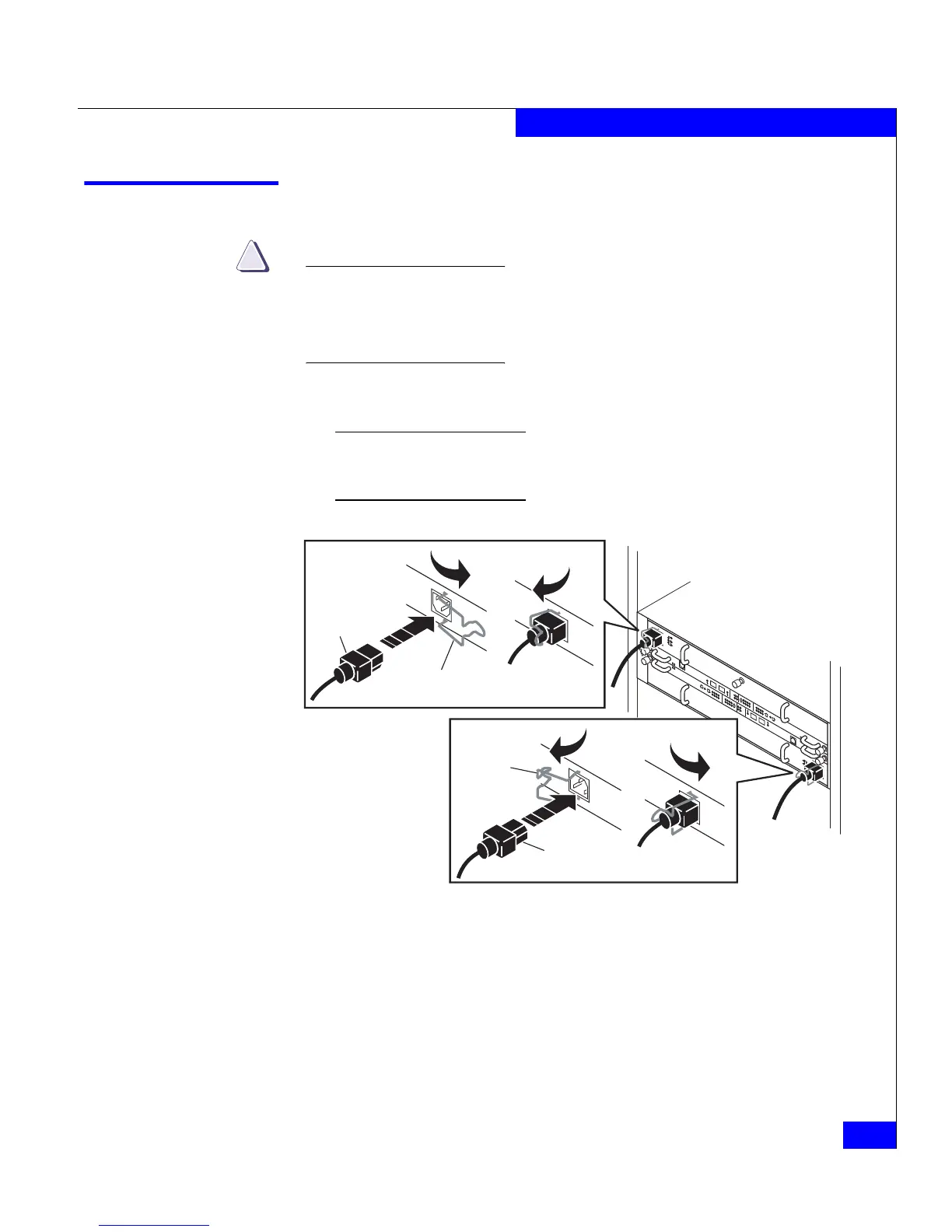
1. Plug an AC line cord into each power/cooling module, as shown
in Figure 2-1.
Make certain you secure the power cord with the retention bails (strain
reliefs) at each connector. The strain reliefs prevent the power cord from
pulling out of the connections.
Figure 2-1 Plugging in the AC line cords
!!
!!
!
EXPPRI
EXP
PRI
#
!
EXP PRI
EXP
PRI
#
A
B
EMC3213
Generic
Plug
Retention Bail
Generic
Plug
Retention
Bail



 To Next Page