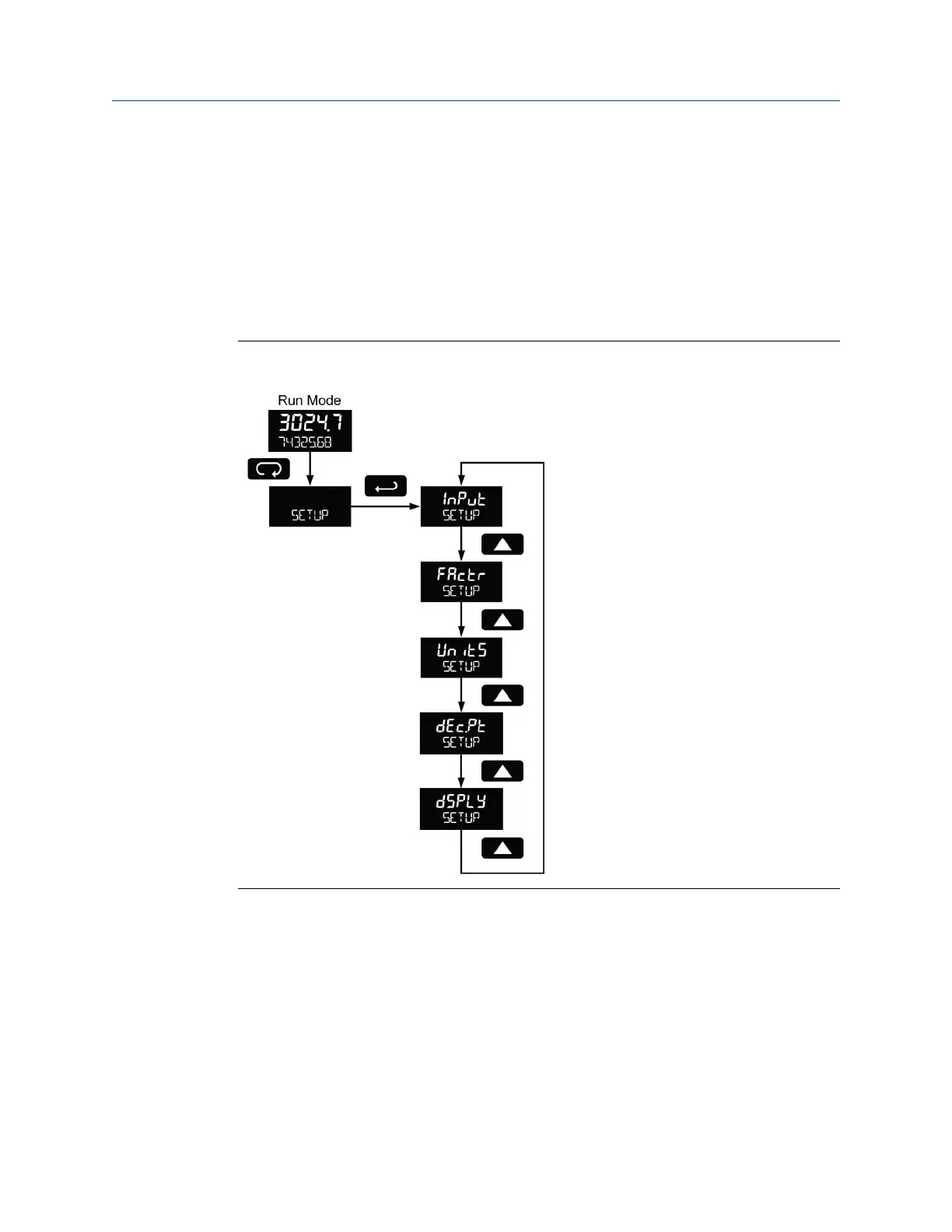
2. K-factor number and units (FActr)
3. Display rate, total and grand total units (UnitS)
4. Rate and total decimal point position (dEc.Pt)
5. Select what appears on the lower display (dSPLAY)
Press the Enter button to access a menu or press the Up arrow button to scroll through the
choices. Press the Menu button to back out of a menu, or hold the Menu button to exit at
any time.
Setting up the meter (SETUP)Figure 5-4:
5.7.1 Select input type (InPut)
Refer to Section 1.3 for input electrical specifications of the inputs.
Select from the following input types:
• Active (ActiV): External power supply driven pulse inputs
• NPN (nPn): Internal pull-up resistor on S+ for NPN inputs
• PNP (PnP): Internal pull-down resistor on S+ for PNP inputs
• Reed (rEEd): Internal pull-up resistor on S+ for switch inputs
Setup and programming
User manual 37



 To Next Page
 Loading...









