Service Menu Parameters
Liebert
®
iCOM
®
for Liebert DSE
™
140
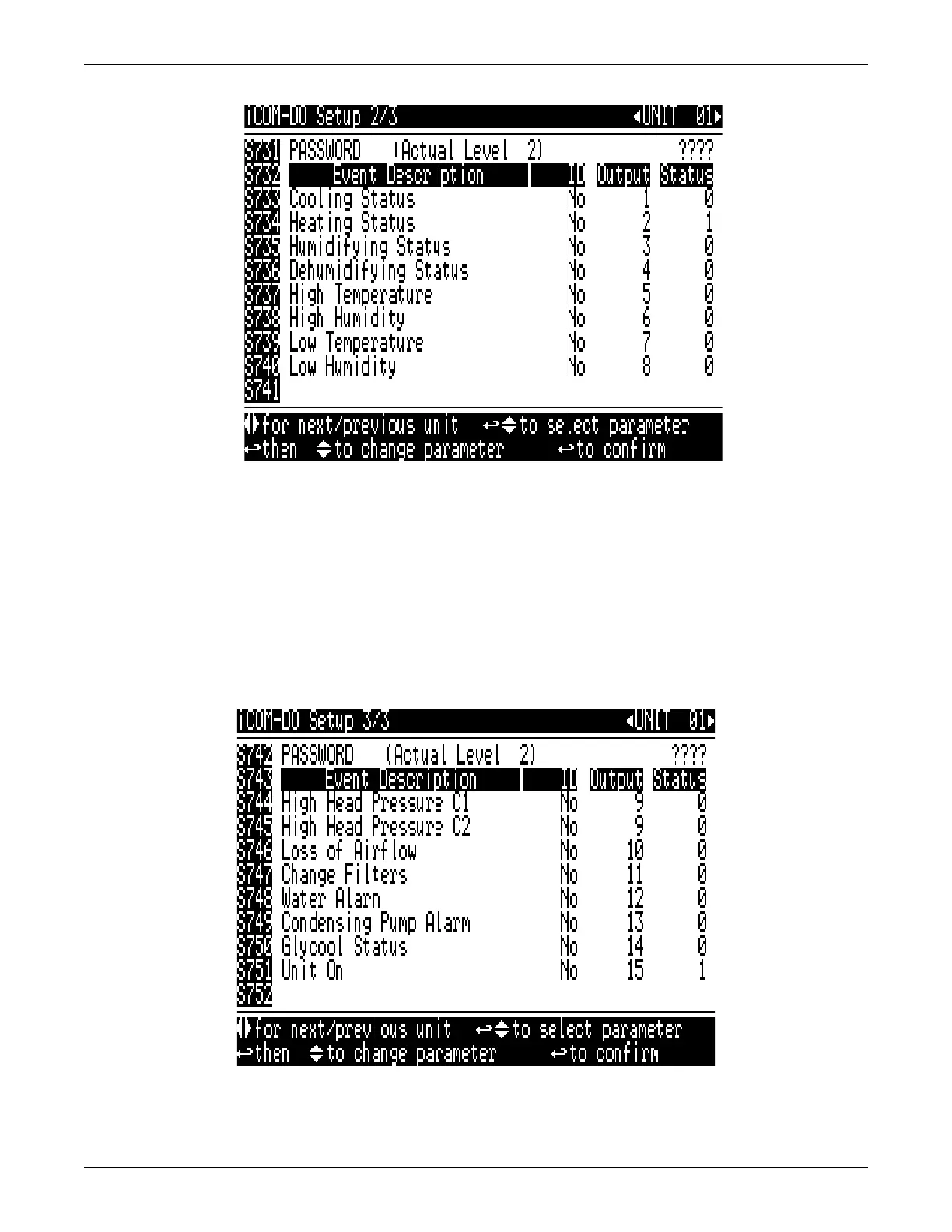
Figure 122 iCOM-DO events setup screen, page 2 of 3
S733-740, S744-S751—The lines are divided into four columns.
• Event Description—Read-only parameter that describes the event type that may activate an
output on the Liebert iCOM-DO
™
. Each event description may reflect a status or alarm,
depending on the line.
• ID—Displays the number of the Liebert iCOM-DO. Currently only one Liebert iCOM-DO card is
supported. The ID must match the S721 to function.
• Output #—Shows which output is tied to a particular alarm. The default values are set to be the
same output as the Liebert ENV-DO
™
card, the predecessor to the Liebert iCOM-DO. The ID’s are
linked to S725.
• Status—Read-only value that shows the state of the output.
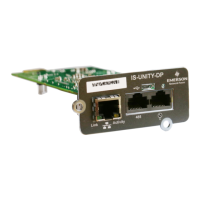
Figure 123 Liebert iCOM-DO events setup screen, page 3 of 3



 To Next Page