Liebert iCOM Display Components and Functions
15 Liebert
®
iCOM
®
for Liebert DSE
™
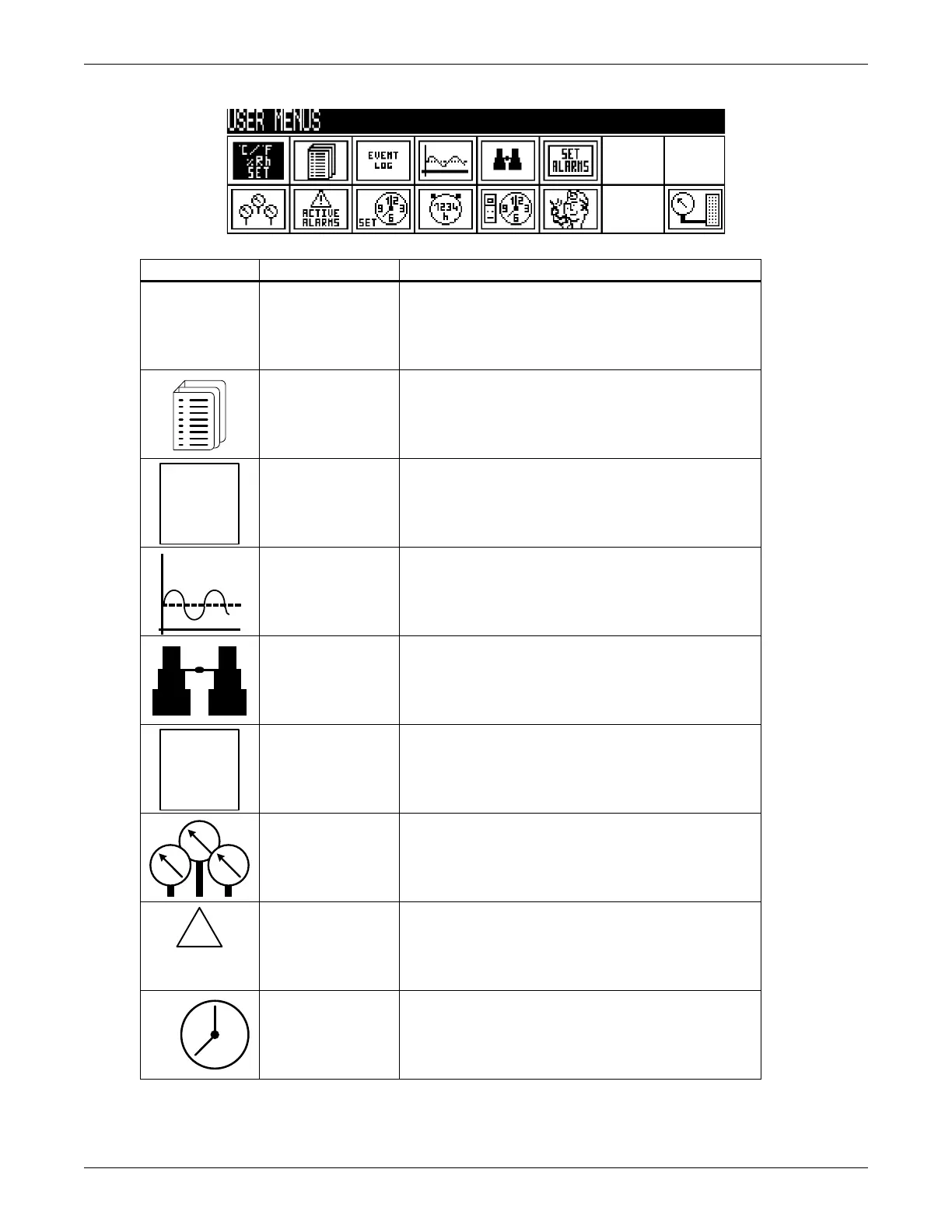
Figure 14 User menu icons and descriptions
Table 3 User menu icons
Icon Name
Description
Setpoints View and change temperature and humidity setpoints
Spare Part List
Displays the various part numbers of the
components/parts in the cooling unit
Event Log Contains last 400 events
Graphics Displays temperature and humidity graphs
View Network Shows status of all connected units
Set Alarms Allows enable, disable and settings for alarms
Sensor Data Shows readings of standard and optional sensors
Active Alarms Allows the user to view all current active alarms
Display Setup
Change settings for display: language, time, simple or
graphic view



 To Next Page