24
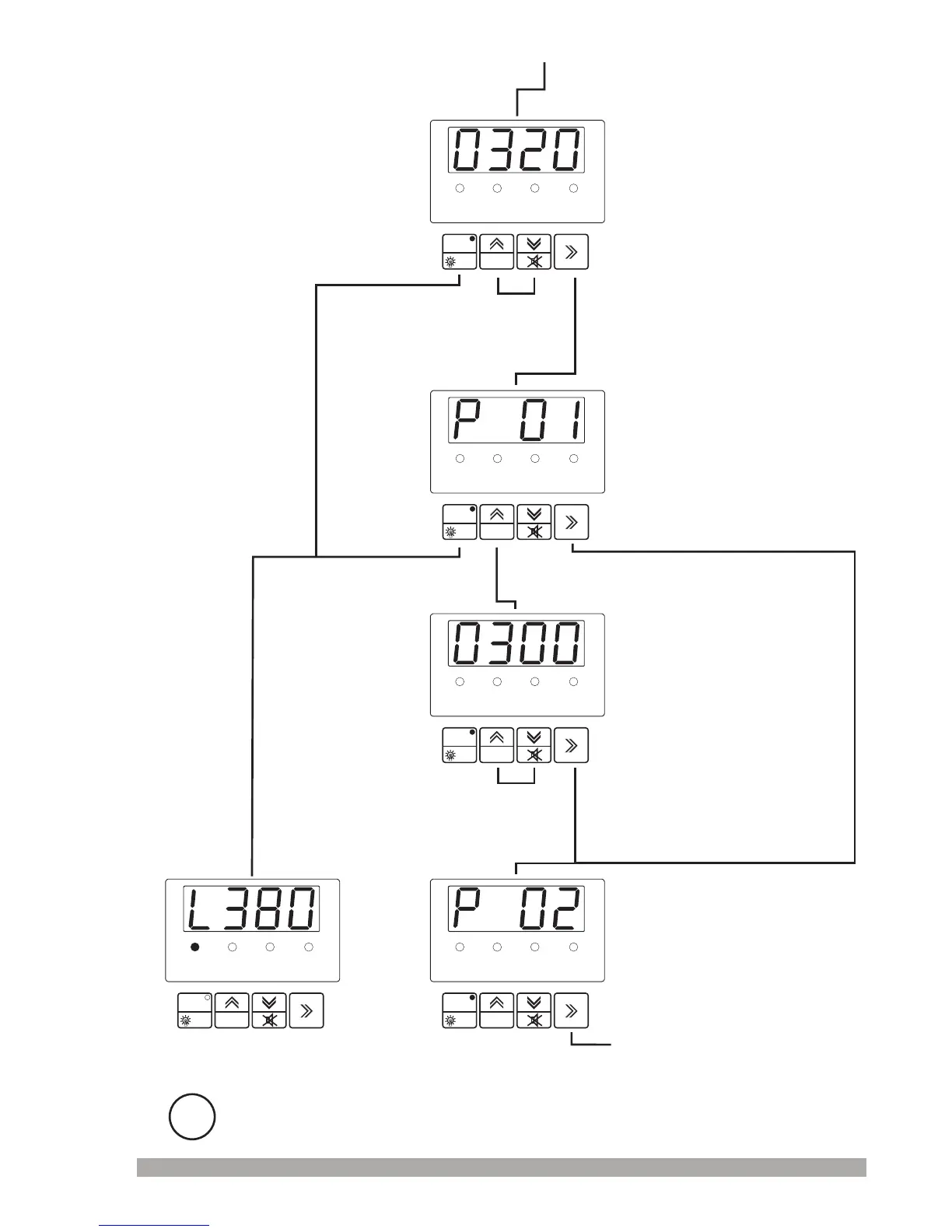
Thevalueofparameter P00
P01:MainsVoltage
DisconnectionLevel
RESET
PROG
TEST
°F
VL12
GENV.
VL23
VL31
RESET
PROG
TEST
°F
VL12
GENV.
VL23
VL31
RESET
PROG
TEST
°F
VL12
GENV.
VL23
VL31
RESET
PROG
TEST
°F
VL12
GENV.
VL23
VL31
RESET
PROG
TEST
°F
VL12
GENV.
VL23
VL31
Usercanaccesstothefollowing
parameterbypressingEnter
button.Onthiswayusercan
accesstoallparameters( to
).
P00
P29
IFNOKEYS AREPRESSEDFOR A PERIODOF2MINUTES,THEUNITWILL
RETURNTOTHENORMAL OPERATIONSCREEN.
i
Operation
Screen
Usercanaccesstothe
followingparameterby
pressingEnterbutton.
Changetheparameter
valuewithincrement
anddecrementbuttons.
PressEnterbuttontoconfirmthe
changedvalueoraccessthe
followingparameter.
PressEnterbuttontoconfirmthe
changedvalueoraccessthe
followingparameter.
Thevalueofparameter P01
P02:MainsVoltage
UpperLimit
Presstheincrementbuttonto
accesstotheparametervalue.
Changetheparameter
valuewithincrement
anddecrementbuttons.
Toexitthe
programmingmode,
pressthePROG
button.


 To Next Page