CG Drives & Automation 01-5958-01r0
8.3 Setting number of phases (window 43)
The number of phases must be set according to the number of motor phases.
Default is 3 phases, see also chapter 5, Wiring.
8.3.1 Programming
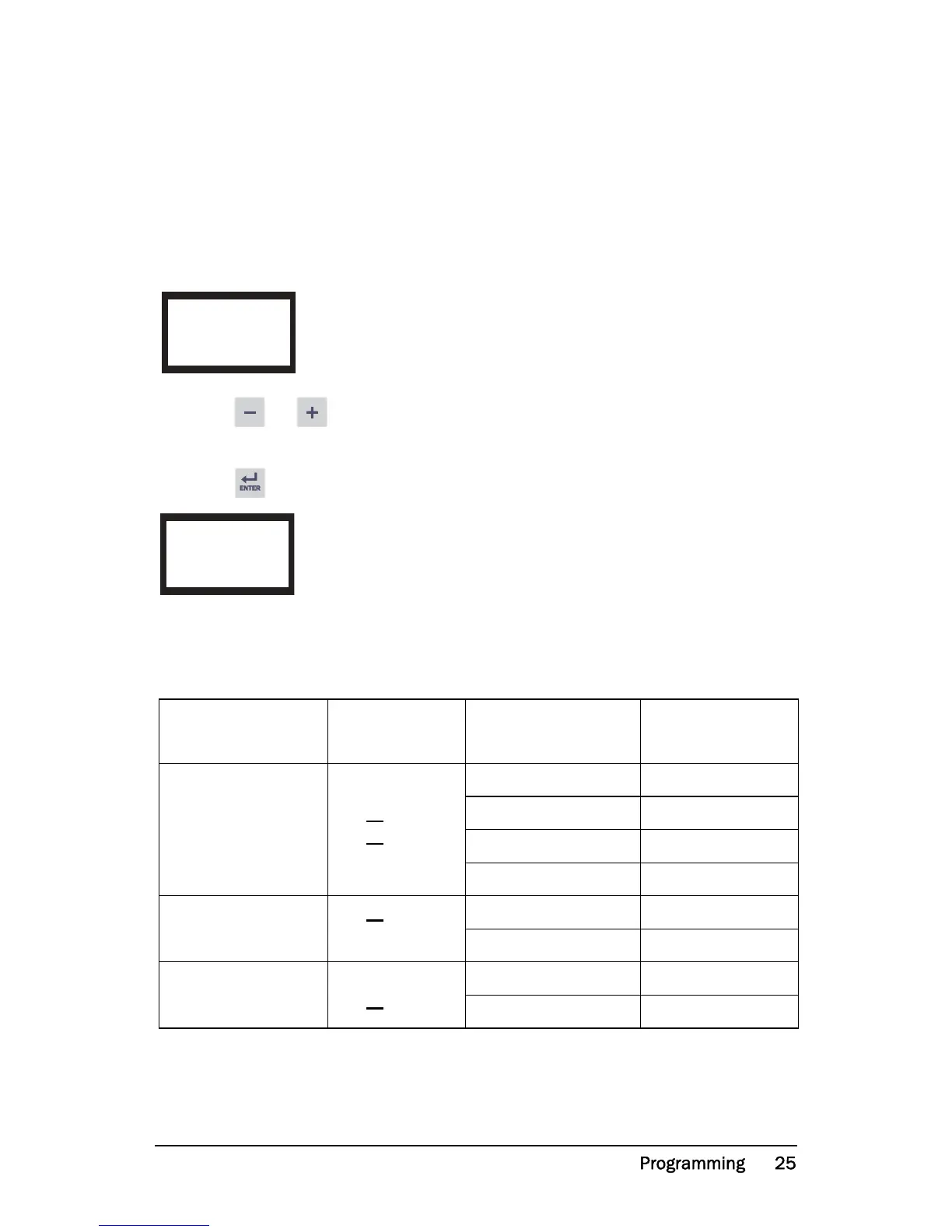
1. Go to window 43 (default = 3PH).
2. Press or to set the number of phases to 1 if a single-phase motor is
used.
3. Press to confirm the change.
8.4 Monitor function (window 05)
If separate output relays are required for overload and underload alarms, please
refer to chapter 9 and chapter 12.
Monitor
(Protection)
Indication in
window 05
Alarm
Output Relay
(default)
OVER- and UNDER-
LOAD (default)
MAX Main Alarm Relay 1 (NC): 6-7
MAX Pre-Alarm Relay 2 (NO): 6-8
MIN Pre-Alarm Relay 2 (NO): 6-8
MIN Main Alarm Relay 1 (NC): 6-7
OVERLOAD
MAX Main Alarm Relay 1 (NC): 6-7
MAX Pre-Alarm Relay 2 (NO): 6-8
UNDERLOAD
MIN Pre-Alarm Relay 2 (NO): 6-8
MIN Main Alarm Relay 1 (NC): 6-7


 To Next Page