EDM01-36v10 DAG_9.2X2_Card_User_Guide - Installation
10 ©2010 - 2012 Endace Technology Ltd. Confidential - Version 10 - May 2012
Inserting the DAG card
Warnings:
Electro-Static Discharge (ESD): It is very important to protect both the
computer and the DAG 9.2X2 card from damage by ESD. Failure to do so
could cause damage to components and subsequently cause the card to
partially or completely fail.
DO NOT hold the DAG 9.2X2 card by the battery cage. The battery cage can
be easily damaged and can cause your DAG 9.2X2 to need reprogramming.
DO NOT REMOVE THE BATTERY (page 4).
1. Turn power to the computer OFF.
2. Remove the PCIe Gen 2.0 bus slot screw and cover.
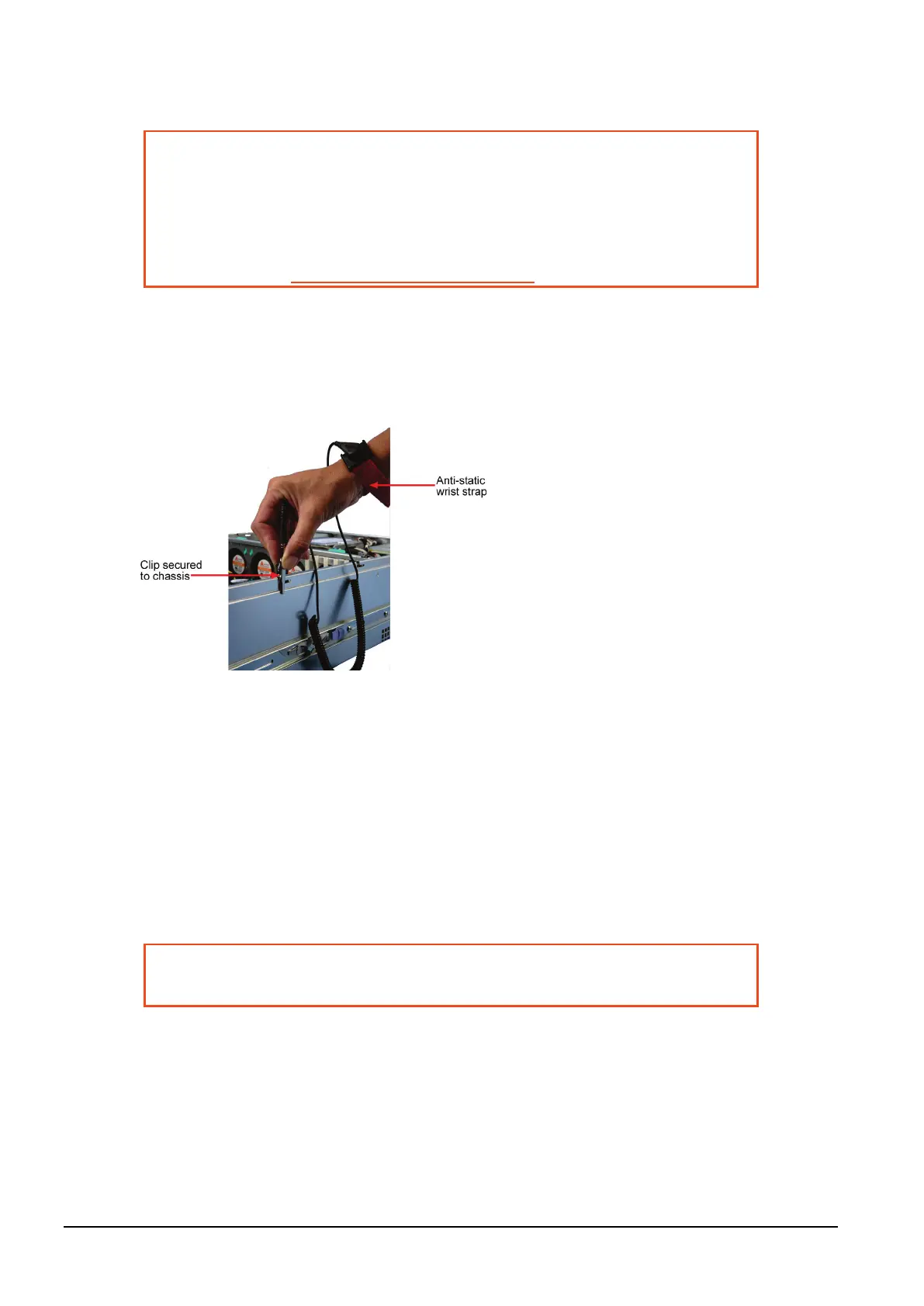
3. Using an approved ESD protection device attach the end with the strap to your wrist and pull or clip
firmly so there is firm contact with your wrist.
4. Securely attach the clip on the other end of the strap to a solid metal area on the computer chassis
as shown below.
5. Hold the DAG 9.2X2 card with one hand on the front bracket and two or three fingers on the card
edge. This ensures damage does not occur to the card or its components.
6. Insert the DAG 9.2X2 card into PCIe Gen 2.0 bus slot ensuring it is firmly seated.
7. If this DAG card requires an external power supply, complete the following steps:
a. Connect the supplied (or equivalent) power cable to the external power connector on the DAG
card.
b. Connect the cable to the appropriate power connector on your server's power supply unit.
8. Check the free end of the card fits securely into the card-end bracket that supports the weight of the
card.
9. Secure the card with the bus slot cover screw.
10. Turn power to the computer ON.
11. Ensure the blue (FPGA successfully programmed) LED on the DAG card illuminates.
Caution:
Ensure good airflow across the DAG 9.2X2 card heatsink, at least 200
meters per minute (656 linear feet per minute).



 To Next Page