35
NATURE 2 INSTALLATION
Sanitation of your pool water is partly accomplished
by placing one Nature 2 Continuous Silver Ion sanitizer
into the pool filter. Nature 2 reduces the amount of
chlorine you’ll need to use by adding silver ions to the
pool, inhibiting bacteria growth. The cartridge should be
replaced every four months.
NOTE: Nature 2 IS NOT compatible with bromine.
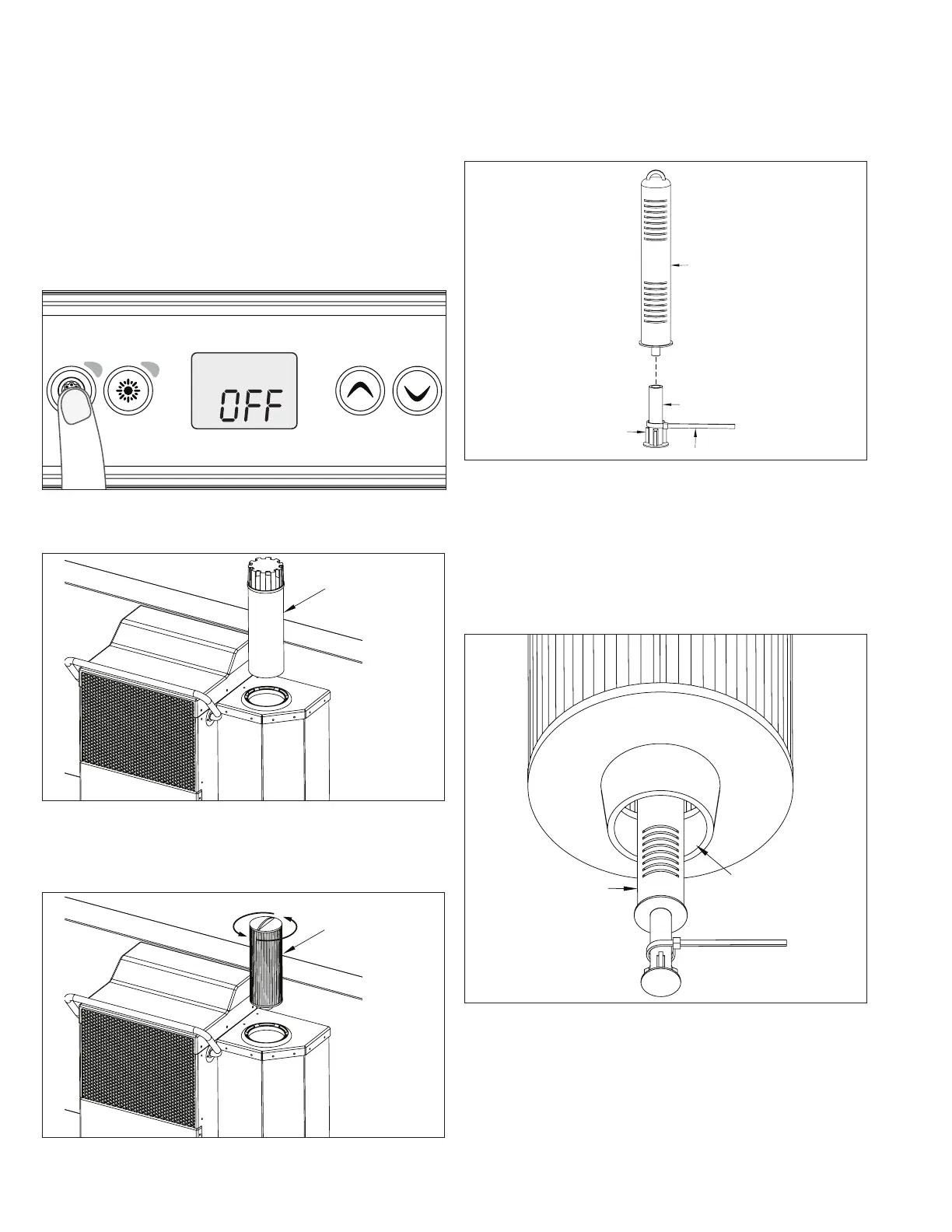
Hold the Pump Button for 5 seconds to enable Off Mode.
This mode allows you to stop all outputs for 30 minutes to
perform maintenance (Fig. 57).
Fig. 57
Remove the Inner Pipe & Lid (A) from the skimmer (Fig. 58).
A
Fig. 58
Remove the Filter Cartridge (A) from the skimmer by
unthreading it counter-clockwise (Fig. 59).
A
Fig. 59
Remove the Nature 2 from it’s packaging. Attach the
Handle (B) to the bottom of the Cartridge (A). Loop the
provided Zip Tie (D) around the Handle and above the
Fins (C) and then interlock the strap end into its locking
mechanism. Cut the strap of the tie down to approximately
3” (7,6cm) (Fig. 60).
C
A
B
Fig. 60
Insert the Nature 2 (A) into the port at the bottom of the
Filter Cartridge (B). Pinch the Zip Tie to fully insert the
Handle of the Nature 2 inside the filter (Fig. 61). The Zip Tie
will extend once inside the filter to prevent the Nature 2
from falling out the bottom of the filter. Adjust the Zip Tie
if necessary to ensure the Nature 2 doesn’t fall out.
B
A
Fig. 61
Reinstall the Filter Cartridge into the skimmer.



 To Next Page