5 Operation RMS 621
22 Endress+Hauser
4.3 Connection control
Once the unit has been connected, run the following control functions:
5Operation
5.1 Operation at a glance
!
Note!
Depending on the version and application, the unit offers the user a large number of possible settings
and software functions. For fast commissioning there is a special "Quick Set up" (short form set-up)
available where all application relevant operating addresses are selected one by one. See Chapter
6.3 "Quick Set Up".
For additional set-up assistance, a help text is available for most operating addresses. These can be
activated by operating the "?" key. The help text can be called upon for each menu.
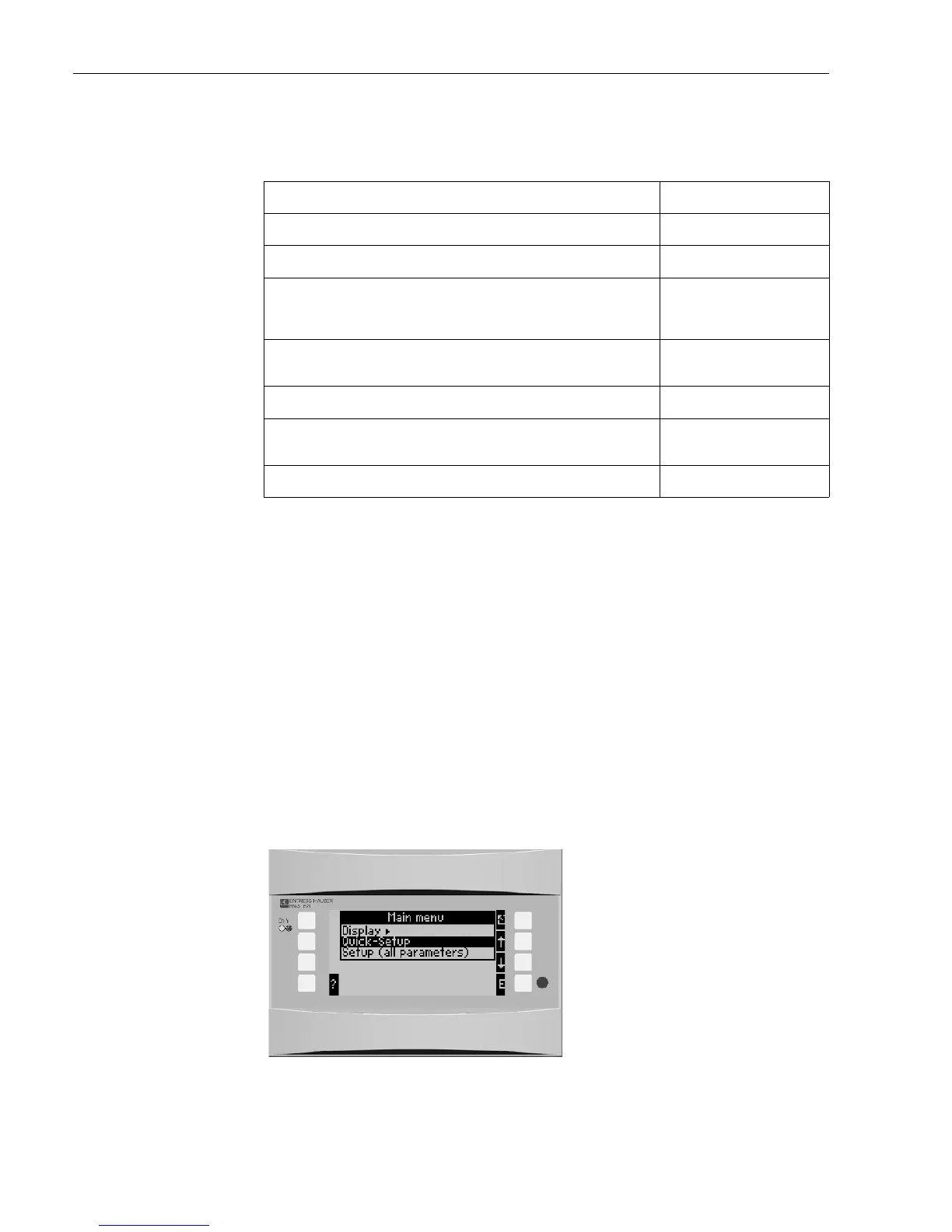
5.1.1 Main menu
Fig. 16: Main menu
Unit condition and specifications Hint
Is the unit or cables visibly damaged (visual control)? -
Electrical connection Hint
Does the power supply used correspond with that printed on the unit legend
plate?
90 to 250 V AC (50/60 Hz)
18 to 36 V DC
20 to 28 V AC (50/60 Hz)
Are all terminals plugged into the correct position? Is the keying correct for each
terminal?
-
Are the cables installed relieved from tension? -
Are the power and signal cables correctly connected? See connection schematic on the
unit housing
Are all screws tightened? -




 To Next Page