9 Fault-finding RMS 621
52 Endress+Hauser
9.3 Process error messages
Card not recognised Slot „xx“
•
Plug-in card defective
•
Plug-in card not fitted
correctly
Remove card and refit (→ Chap.
3.2.1 Installation of expansion
cards). Contact E+H Service if the
fault message appears again.
Messages on software errors:
•
Fault on reading actual read
address
•
Fault on reading actual write
address
•
Fault on reading actual oldest value
•
adr "Address"
•
DRV_INVALID_FUNCTION
•
DRV_INVALID_CHANNEL
•
DRV_INVALID_PARAMETER
•
I2C-Bus error
Fault in programme Inform E+H Service
organisation
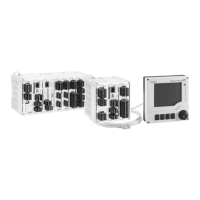
"Communication problem" No communication between the
remote display/operating unit and
the basic unit
Connection control of the remote
display/operating unit (→ Fig. 1
53); Baudrate and unit address have
to be the same in the basic unit as
well as in the remote
display/operating unit.
Display message Cause Cure
Wet steam alarm The steam calculated from
temperature and pressure is 2 °C
above the saturated steam
temperature (danger of
condensation of the steam).
•
Check the application,
transmitters and connected
sensors.
•
If the "WET STEAM ALARM" is
not required change the alarm set
point function
(→ Setup, Alarm set points,
Chap. 6.4.3) or deactivate display
colour change (Setup → Display
→ Colour change, Chap. 6.4.3)
Temp. out of steam range! The measured temperature is
outside the allowable steam value
range. (0 to 800°C)
Check the set-up and the
connected sensors.
(→ Setup, Inputs, Chap. 6.4.3)
Pressure out of steam range! The measured pressure is
outside the allowable steam value
range. (0 to 1000 bar)
Check the set-up and the
connected sensors.
(→ Setup, Inputs, Chap. 6.4.3)
Max. sat. steam temp. exceeded! The measured or calculated
temperature is outside the
saturated steam range (T>350°C)
•
Check the set-up and the
connected sensors.
•
Set-up steam type "super heat"
and use measurement using
three input values (Q, P, T).
(→ Setup, Applications Chap.
6.4.3)
Display message Cause Cure




 To Next Page