RMS 621 7 Maintenance
Endress+Hauser 51
7Maintenance
There is no special maintenance required on the Energy manager.
8 Accessories
9 Fault-finding
9.1 Troubleshooting instructions
Should faults occur after commissioning or during operation always start fault-finding using the
following check lists. Using various questions the operator is led
systematically through the unit to the cause and gives the necessary cure.
9.2 System error messages
Description Order code
RS232 serial interface cable with 3.5 mm jack plug, with ReadWin
®
2000 PC software
package, for connection to PC
RMS621A-VK
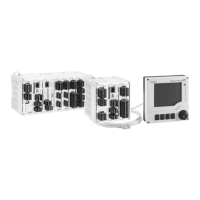
Remote mounted display for 144 x 72 mm panel mounting RMS621A-AA
Field housing 52010132
Profibus DP slave module RMS621A-P1
Housing fixing slide RMS621X-HC
Display message Cause Cure
Config error (red display):
•
Pressure
•
Analogue temperature
•
PTx Temperature
•
Analogue flow!
•
PFM-pulse flow!
•
Applications!
•
Alarm set points!
•
Analogue outputs!
•
Pulse outputs!
•
Faulty or incomplete set-up or
loss of calibration data
•
Incorrect terminal
allocation
•
Check that all necessary
addresses have been defined
using plausible
values.
(→ Chap. 6.4.3 Main menu -
Setup)
•
Check whether inputs have been
allocated incorrectly (e.g. Flow 1,
allocated two different
temperatures).
(→ Chap. 6.4.3 Main menu -
Setup)
Counter error
•
Fault in data recording in the
counter register
•
Data in counter register faulty
•
Reset counters
(→ Chap. 6.4.3 Main menu -
Setup)
•
Inform E+H-Service, if the fault
cannot be removed
Calibration data error Slot „xx“ Factory default calibration data
faulty or cannot be read.
Remove card and refit (→ Chap.
3.2.1 Installation of expansion
cards). Contact E+H Service if the
fault message appears again.




 To Next Page