RMS 621 5 Operation
Endress+Hauser 25
5.2.2 Key symbols
!
Note!
The individual key functions are different in both the Quick Set-up and standard set-up. In the
Quick Set-up access to the sub menus and return is done using the double arrows. In the standard
set-up, access to the individual sub menus and functions is done using the ’E’ key and return using
the ’Esc’ key.
There are no double arrows in the standard set-up function.
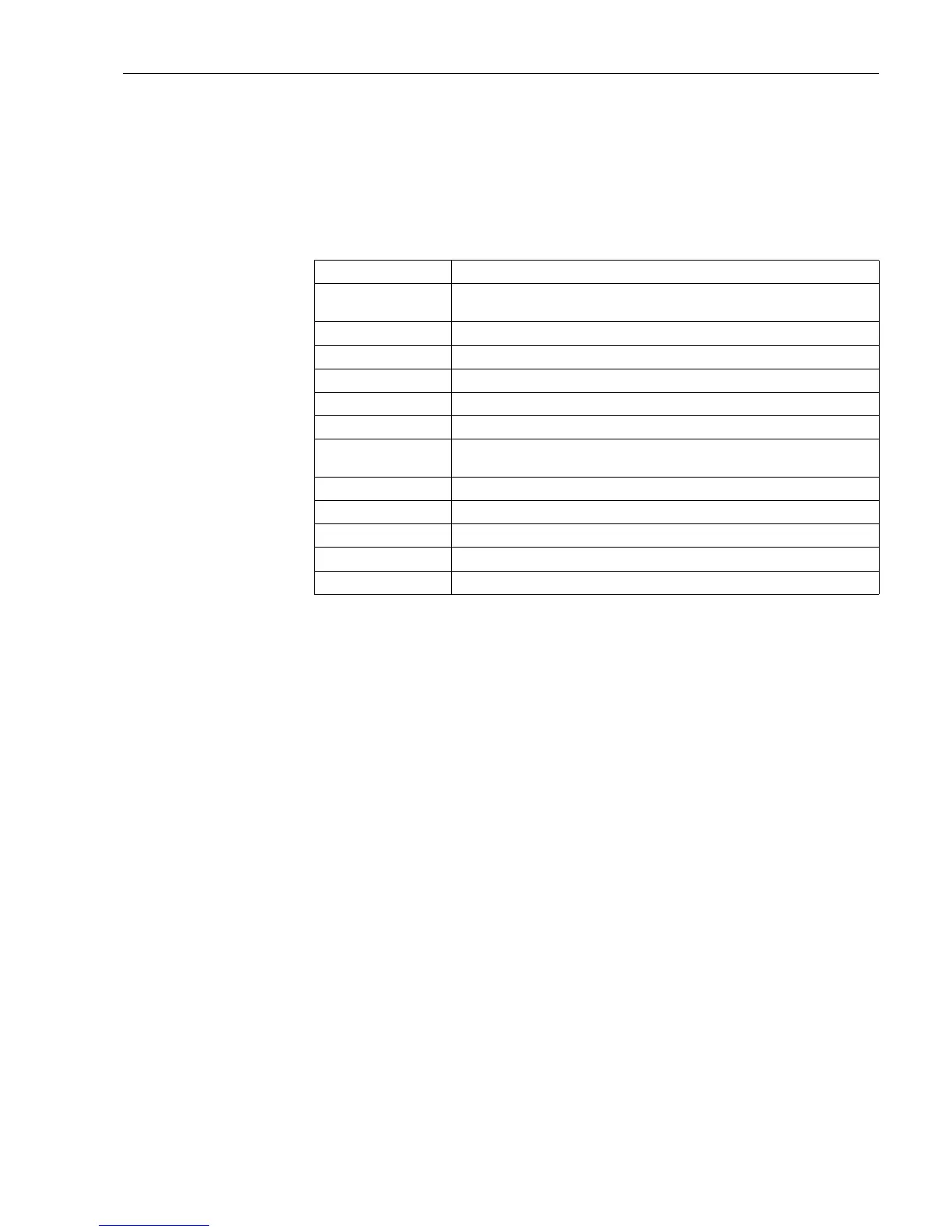
Key symbol Function
E Change to sub menus and selection of operating addresses. Editing and acknowledgement
of preset values.
Z
Leaves the active editing mask or active menu address without saving any changes made.
Ç Moves the cursor one line or character upwards.
È Moves the cursor one line or character downwards.
Æ Moves the cursor one character to the right.
Å Moves the cursor one character to the left
? If a help text is available for the active operating address this is indicated using a question
mark. Operating this key initiates the help function.
>> Switches to the next sub menu. (only in the Quick Set-up)
<< Switches from the sub menu to the main menu (only in Quick Set-up)
AB Changes into the Palm key pad in editor mode
ij /iJ Key pad for upper/lower case (only on Palm use)
½ Key pad for numeric entries (only on Palm use)




 To Next Page