6 Commissioning RMS 621
42 Endress+Hauser
Sum (counters)
For each application there are two counters available for mass and heat quantity. Only one of these
can be preset or reset. The non-resettable counter is used for totalisation. This is indicated with a
"Σ" in the display. (menu address: Setup (all parameters) Æ Display Æ Group 1... Æ Value
1... Æ Σ Heat sum ....
Any sum counter overflow is recorded in the event memory (menu address: Display/Event
memory). Optionally the counters can be set to display exponentially see: Setup (all parameters)
Æ Display Æ Indication Æ Display Sums.
The sum counters are set up in the sub menu Setup (all parameters) Æ Application Æ
Application ... Æ Sums.
* There are an additional two sum counters plus two totalisers when operating in bi-directional
mode. The additional counters are identified with (-), the other counters with (+). Example: The
charging of a boiler is recorded by the "+"-counters, the discharge by the "-"-counters.
Setup → Display
The display operation of the unit can be independently set up. Up to six groups each containing
between 1 and 8 presettable process values can be displayed individually or in an automatic scroll
mode. The display size of the process values is dependent on the number of values in each group.
Display set-up can be found in the menu Setup (all parameters) Æ Display.
!
Note!
Selection of which group containing process values is to be indicated in the display is done in Main
menu Æ Display Æ Group, see chap. 6.4.1. The selection is invalid on scrolled display
operation (automatic change between groups).
!
Note!
If 7 values are defined in one group the display parameter "Date and Time" is only displayed on the
positions 1 - 5. With 8 values in one group the display combination "Date and Time" is only
displayed in positions 1 - 4. ’Date’ or ’Time’ seen as single positions can always be displayed in all
positions.
Function (Menu
address)
Parameter set-up Description
Heat
Heat (-) *
0 to 99999999.9 Heat sum counter for the selected application. Can be preset
and reset.
Mass
Mass (-) *
0 to 99999999.9 Mass sum counter for the selected application. Can be preset
and reset.
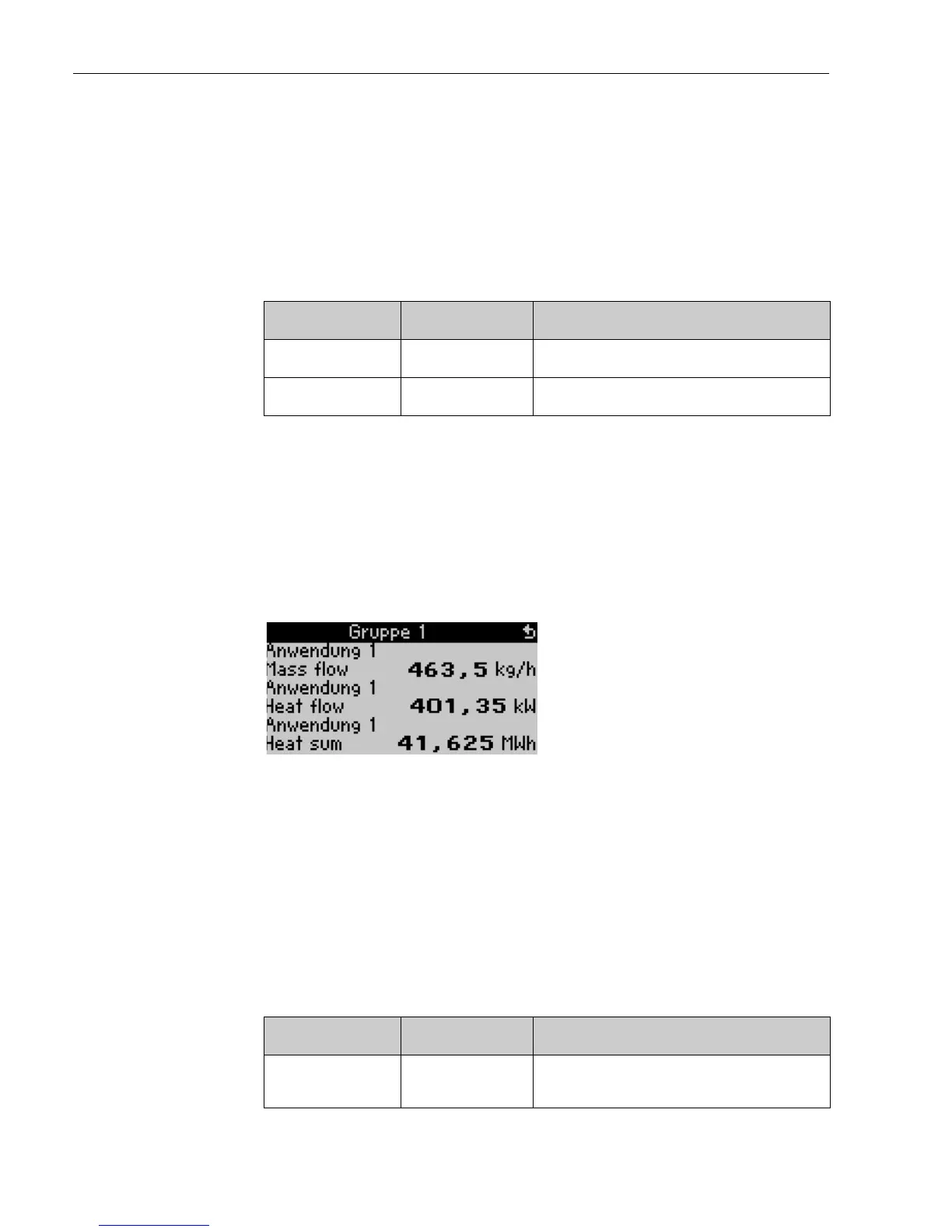
When displaying one to three values in one group then all
values are shown including the application name and
description (e.g. heat sum) as well as the respective
engineering units.
From four values only the values and engineering units are
displayed.
Function (Menu
address)
Parameter set-up Description
Group 1 to 6
Identifier
For better overview of individual groups these can be allocated
individual descriptive names, e.g. ’Overview inflow’. (max. 12
characters)




 To Next Page