116
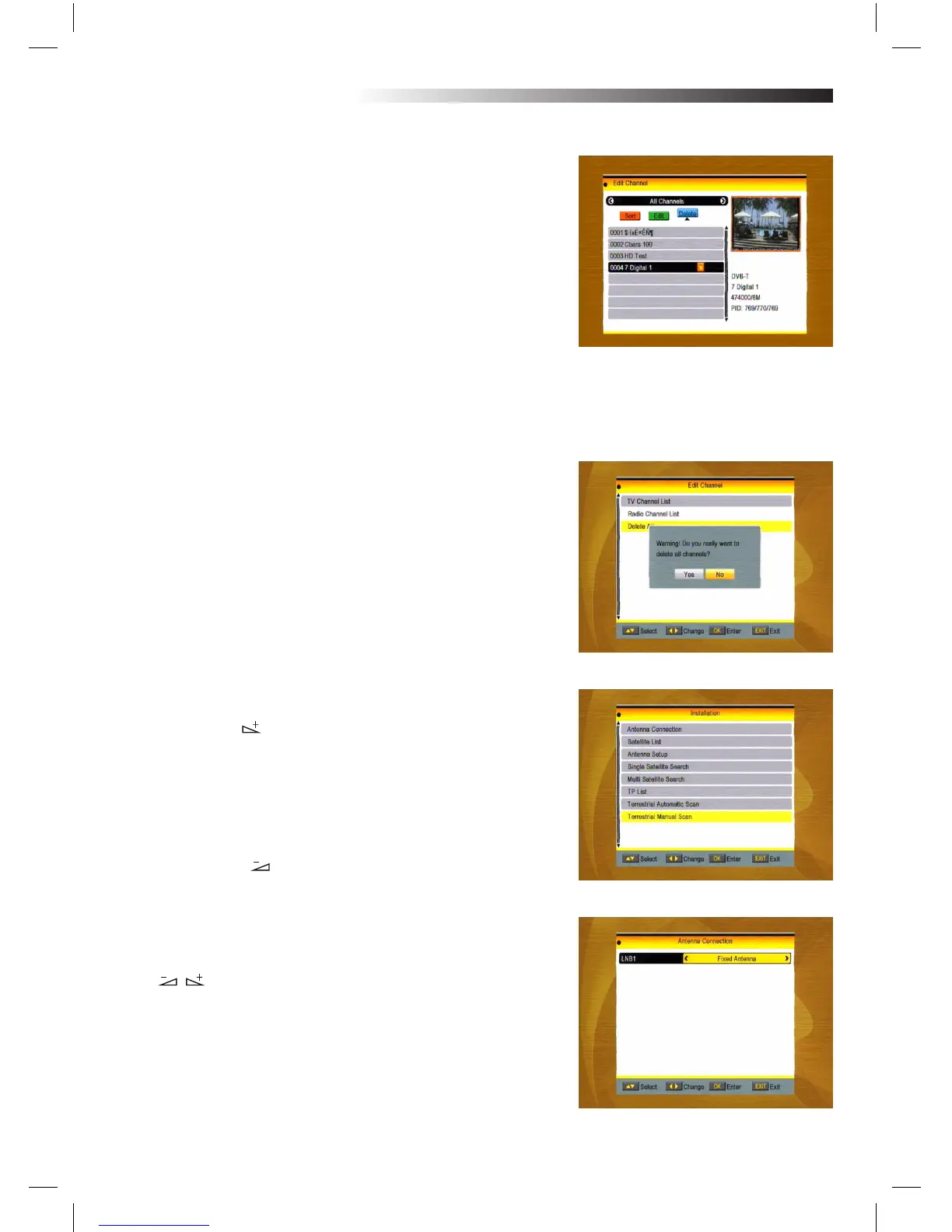
iii. Delete (blue colour key)
In Delete window, press blue colour key to move the Delete
button upward. Select the program and press OK key to mark
this program with the deletion mark. You can cancel this mark by
pressing OK key again.
Press EXIT key to pop up the dialogue “Are you sure to save?”.
Select Yes button and press OK key to save, or select NO button
and press OK key to exit without saving.
1.2 Radio Channel List
Sine the same operation as 1.1 TV Channel List, here we don’t
explain any more.
1.3 Delete All
Move cursor to the Delete All item, and press OK Key to pop up
the dialogue “Warning! Do you really want to delete all channel?”.
Press EXIT key to pop up the dialogue “Are you sure to save?”.
Select Yes button and press OK key to save, or select NO button
and press OK key to EXIT without saving.
2. Installation
1. Press OK key or key to pop up the “Input Password” dialo-
gue, you can not enter into the MENU unless the correct pas-
sword is inputted.
The default password is “0000”.
2. Press PR+, PR- keys to move the cursor up or
down.
3. Press EXIT key or key to move the focus
to the left MENU.
2.1 Antenna Connection
Press keys to select between Motor Antenna and Fixed
Antenna.
MENU INFORMATION



 To Next Page