125
ENGLISH
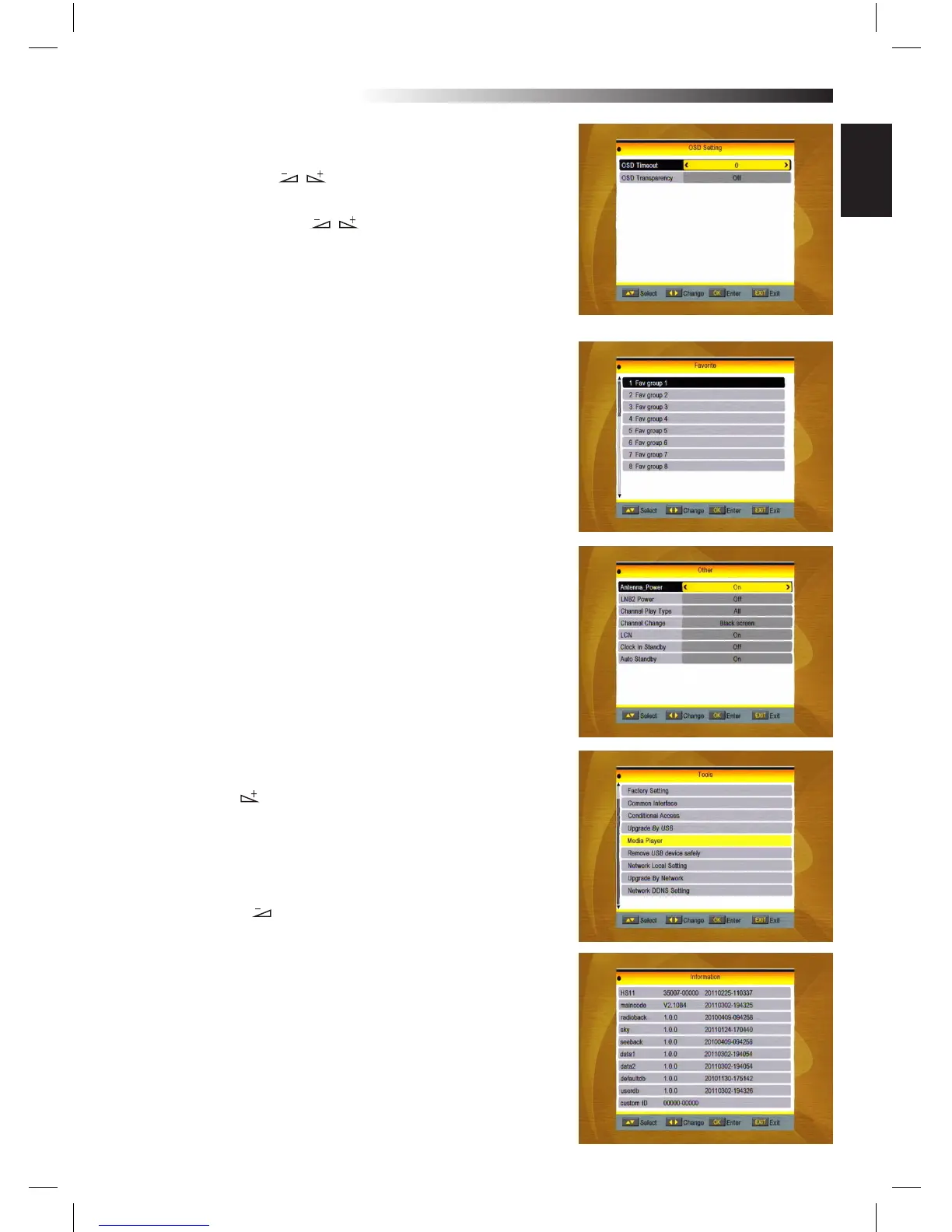
3.7 OSD Setting
1. OSD Timeout: Press keys toselect from 1 to 10 by
step1. The default values Is 5.
2. OSD Transparency: Press keys to select among O,
10%, 20%, 30%, 40%. The default option is O.
Press MENU or EXIT key to save and EXIT.
3.8 Favorite
There are 32 Favorites group listed in this window. Press PR+,
PR- keys to select one and press OK key to theRename window.
Since the same operation as the above the Add Satellite win-
dow, here we don’t explain anymore.
3.9 Other
1. LNB SAT (LNB Alimentation)
2.Antenna Power (Antenna alimentation):
Select between OFF and ON
3. Channel Play Type: Select among All, Free,
Scramble.
4. Change Channel: Black screen or freeze
5. Clock in standby: ON/OFF
6. Autostandby (Auto OFF 3h): ON/OFF
4. Tools
1. Press OK key or key to pop up the “Input Password” dialo-
gue, you can not enter into the MENU unless the correct pas-
sword is inputted.
The default password is 0000.
2. Press PR+, PR- keys to move the cursor up or down.
3. Press EXIT key or key to move the focus to the left MENU.
4.1 Information
Press OK key to the Information window.
MENU INFORMATION



 To Next Page