122
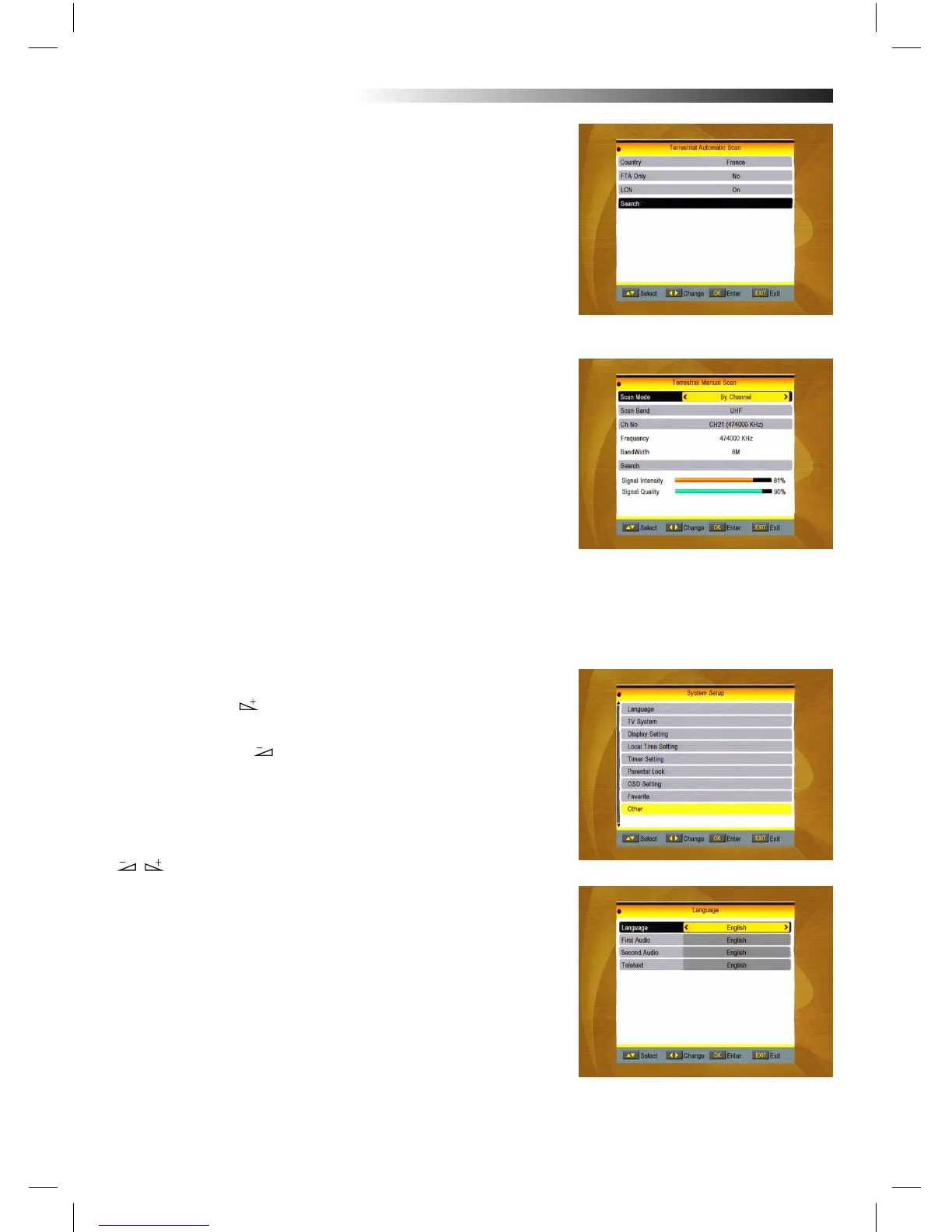
2.7 Terrestrial Automatic Scan
1. Area: Select the area.
2. FTA Only: Select between YES and No.
3. LCN: Select between ON/OFF
4. Search: Press OK key to start searching.
2.8 Terrestrial Manual Scan
When you enter Manual Search, the screen will display as beside.
There are two scan modes for you. You can choose to scan by
channel or by frequency.
When scan band is UHF and region is “China”, the range of Ch
Number is from 13 to 61. When scan band is VHF and region is
“China”, the range of Ch
Number is from 1 to 12. (It’s according to region.)
When you complete your conguration, move highlight to search
option, and press [OK] key to start scanning.
Press [EXIT] key to EXIT the scanning and save the current pa-
rameters.
3. System Setup
1. Press OK key or key to move the cursor to the right MENU.
2. Press PR+, PR- keys to move the cursor up or down.
3. Press EXIT key or key to move the focus to the left MENU.
3.1 Language
1. Press OK key to enter into the Language window. Press
keys to select the language in circle, while press PR+, PR-
keys to move the cursor up or down in circle.
2. Press MENU key or EXIT key to save and EXIT.
3. The types of the language, pleaser refer to the conguration
of the customer.
MENU INFORMATION



 To Next Page