121
ENGLISH
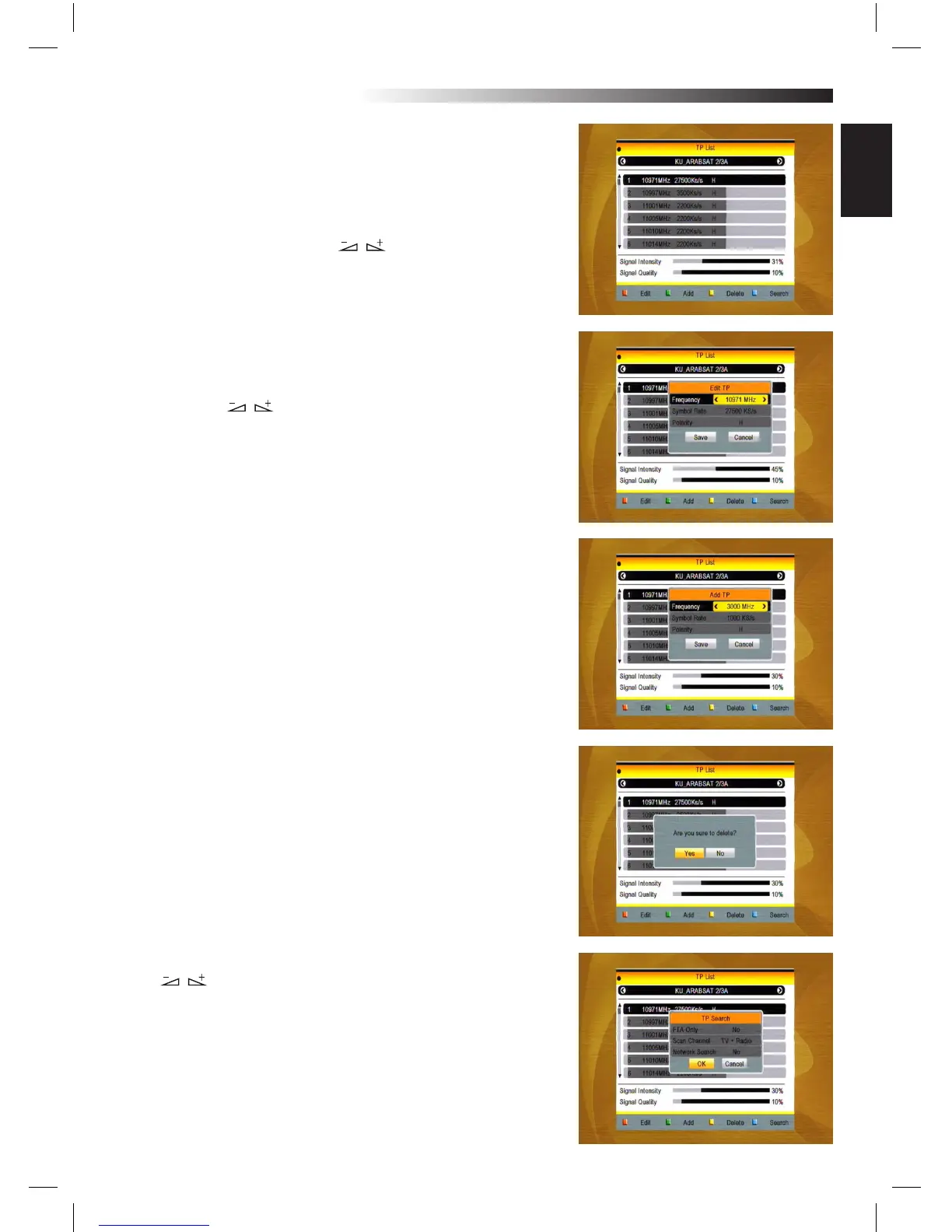
2.6 TP List
1. Press PR+,PR- keys to select the proper satellite
2. Press red colour key to pop up the Edit TP window.
Frequency, Symbol rate: Press keys to add or reduce
by step one. Or press numeric
keys (0-9) to input the desired value. The range of the fre-
quency is 3000-13500, while the range of the symbol rate is
1000~45000. The inputted value is beyond this range, the
value will return to the origin value.
Polarity: Press keys to switch between Vertical and
Horizontal.
3. Press green colour key to pop up the Add TP window. Since
the same operation as the above Edit TP window, here we
don’t explain any more.
4. Press yellow colour key to pop up dialogue “ Are you sure to
delete?”. Press OK key at the Yes button to delete the selected
TP, or press EXIT key to cancel the operation.
5. Press blue colour key to pop up the TP
Search window.
FTA only, Scan Channel, Network Search:
Press keys to select the proper option.
Press OK key at the OK button to start searching.
MENU INFORMATION



 To Next Page