120
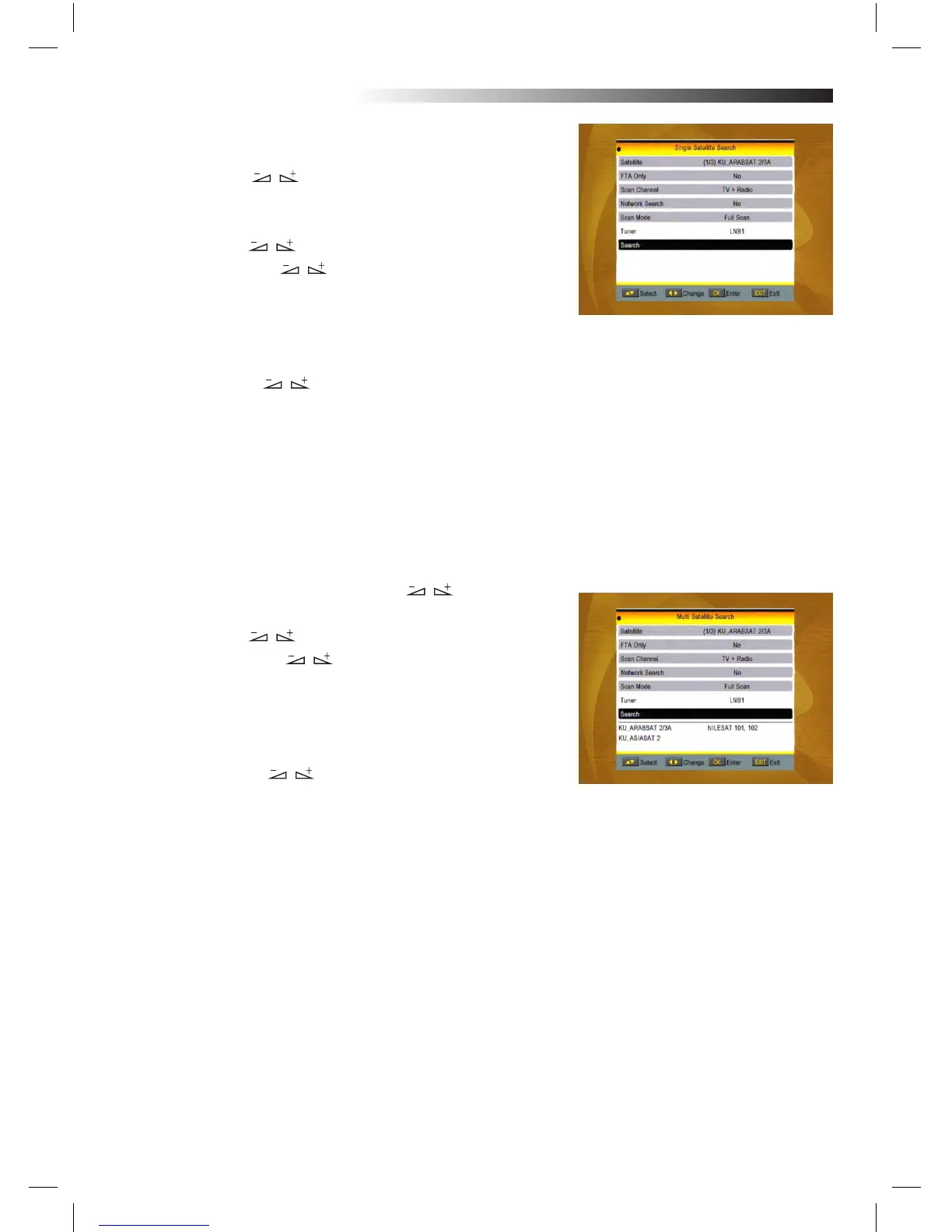
2.4 Single Satellite Search
1. Satellite : Press keys to select the satellite in circle.
Or press OK key to pop up the drop-down list, then select the
desired satellite in the list and press OK key to conrm.
2. FTA Only: Press keys to select between Yes and No.
3. Scan Channel: Press keys to select among TV+Radio,
TV Channel, Radio.
4. Network Search: Select between No and Yes. This item
turns grey when Auto Scan is selected in the following Scan
mode item.
5. Scan Mode: Press keys to select between Auto Scan and Preset Scan. Auto Scan is Blind
scan, while Preset Scan is to search the preset frequencies.
6.Turner:LNB1
7. Search: Press OK key to start searching.
2.5 Multi Satellite Search
From the Multi Satellite Search window, you can search several
satellites at the one time.
1. Satellite: All selected satellites in the satellite list window are
displayed on the down part. You can press keys to switch
among them.
2. FTA Only: Press keys to select between Yes and No.
3. Scan Channel: Press keys to select among TV+Radio,
TV Channel, Radio.
4. Network Search: Select between No and Yes. This item turns
grey when Auto Scan is selected in the following Scan mode item.
5. Scan Mode: Press keys to select between Auto Scan
and Preset Scan.
Auto Scan is Blind scan, while Preset Scan is to search the preset
frequencies.
6.Turner: LNB1
7. Search: Press OK key to start searching.
MENU INFORMATION



 To Next Page