130
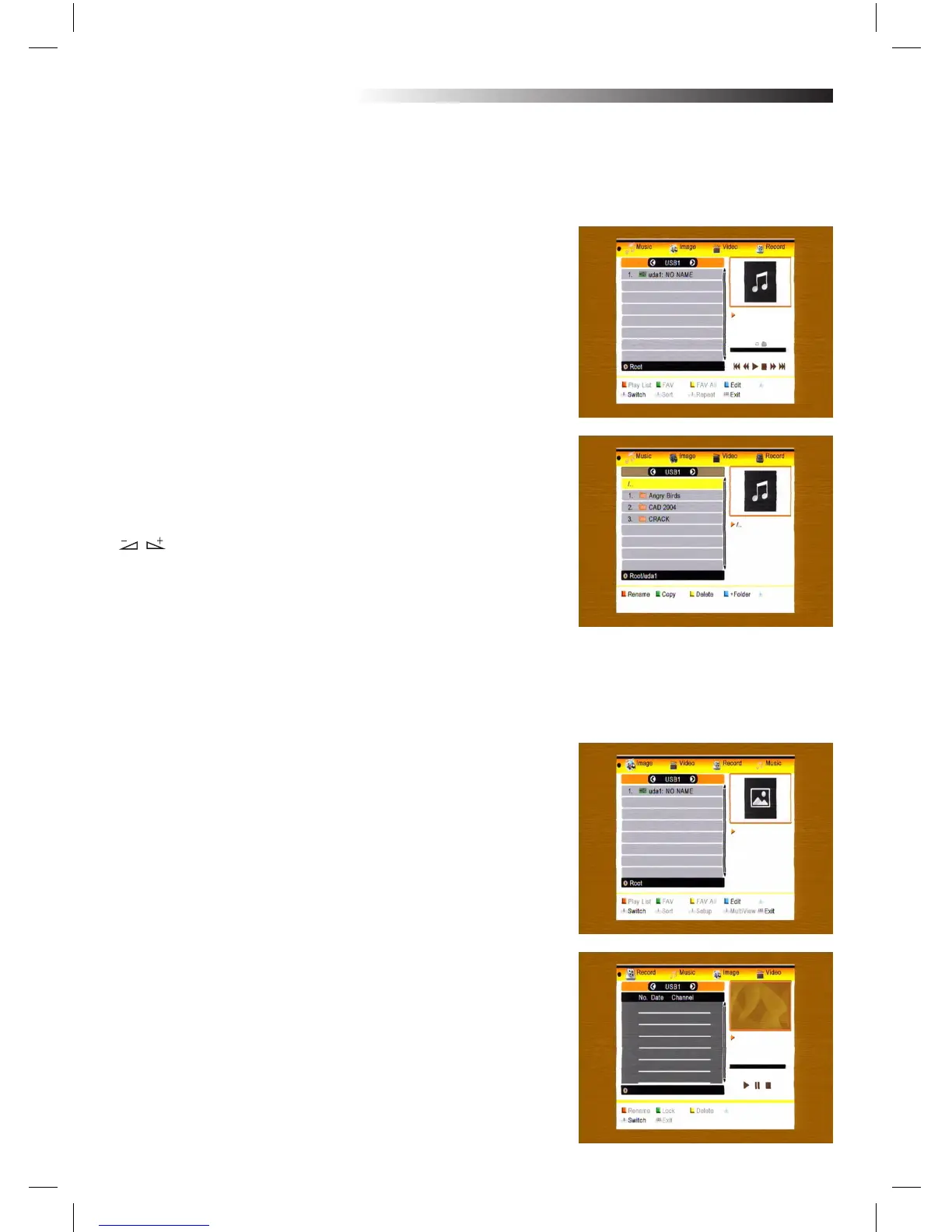
Color key operation:
1.Green key: Press green key to add the Favorite symbol on your selected les, and put the le selected by
scroll bar to play list .
2.Yellow Key: Press yellow key to add all the image and music les to the play list .
3.Red Key: Show the Play List.
4.Blue Key: Press blue key to enter the edit window.
Function key:
Press number key 0 to switch among music, image, video and
record list.
In image list
Press number key 1 to display the Sort window.
Press number key 2 to display the Setup window.
Press number key 3 to enter multi view mode.
In edit window:
Red key: Press red key to enter the rename window, you can
rename the le by press number 0-9 on RCU.
Green key: Press green key to enter the copy window, press
key to select the place you want to copy to, and press
green key to begin copying.
Yellow key: Press yellow key to add the delete symbol
on your selected le, press yellow key again the symbol
will disappeared. Press OK key on the le with delete symbol,
it will pop up a dialogue: “ Are you sure to delete ?” Select YES
to delete and select NO to quit without delete the le. and press EXIT key to quit without delete the le.
Blue key: Press blue key to enter the New Folder window, you can press number 0-9 to edit.
In music list
Press number key 1 to display the Sort window.
Press number key 2 to select the repeat mode.
The function of colour key is the same as Color key operation
In video list
Press number key 1 to display the Sort window.
The function of colour is the same as Color key operation
In record list
Red key: Press red key to enter the rename window, you can re-
name the le by press number 0-9 on RCU
Green key: Press green key to lock the le you selected Yellow
key: Press yellow key to delete the le you selected.
MENU INFORMATION



 To Next Page