16
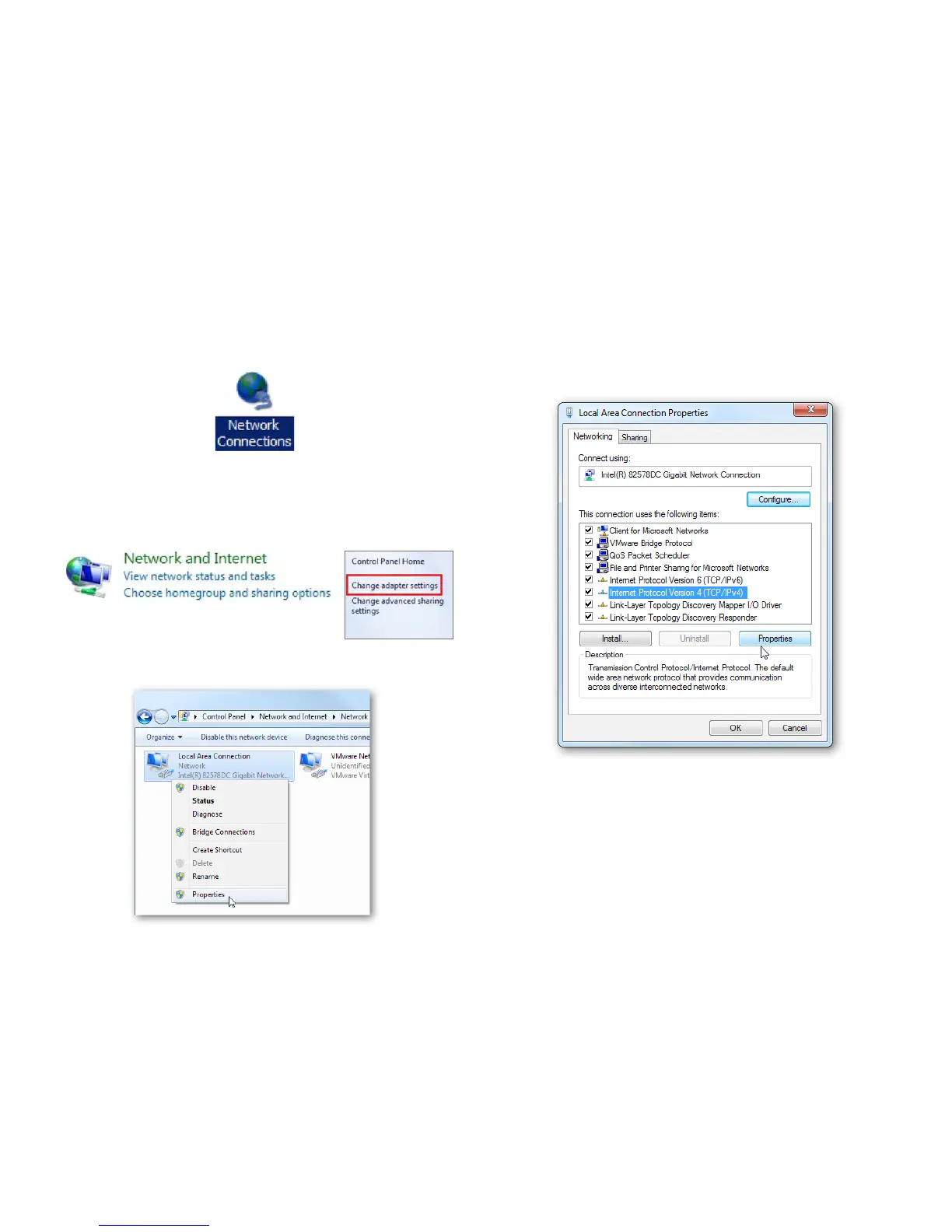
2a. In Windows XP, click Network Connections.
2b. In Windows 7/Windows 8/Windows 10, click View
Network Status and Tasks in the Network and
Internetsection,thenselect Change adapter settings.
3. Right click on Local Area Connection and select Properties.
4. Select Internet Protocol Version 4 (TCP/IPv4) and then
select Properties.
5. Select Use the following IP address and enter an IP
address that is different from the Access Point and Subnet
mask,thenclickOK.



 To Next Page