38
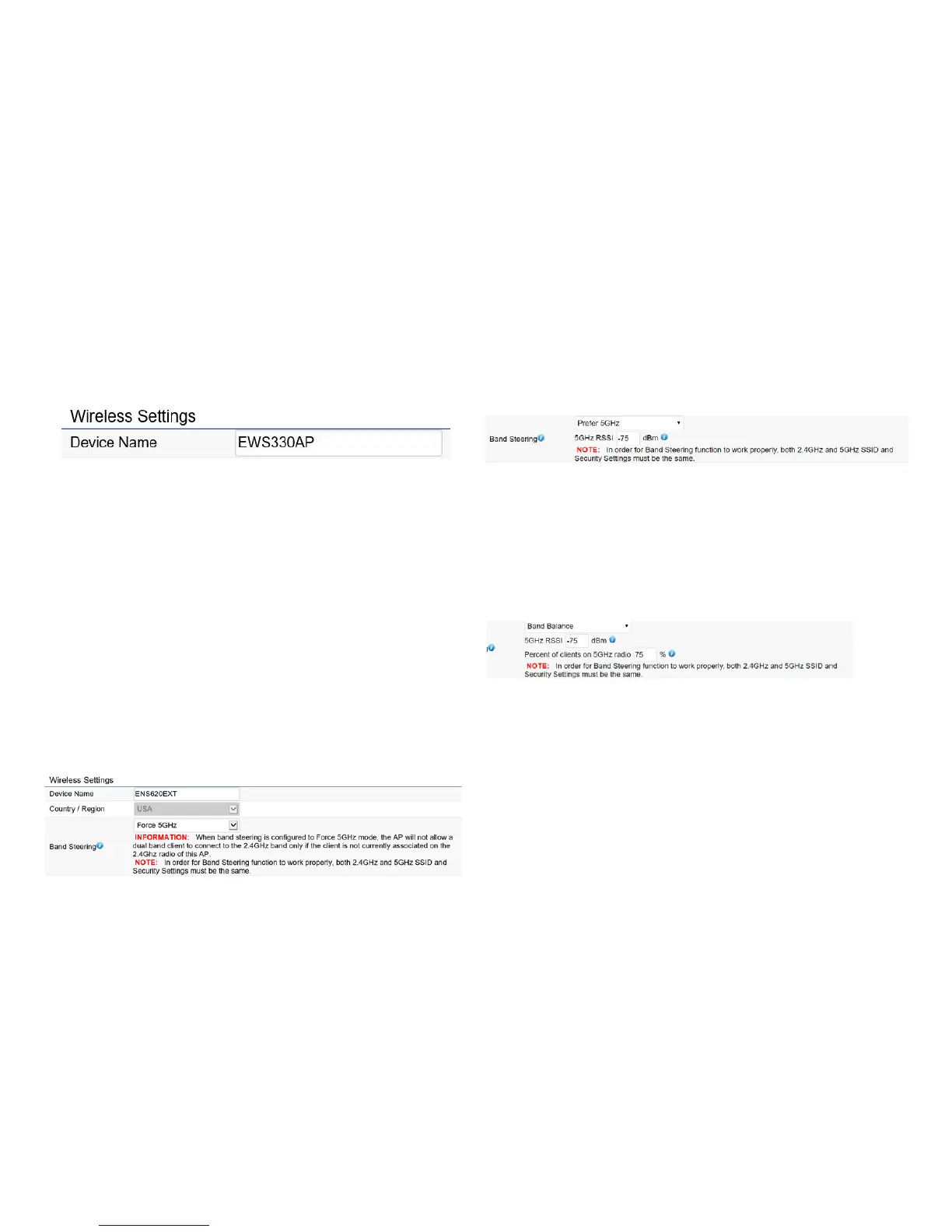
Wireless Settings
Device Name: Enter a name for the device. The name you
type appears in SNMP management. This name is not the
SSID and is not broadcast to other devices.
Band Steering (Available on ENS620EXT): Enable Band
Steering to send 802.11n clients to the 5 GHz band,
where802.11b/gclientscannotgo,andleave802.11b/g
clients in 2.4GHz to operate at their slower rates. Before
implementingthisfeature,wesuggestyoutoassurethe
both2.4GHzand5GHzSSID,aswelllassecuritysettings
must be the same. EnGenius Band Steering supports
followingadvancedsettings,
*Force 5GHz:WhenbandsteeringisconguredtoForce
5GHz mode, the AP will not dual band capable client
devices to network to the 2.4GHz band only if the client
devices are not currently associated on 2.4GHz radio in
this AP.
*Prefer 5GHz:WhenbandsteeringisconguredtoPrefer
5GHz mode, the AP will steer dual band capable client
devices to 5GHz radio when the RSSI value of these client
devices on 5GHz radio is more than set one. The allowed
RSSI value for default setting is -75dBm.
*Band Balance: When band steering is congured to
BandBalancemode,theAPwillsteerdualbandcapable
client devices to 5GHz when the RSSI value of these client
devices on 5GHz radio is more than set one. To evenly
allocateRFresourceontheboth2.4GHzand5GHzradios,
users also can set the portion of client devices on 5GHz
radio to assure smoothly connection. The default value of
the5GHzradiois75%.
Save: Click Savetoconrmthechanges.
Wireless



 To Next Page