28
WDS Bridge Mode
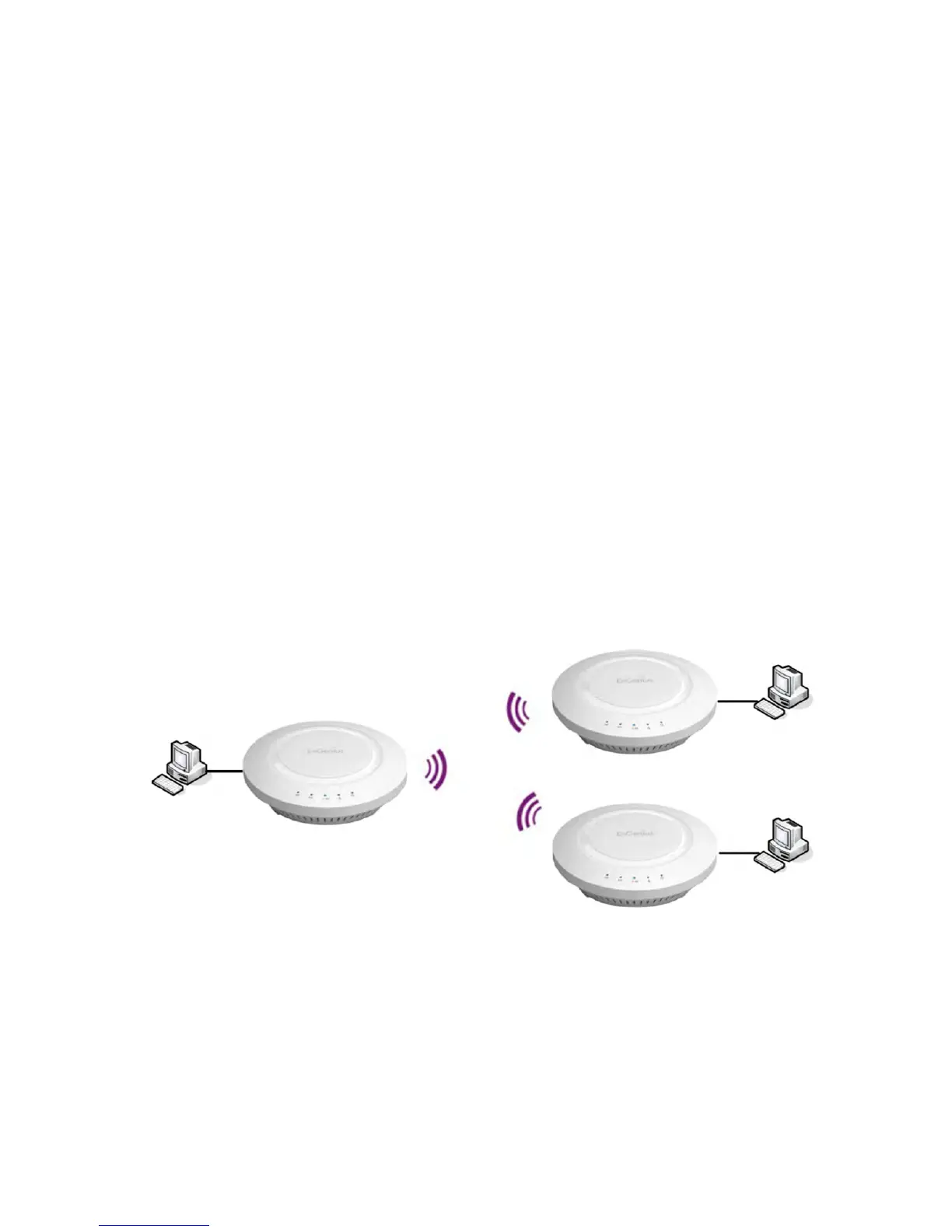
InWDSBridgeMode,theEAP1750HcanwirelesslyconnectdifferentLANsbyconguringtheMACaddressandsecurity
settings of each EAP1750H device. Use this mode when two wired LANs located a small distance apart want to communicate
witheachother.ThebestsolutionistousetheEAP1750HtowirelesslyconnecttwowiredLANs,asshowninthefollowing
gure.WDSBridgeModecanestablishuptofour(4)WDSlinks,creatingastar-likenetwork.
Note: WDS Bridge Mode does not act as an Access Point because Access Points linked by WDS use the same frequency
channel.MoreAccessPointsconnectedtogethermaylowerthroughput.Thiscongurationcanalsobesusceptibleto
generateendlessnetworkloopsinyournetwork,soitisrecommendedtoenabletheSpanningTreefeaturetoprevent
thisfromhappening.YoucanndinformationabouttheSpanningTreeFunctiononpage29.
EAP1750H
WDS Bridge
EAP1750H
WDS Bridge
EAP1750H
WDS Bridge
Client
Computer
Client
Computer
Client
Computer



 To Next Page