66
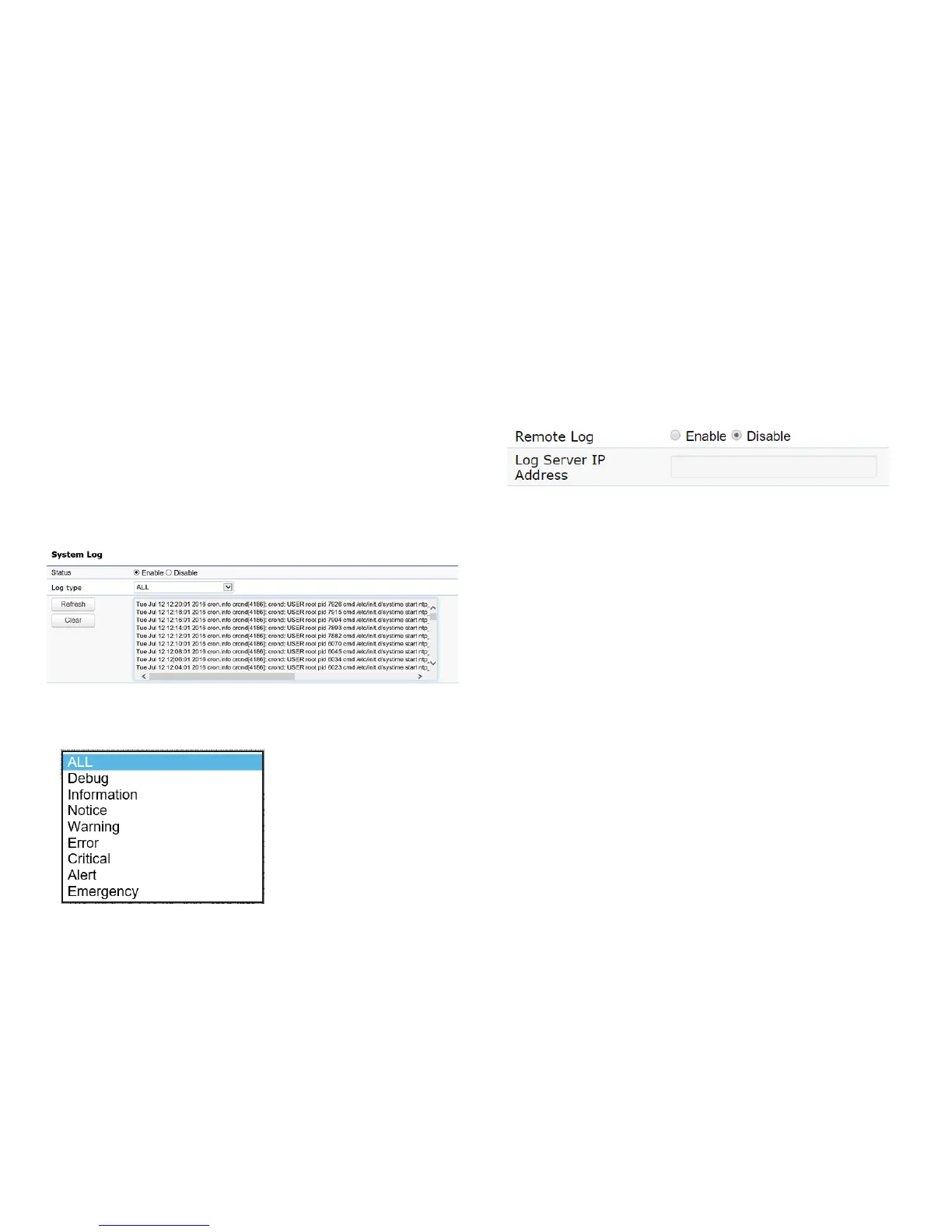
System Log
The AP automatically logs (records) events of possible
interest in its internal memory. To view the logged
information,clicktheLog link under the System Manager
menu. If there is not enough internal memory to log all
events, older events are deleted from the log. When
powereddownorrebooted,thelogwillbecleared.
Status:Enable/Disablethisfunction.
Log type
: You may choose one of log types to display logs
in the following window. The default log types is All.
Remote Log
This page allows you to setup the Remote Log functions
for this AP.
Remote Log:Enable/Disablethisfunction.
Log Server IP Address: Enter the IP address of the log
server.
Apply: Click Apply to apply the changes.
Log



 To Next Page