15
Mounting the EAP600
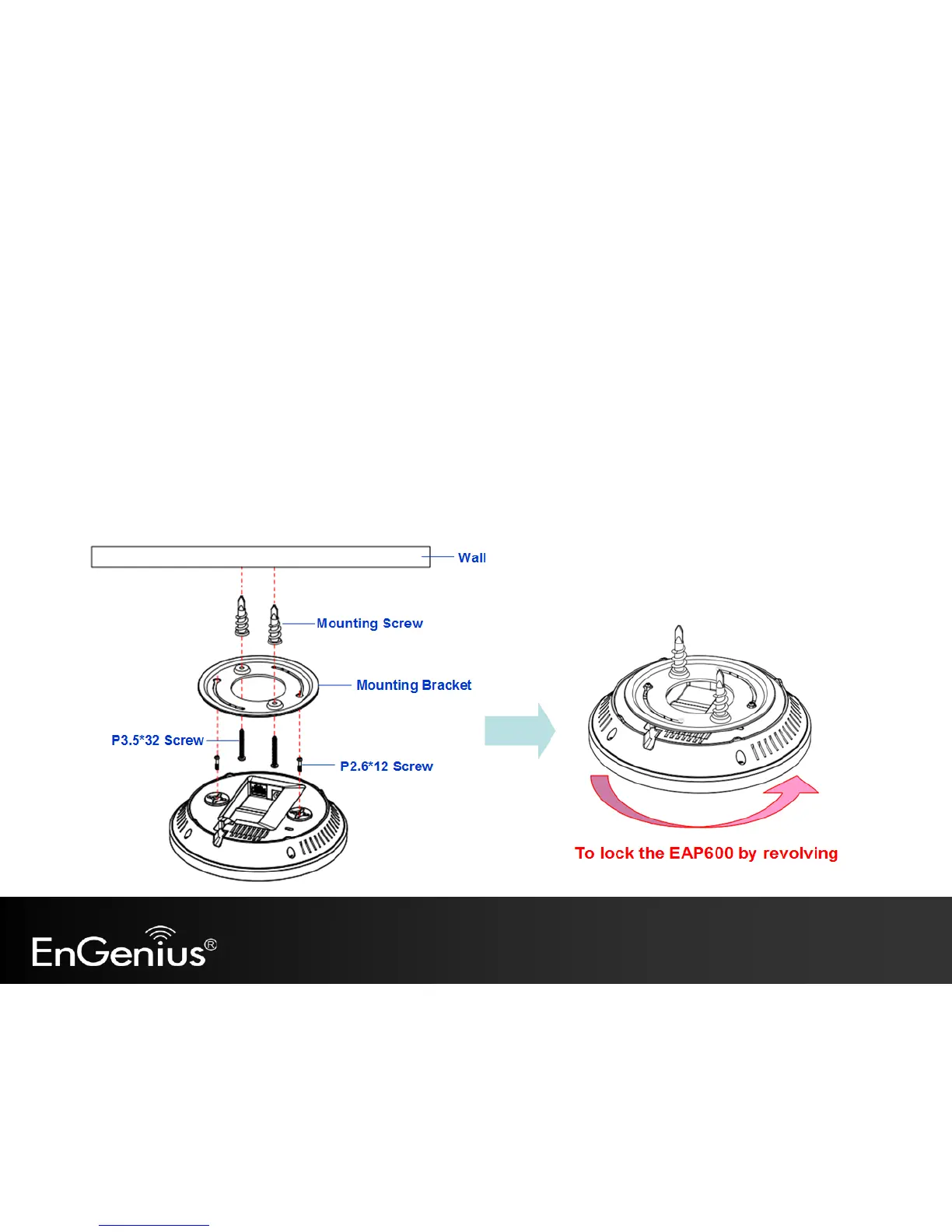
Using the provided hardware, the EAP600 can be attached to a ceiling or wall.
To attach the EAP600 to a ceiling or wall using the mounting bracket:
1) Attach the mounting bracket to the wall or ceiling using the provided wall/ceiling mounting hardware kit.
2) Insert the provided short screws into the bottom cover of the EAP600.
Leave enough of the screws exposed to ensure that the unit can be attached to the mounting bracket.
If extra space is required, use the provided spacers and long screws from the T-Rail mounting hardware kit to increase the
space between the unit and the mounting bracket.



 To Next Page