EasyManua.ls Logo

EnGenius EAP600 - 8 Management; 8.1 Administration

EnGenius EAP600
85 pages
Print Icon
To Next Page IconTo Next Page
To Previous Page IconTo Previous Page
Loading...
63
8 Management
8.1 Administration
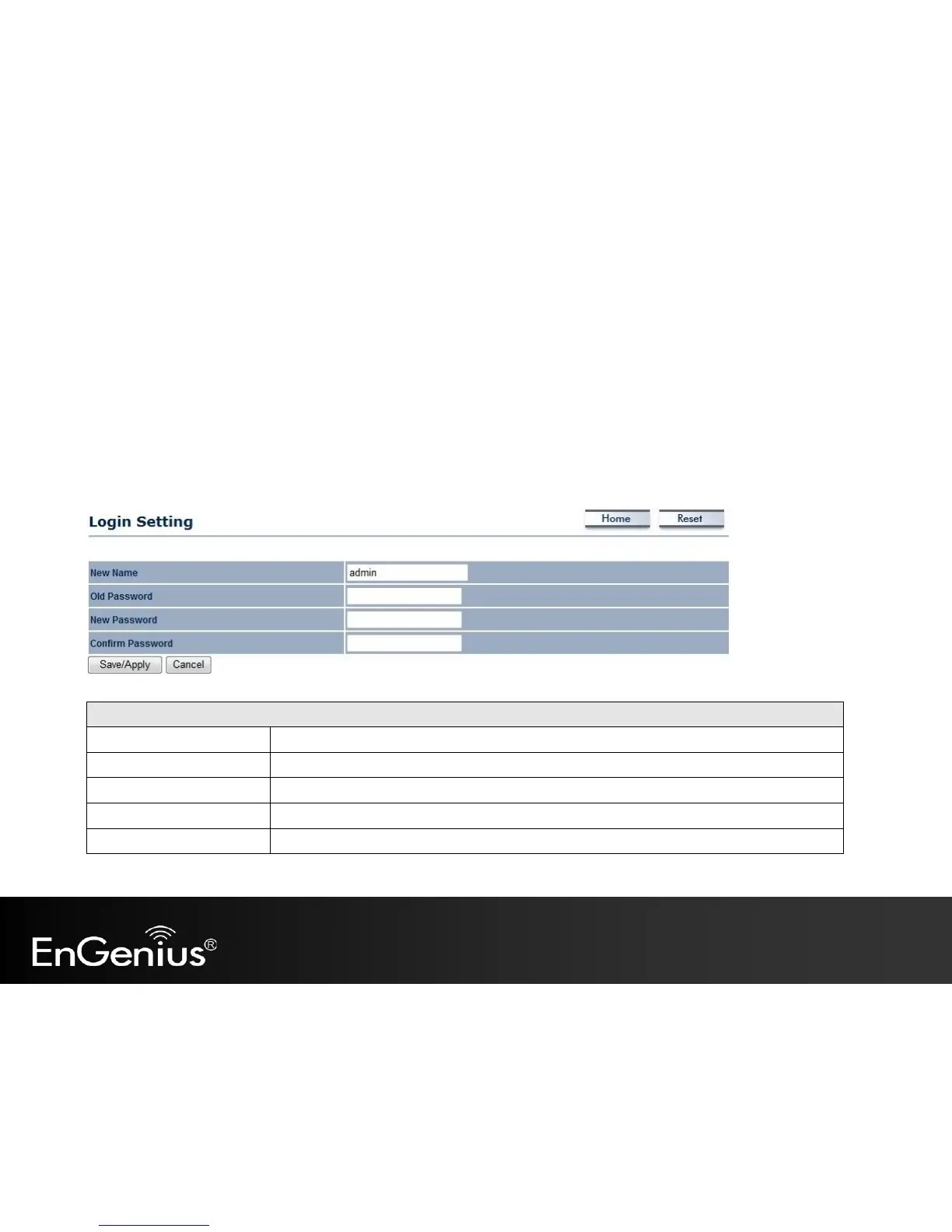
This page allows you to change the EAP600 username and password. By default, the username is admin and the password
is: admin. The password can contain 0 to 12 alphanumeric characters and is case sensitive.
Login Setting
New Name
Enter a new username for logging in to the New Name entry box.
Old Password
Enter the old password for logging in to the Old Password entry box.
New Password
Enter the new password for logging in to the New Password entry box.
Confirm Password
Re-enter the new password in the Confirm Password entry box for confirmation.
Save/Apply / Cancel
Click Save/Apply to apply the changes or Cancel to return previous settings.

Other manuals for EnGenius EAP600

Related product manuals