EasyManua.ls Logo

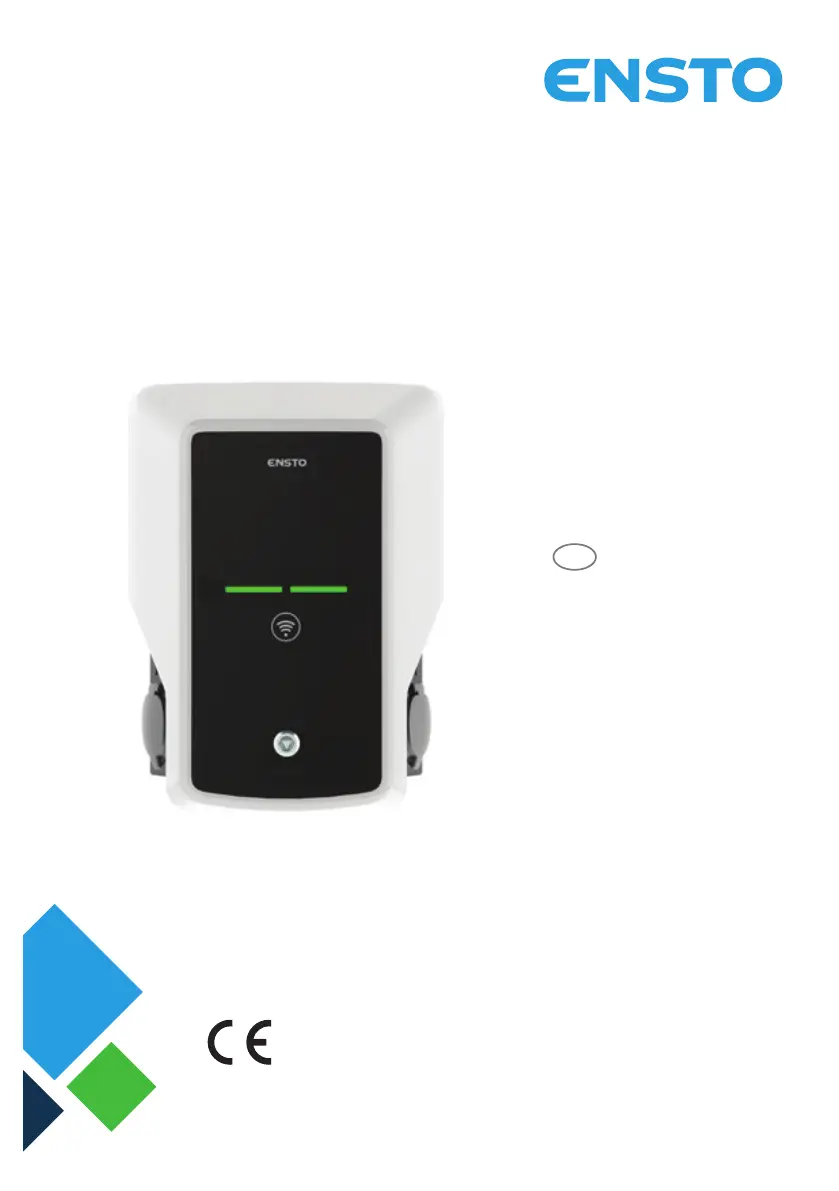
ensto Wallbox - User Manual

ensto Wallbox
36 pages
Print Icon
To Next Page IconTo Next Page
Loading...
ENG
Wallbox
RAK111_ENG
28.2.2019
© Ensto 2019
Installation Instructions
Operation Instructions

Other manuals for ensto Wallbox

Questions and Answers

  • B
    Brittany ColemanJul 28, 2025
    What to do if the ensto Battery Charger cable is locked?
    • C
      Cynthia HarrisonJul 28, 2025
      If the charging cable is locked in the Mode 3 socket outlet due to an unexpected fault while the power is on, turn off the power from the F0 and then pull the charging cable out of the socket. If the power is off, open the front cover and switch the Mode 3 lock to the open position.
  • J
    jrobinsonAug 4, 2025
    Why is my ensto Battery Charger off?
    • A
      Andrew KaufmanAug 4, 2025
      If the ensto Battery Charger is off and no lights are on, it could be due to several reasons. First, ensure that the supply conductors are properly connected and that power is available to the supply connectors (L1, L2, L3). Second, check if the circuit breaker F0 is off and turn it on if necessary. Finally, verify that the PWR LED indicator on the controller is on, ensuring that power supply to the controller is available.
  • G
    Gregory JonesAug 12, 2025
    What to do if ensto Automobile Accessories charging station is off and there are no lights?
    • E
      Ebony NelsonAug 13, 2025
      If your Ensto Automobile Accessories charging station is off and no lights are visible, here are a few things to check: * First, make sure that the mains voltage is present in the supply connector L1. If not, ensure a proper power supply. * Next, verify that the circuit breaker F0 is turned on. If it's off, turn it on. * Also, check the 12V power unit for an LED indicator. If there's no LED, ensure a 230V power supply to the unit. If the power supply is okay, consider replacing the power unit. * Finally, see if the controller has a PWR LED lit. If not, ensure the controller is getting power. If it is, you might need to replace the controller.
  • L
    laura46Aug 19, 2025
    How to release a locked charging cable in ensto Automobile Accessories Mode 3 socket outlet?
    • C
      Caroline PowersAug 19, 2025
      If your charging cable is stuck in the Mode 3 socket outlet of your Ensto Automobile Accessories, here’s what you can do: * In case of an unexpected fault while power is on: If your station has Mode 3 lock release, switch off the power from F0 and remove the charging cable. Alternatively, turn off the power and manually switch the Mode 3 lock to the open position. * If the power is off: Open the front cover and manually switch the Mode 3 lock to the open position. Note that if your station has a Mode 3 Lock Release, it should open automatically during a power cut.

Summary

Safety Instructions

Mounting Instructions

Wall Mounting with Wall Bracket

Steps for mounting the Wallbox using a wall bracket.

Ground Mounting on Concrete Casting

Instructions for ground mounting on a concrete casting with a pole.

Ground Mounting on Concrete Foundation

Steps for ground mounting on a concrete foundation using a pole.

Wall Mounting on Wall Mounting Pole

Procedure for mounting the Wallbox on a wall mounting pole.

Electrical Connections

Wiring Instructions

Detailed steps for connecting the electrical wiring of the Wallbox.

Power Supply

Information on voltage, current, and supply connection requirements.

Commissioning

User Instructions

Technical Information - EVB

Installation; Commissioning Checklist

Maintenance; Preventive Maintenance Instructions

EVB100 Internal Circuit Example

EVB101 Internal Circuit Example

EVB200 Internal Circuit Example

Extension Box EVK...

Troubleshooting

ensto Wallbox Specifications

General IconGeneral
Connector TypeType 2
Protection DegreeIP54
Operating Temperature-30 °C to +50 °C
CommunicationOCPP 1.6
Current LimitingYes
MID MeterOptional
Charging StandardIEC 61851
Rated Current16A - 32A
Rated Voltage230V AC
Voltage230V
Current16A - 32A
Mounting TypeWall-mounted
MountingWall or pole
ConnectivityEthernet, WiFi, 4G (optional)