10
RAK111_ENG / © Ensto 2019
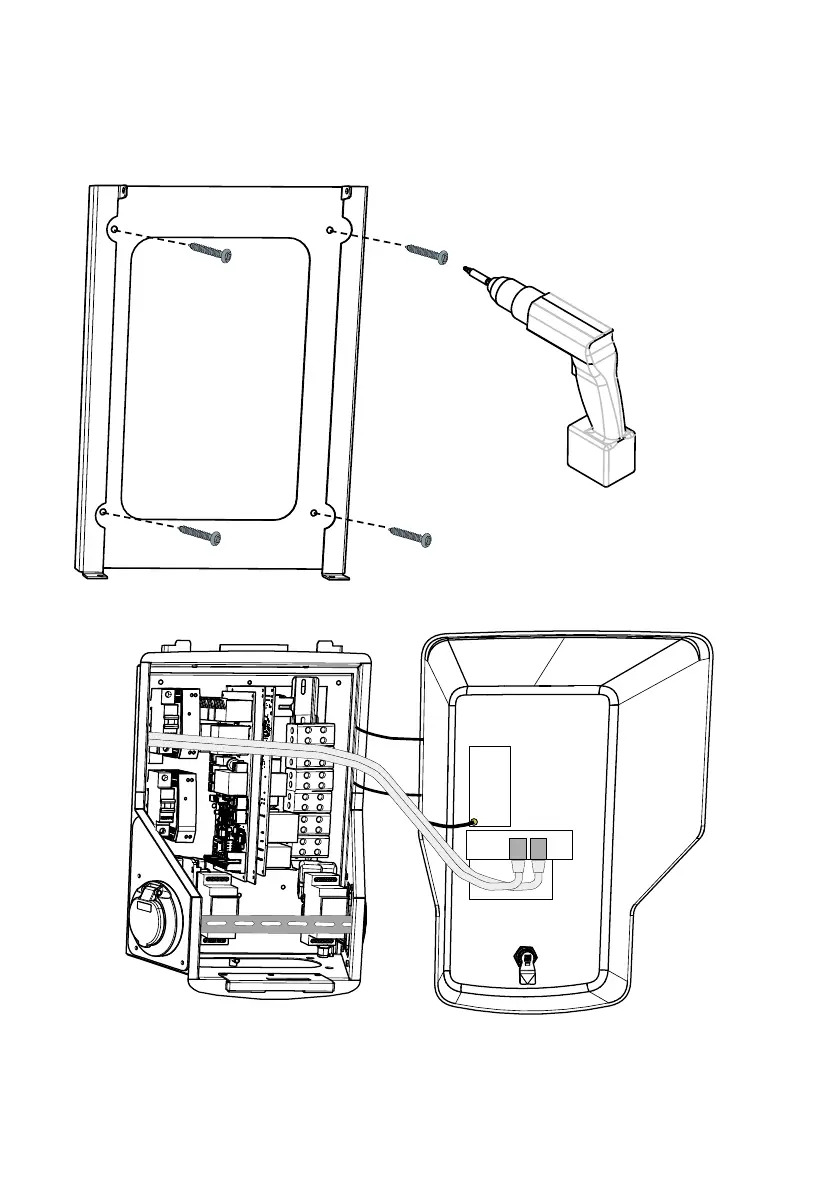
1. Drill screw holes for the wall bracket.
2. Fix the wall bracket on the wall. Use
screw type depending on the wall type.
5.2. Wall Mounting with Wall Bracket
Items needed: Wall bracket EVTL40.00 1 pcs
Screws 4 pcs
Installation steps
3. Open the front cover lock and remove the front cover.
Note! RFID, LED module and antenna cables are attached to the front cover.
Be careful not to break any components when you remove the front cover.


 To Next Page