Connecting to Console Port for Local Management
3-20 Hardware Installation
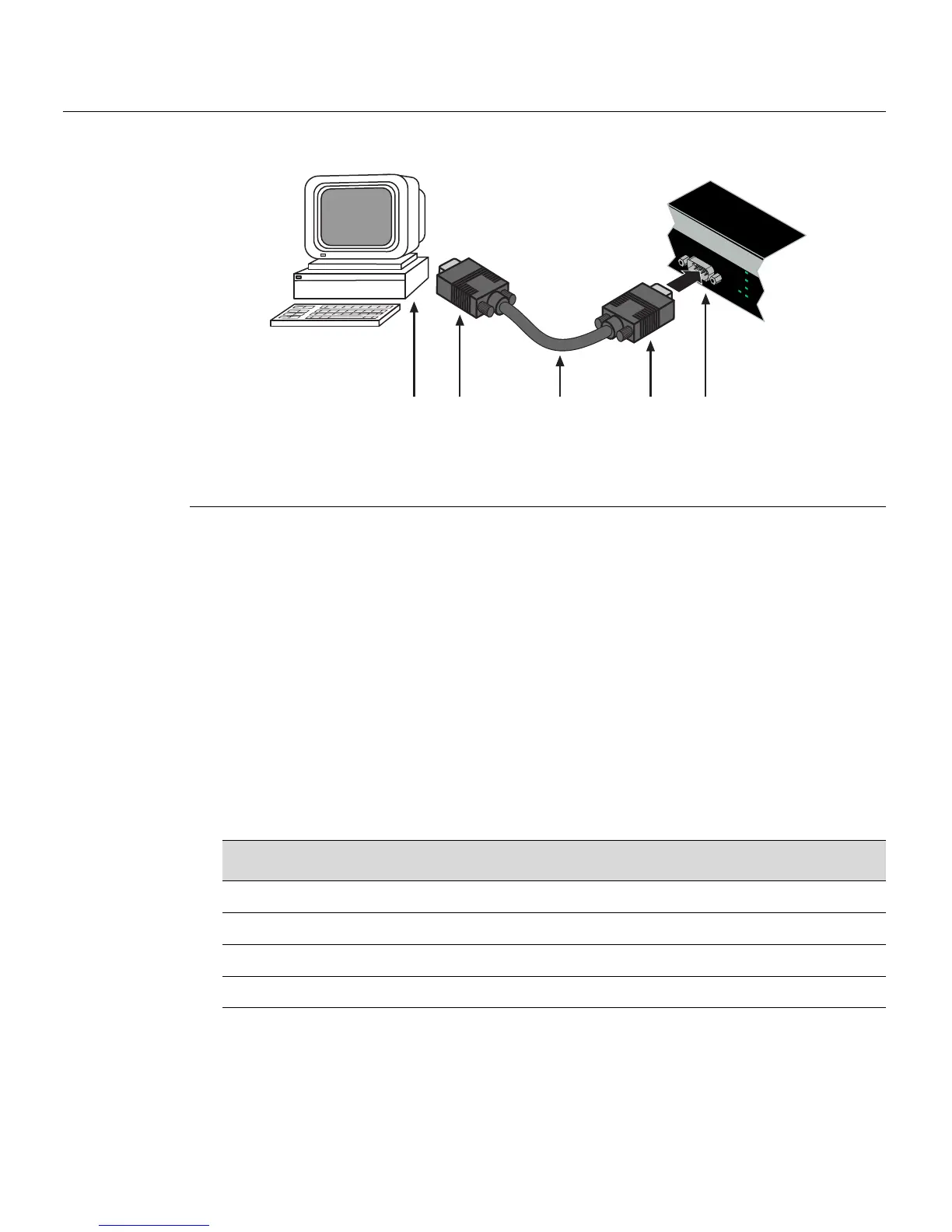
Figure 3-10 Connecting an IBM PC or Compatible
Connecting to a VT Series Terminal
ToconnectaVTSeriesterminaltoanEnterasysswitchConsole port(Figure 3‐11),usea
UTPserialinterfacecableterminat edwithaDB9femaleconnectorandaDB25female
connectorandproceedasfollows:
1. ConnecttheDB9femaleconnectoratoneendofcabletotheConsoleportDB9
male
connectorontheEnterasysswitch.(IfthereisaswitchdesignatedastheManager,
connecttoitsConsoleport.)
2. PlugtheDB25femaleconnectorattheotherendofthecableintothe portlabeled
COMMontheVTterminal.
3. TurnontheterminalandaccesstheSetupDirectory.Setthe
followingparameterson
yourterminal:
Whentheseparametersare set,theStartupscreenwilldisplay.Proceedto“Connectingto
theNetwork”onpage 3‐22.
1 DB9 female connector 4 DB9 female connector
2 Serial interface cable 5 PC with VT emulation application
3 DB9 male Console port connector
ÂÃ
Á
À
Ä
Console
CPU
UP
RPS
MGR
DOWN
Parameter Setting
Mode 7 Bit Control
Transmit Transmit=9600
Bits Parity 8 Bits, No Parity
Stop Bit 1 Stop Bit














 To Next Page