Connecting to the Network
SecureStack B2 Installation Guide 3-23
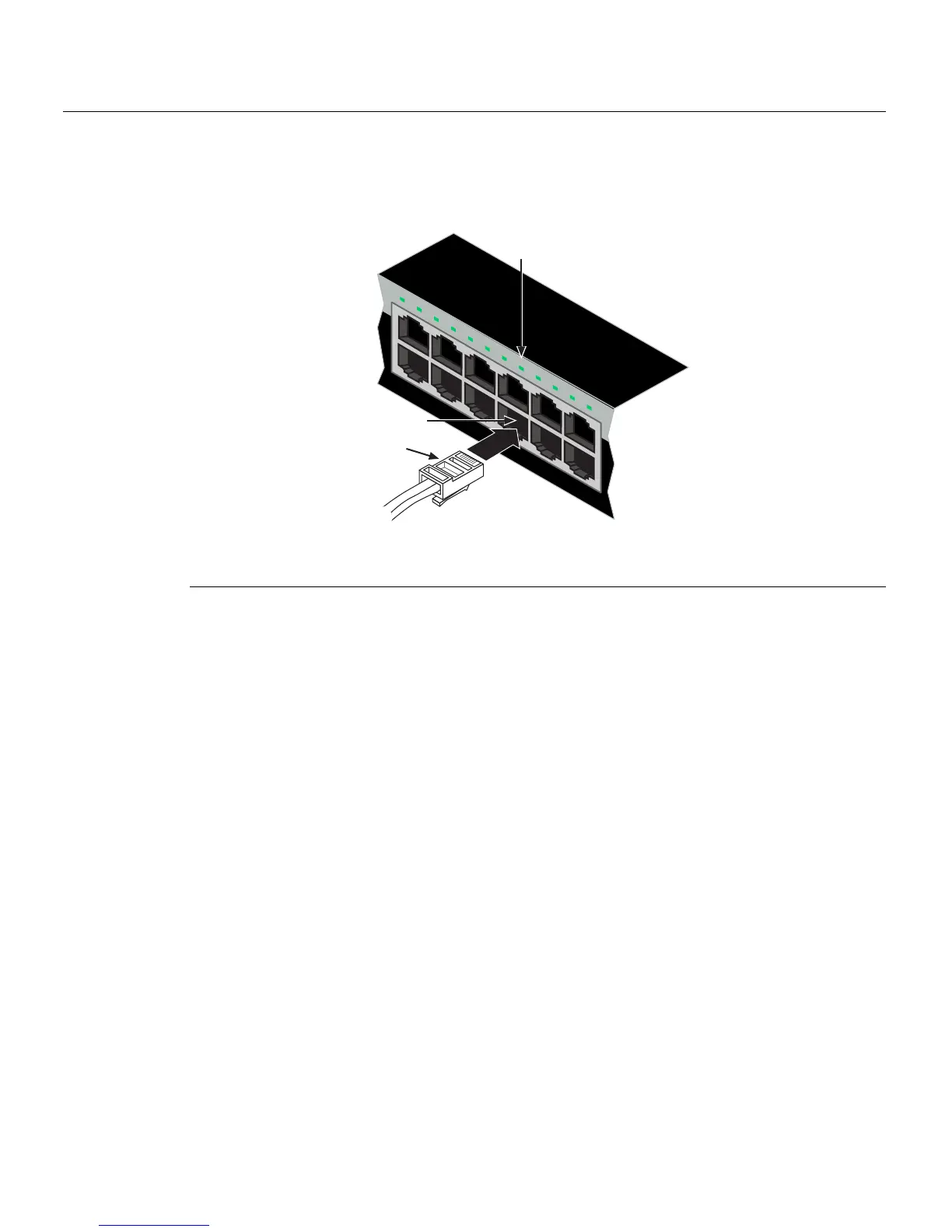
2. ConnectthetwistedpairsegmenttotheswitchbyinsertingtheRJ45connectoronthe
twistedpairsegmentintothedesiredRJ45port(forexample,Port8).
Figure 3-13 Connecting a UTP Cable Segment to RJ45 Port
3. VerifythatalinkexistsbycheckingthattheLink/ActivityLEDisON(solidgreenor
blinkinggreen).IftheLink/ ActivityLEDis
OFF,performthefollowingstepsuntilitis
on:
a. VerifythatthecablingbeingusedisCategory 5orbetterwithanimpedance
between85and111 ohmswithamaximumlengthof100meters(328feet).
b. Verifythatthedeviceattheotherendofthetwistedpairsegmentisonand
properlyconnectedtothesegment.
c. VerifythattheRJ45connectorsonthetwistedpairsegmenthavetheproper
pinoutsandcheckthecableforcontinuity.Typically ,acrossovercableisused
betweenhubdevices.Astraight‐throughcableisusedtoconnectbetween
switchesorhubdevicesandanenduser
(computer).RefertoFigure 3‐14and
Figure 3‐15forfour‐wireRJ45connections.RefertoFigure 3‐16andFigure 3‐17
foreight‐wireRJ45connections.
d. Ensurethat thetwistedpairconnectionmeetsthedBlossandcablespecifications
outlinedintheCablingGuide.Referto“RelatedDocuments”onpage xvifor
informationonobtainingthisdocument.
4. Ifalinkisnotestablished,contactEnterasys Networks.Refer to“GettingHelp”on
page 1 ‐8fordetails.
Repeatallstepsaboveuntilallconnectionshavebeenmade.
1 RJ45 connector 3 Port 8 Link/Activity LED
2 Port 8
1
2
1 2 3 4 5 6 7 8 9 10 11 12
11
12
Â
À
Á














 To Next Page