Using the Reset Switch
4-8 Troubleshooting
Using the Reset Switch
Ifyouforgettheswitchloginpassword,usetheResetswitchasdescribed inthe following
procedure.
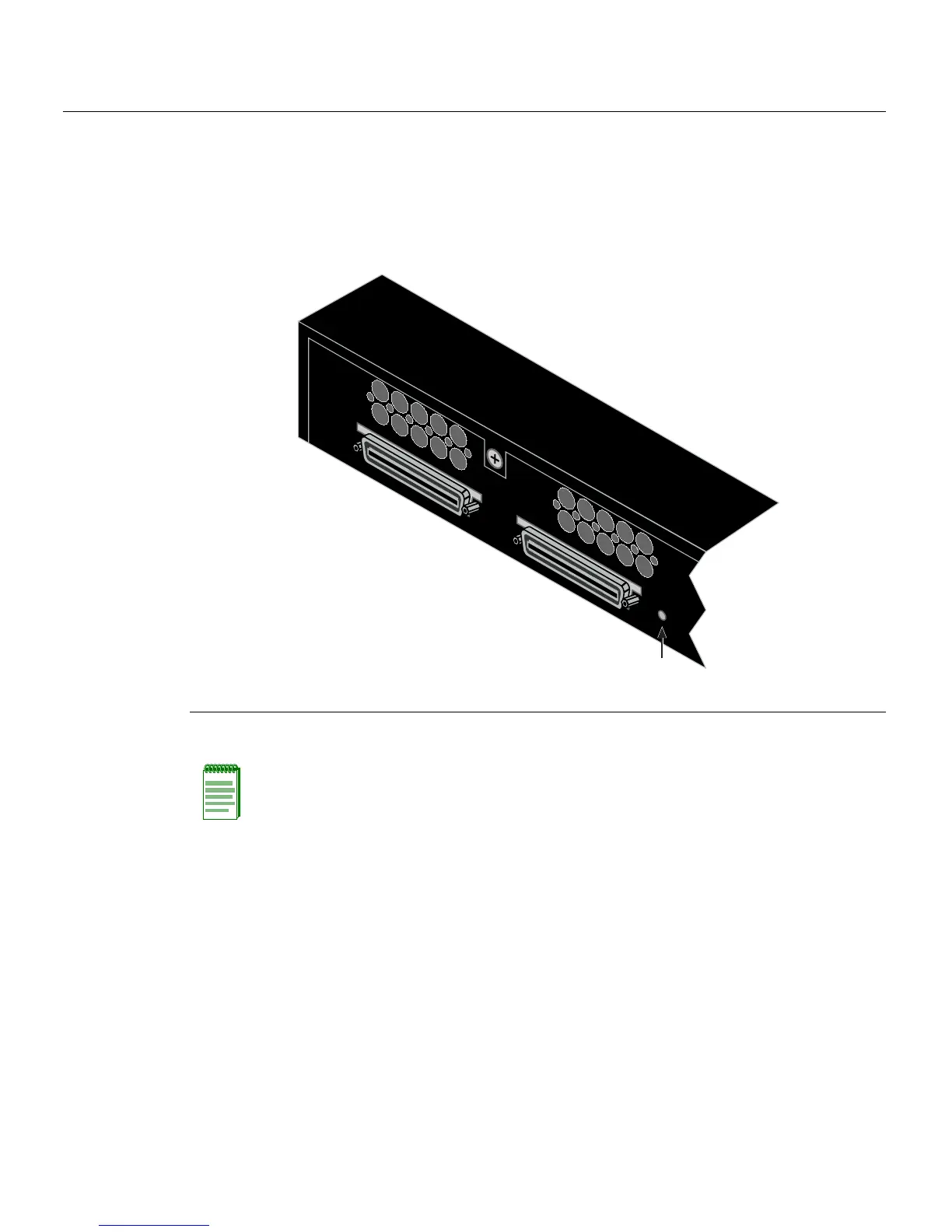
Figure 4-3 Reset Switch
Toresettheswitchpassword,refertoFigure 4‐3andproceedasfollows:
1. Press‐and‐holdtheResetswitchwhiletheswitchisoperational.Thischangeofthe
loginpasswordtothedefaultpassword
willbeindicatedviaCLIonly.
2. Logontoswitchmanagement.YoucannowlogontotheswitchviatheConsoleport
andassignanewpasswordusingthecommandlineinterface(CLI).
3. ToaccessswitchmanagementfromyourlocalPC,terminal,ormodemconnection,
refertotheSecureStackB2ConfigurationGuide
forinstructions onhowtologinand
enteranewpassword.TheguideisavailableonlineundertheCcategoryat:
http://www.enterasys.com/support/manuals
Ifyourequireassistance,contactEnterasysNetworksusingoneofthemethodsdescribed
in“GettingHelp”onpage 1‐8.
1 Reset switch
Note: Notify the system manager before changing the password.
STACK UP
STACK DOWN
À














 To Next Page