Connecting to the Network
3-22 Hardware Installation
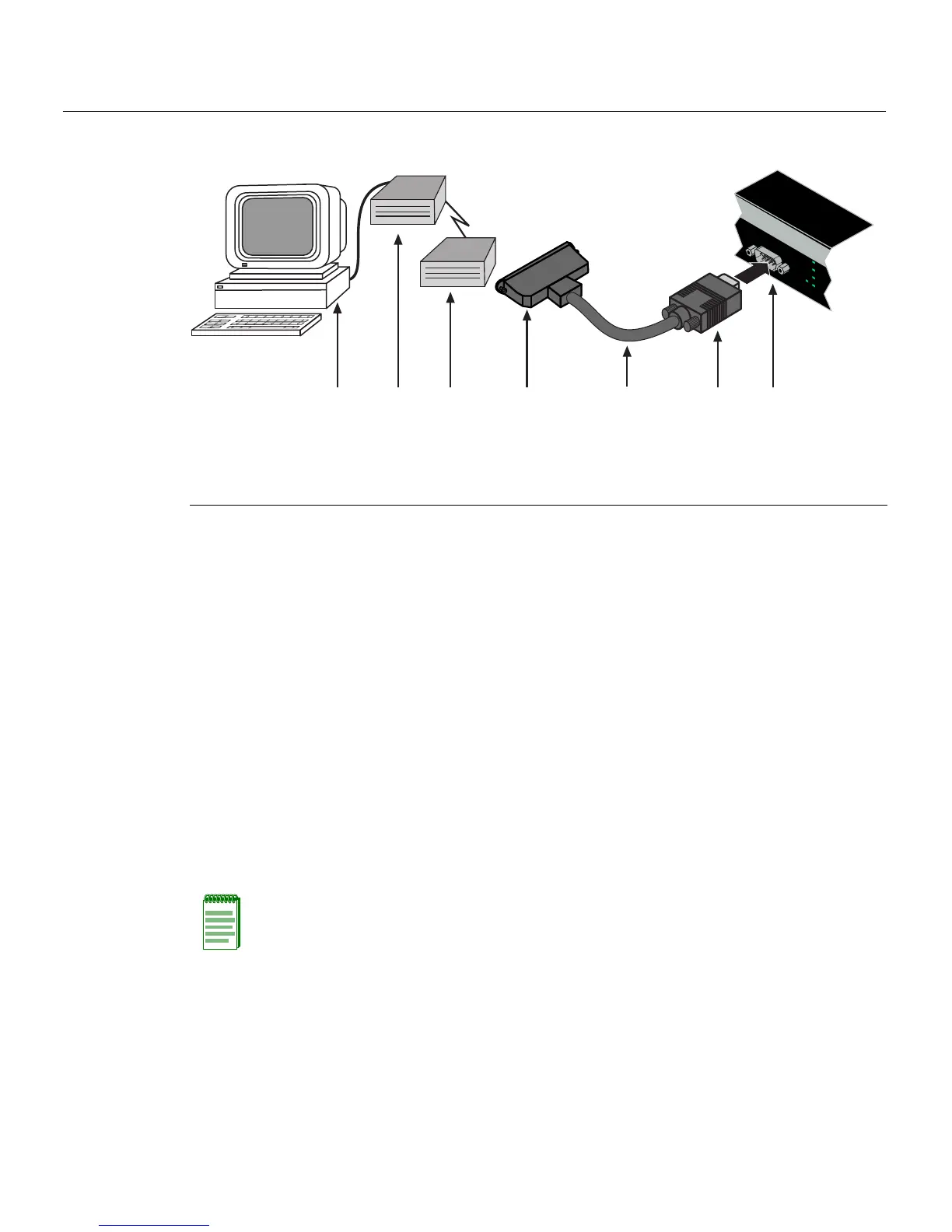
Figure 3-12 Connecting to a Modem
Connecting to the Network
Thefollowingprocedurescoverthecableconnectionsfromthenetworkorotherdevices
totheswitchRJ45portsoranyinstalledoptionalMini‐GBIC.
• ConnectingUTPCablesonpage 3‐22
• ConnectingFiber‐OpticCablestoMT‐RJPortsonpage 3‐26
• ConnectingFiber‐OpticCablestoLCPortsonpage 3‐
28
Connecting UTP Cables
ThefixedRJ4 5frontpanelportsare10/100/1000Mbpsportsandhaveinternalcrossovers.
Whenconnectingaworkstationtotheseports,useastraight‐throughcable.When
connectingnetworkingdevicestotheseports,suchasabridge,repeater,orrouter,usea
crossovercable.
Toconnecttwistedpairsegmentstothe
switch,refertoFigure 3‐13andproceedas
follows:
1. Ensurethatthedevicetobeconnectedattheotherendofthesegmentis
powered ON.
1 DB9 female cable connector 4 DB25 male connector 7 PC with VT emulation application
2 Serial interface cable 5 Local modem
3 DB9 male Console port 6 Remote modem
ÂÃ Á À
ÄÅÆ
Console
CPU
UP
RPS
MGR
DOWN
Note: All fixed RJ45 front panel ports support Category 5 Unshielded Twisted Pair (UTP)
cabling with an impedance between 85 and 111 ohms. Category 3 cable may be used if
the connection is going to be used only for 10 Mbps.














 To Next Page