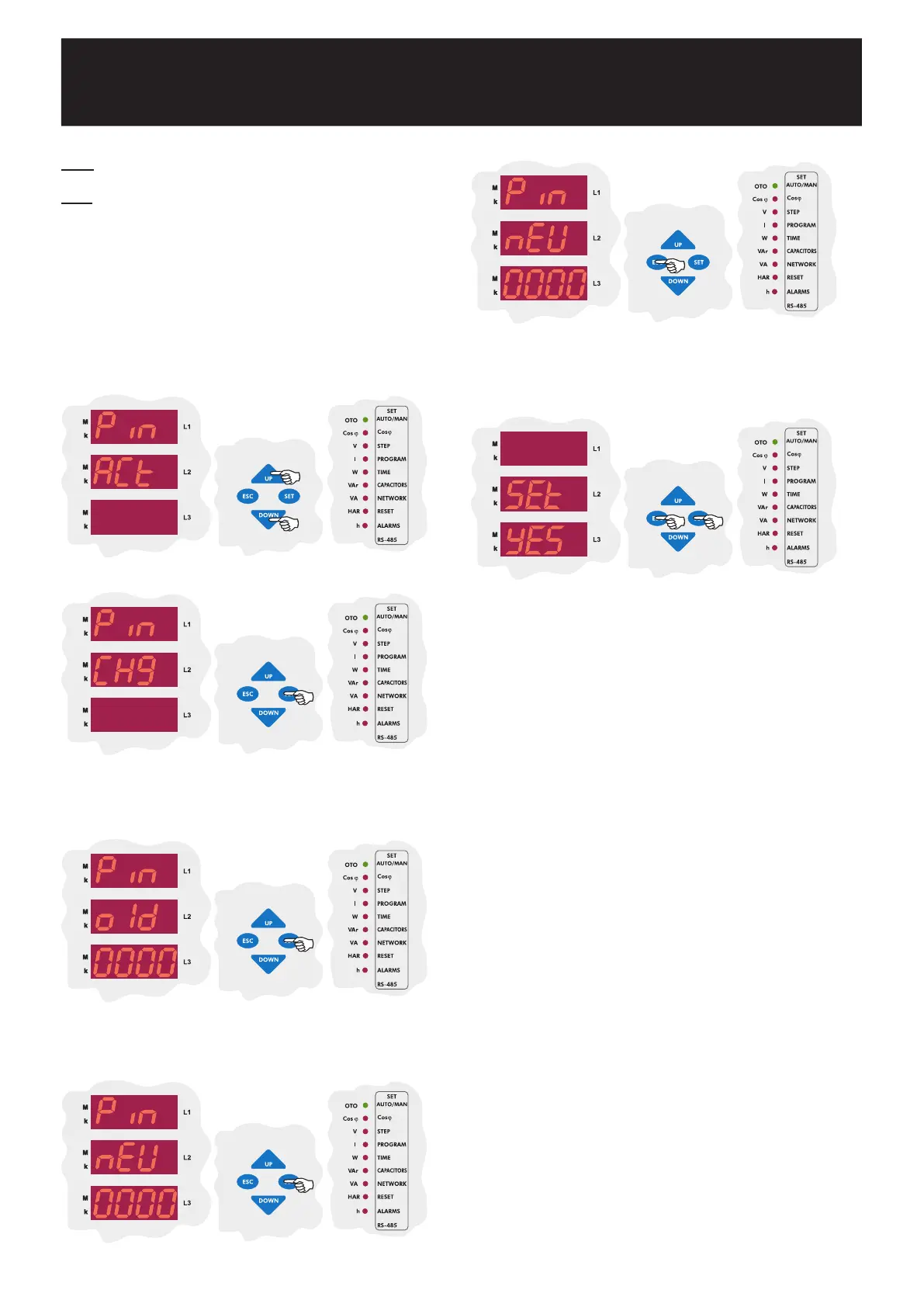
In this menu, user password is changed. In order to change the password,
old password and new password (x2 times) must be entered.
3.12.b Pin Change
In order to define a new password, the old password must be entered
first. After entering the old password, press the SET button.
In Pin ACt menu, press the DOWN button to find Pin CHg menu.
Press the SET button to enter the password change menu(Pýn CHg)
which is the second menu under the password menu(Pýn). Press the SET
button to change the password.
After entering new password, press the SET button.
Enter the new password again and press the SET button.
If you are
going to change another setting, return to the menu by pressing the
SET button.
If you do not want to set another parameter, press the
ESC button.
SAUE
If you want to leave the setup menu without making any other changes,
press the ESC button until SAVE SEt yES shows on the screen. If
you want to save the changes, press the SET button. If not, press the
ESC button.
Note: If you do not save your changes, they will not be valid.
Note: After the settings in the menu are done, the changed settings
are selected and the menu can be shown by pressing the SET
button.
If you want to leave the setup menu without making any other
changes, press the ESC button until SAVE SEt yES shows on
the screen. If you press the SET button,the new settings will be
saved and the device will start to operate with the new settings. If
you press the ESC button, the changed settings will be discarded
and the device will continue to operate with the old settings.
POWER FACTOR CONTROLLER
RG3-12C/CS
27


 To Next Page