POWER FACTOR CONTROLLER
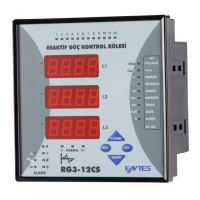
RG3-12C/CS
3.11.a Entering the Energy Values
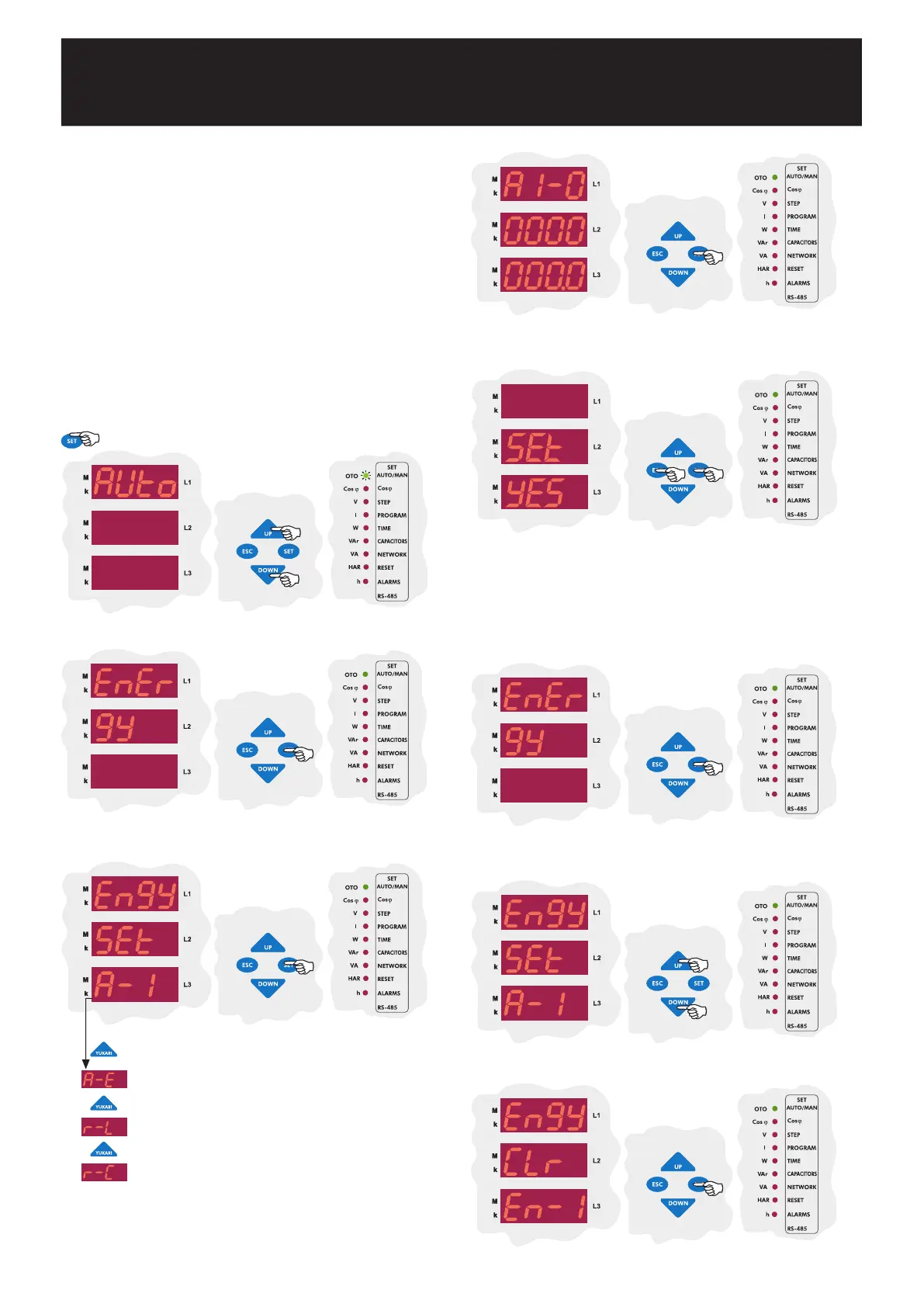
Using the UP/DOWN buttons, find the energy menu(EnErgy).
Press the SET to enter the energy menu. The first option in
the energy menu is the Active Import Export(A-I) value.
To enter the A-I value, press the SET button
(For the other energy types, press the UP button
and find the energy type value you want to enter
and press the SET button to change that energy
value).
RG3-12C/CS has 2 energy counters. Energy Counter 1 is the
energy counter which can be read from the measurement
parameters. Energy Counter 2 can only be read from the devices
registers.
For Energy Counter 1; the energy value can be entered with 0,1
kWh/kVArh precision for Active Import(A-I), Active Export(A-E),
Reactive Inductive(r-L) and Reactive Capacitive(r-C) energy types.
For Energy Counter 2; entering a value from the menu is not
possible. If communication for the device exists, the energy values
can be entered with 0,1 kWh/kVArh precision for both counters.
Resetting the energy counters can be done from this menu. Energy
counters can also be conditioned to work with the generator input.
3.11 Resetting the Energy Counters and Entering
the Energy Values
Note: This process is done the same way for Active Import(A-I),
Active Export(A-E), Reactive Inductive(r-L) and Reactive Capacitive(r-
C) energy types.
Active import energy value can be entered between 00000000.1
- 99999999.9. Enter the desired value and press the SET
button.
SAUE
If you want to leave the setup menu without making any other changes,
press the ESC button until SAVE SEt yES shows on the screen. If
you want to save the changes, press the SET button. If not, press the
ESC button.
3.11.b Resetting the Energy Values
RG3-12C/CS has 2 energy counters. These counters can be reset
independently. Resetting is done the same way for both of the
counters.
Press the SET to enter the energy menu. The first option in the energy
menu is the Active Import Export(A-I) value.
Using the UP/DOWN buttons, find the energy reset menu
(Engy CLr En-1 / Engy CLr En-2).
To reset the energy counter 1, press the SET button.
Press the SET button for 3 sec. in order to enter to the
menu.
3 sec.
23


 To Next Page