VUDU Movies
VUDU Movies
3938
VUDU Movies
VUDU is a video on demand movie service available with your FusionTV service.
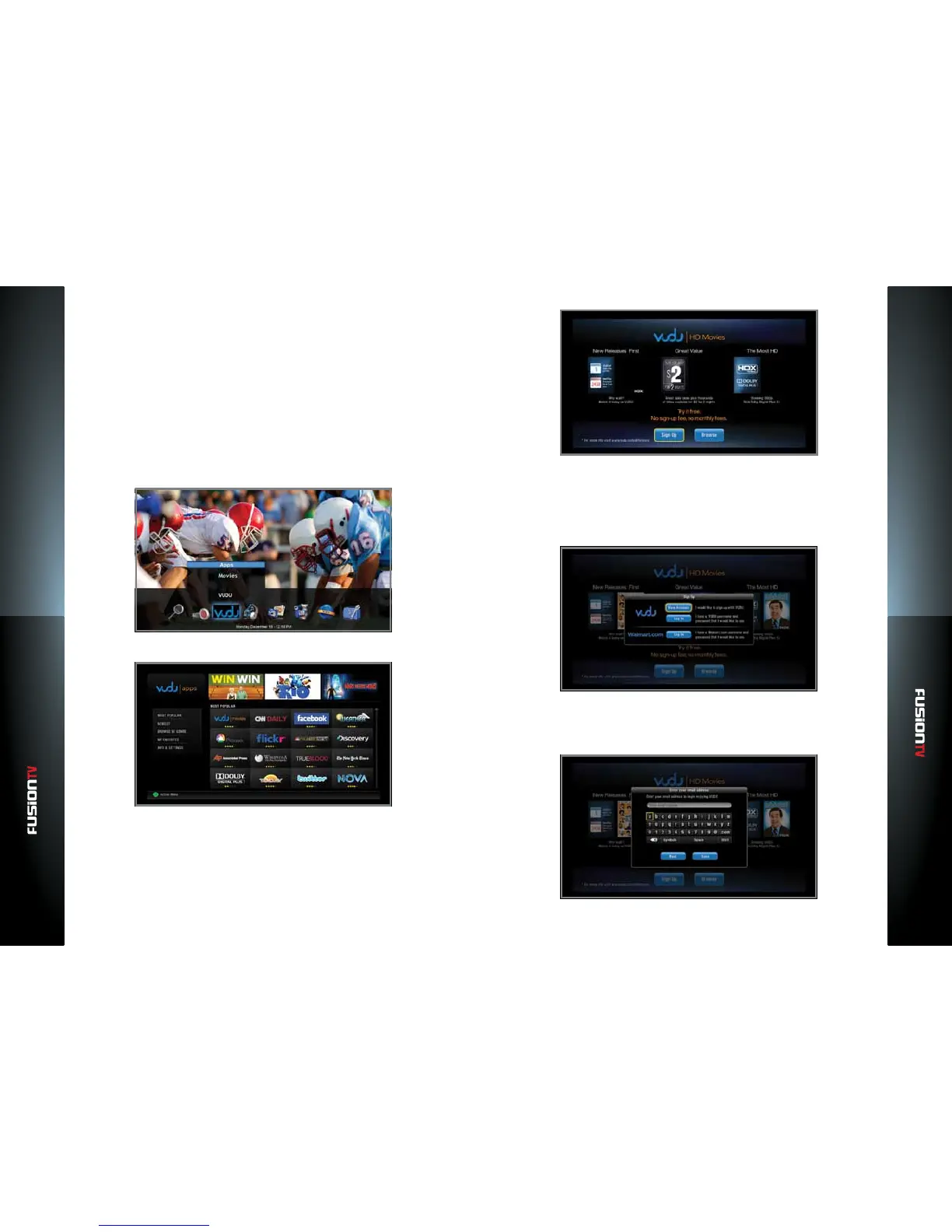
Activating VUDU
1. Ensure that your Entone device is connected to a broadband connection.
Refer to the Entone Quick Setup Guide for more details.
2. Navigate to the VUDU service either using the VUDU icon on the Main
Menu, where you can select “VUDU Apps“ or “VUDU Movies“ or press the
BLUE shortcut button on your Entone remote control to launch VUDU.
3. The VUDU Apps Main Menu will appear.
4. Select “VUDU Movies“ and press OK.
5. The VUDU HD Movies screen will display.
6. Select “Sign Up” and Press OK.
7. Follow the on-screen instructions to activate a new account. Select “New
Account” if you are new to VUDU. If you already have a VUDU account from
another device, then you can use “Log In” to enter your user name and
password.
8. Using the on-screen keyboard, enter your email address, select DONE and
press OK. You will be prompted to conrm your email address.
NOTE: You must have access to this email address to activate VUDU.



 To Next Page