49
IP1967EN - 2016-08-01
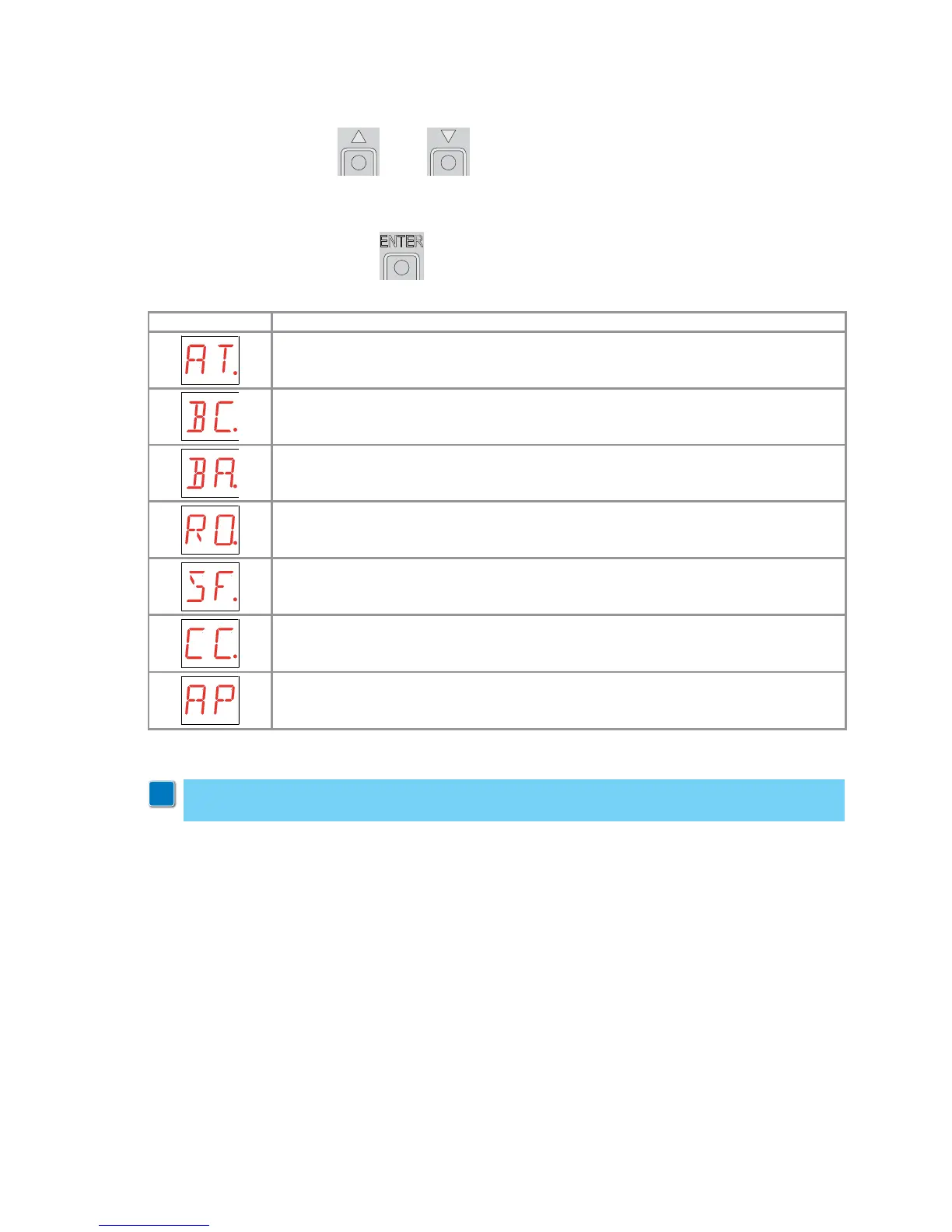
- use the keys S and T to select the required function
- press the ENTER key to confirm
Display Description
AT - Automatic Configurations.
The menu allows you to manage the automatic configurations of the control panel.
BC - Basic Configurations.
The menu allows to visualise and modify the main settings of the control panel.
BA - Basic Adjustments.
The menu allows to visualise and modify the main adjustments of the control panel.
RO - Radio Operations.
The menu allows you to manage the radio operations of the control panel.
SF - Special Functions.
The menu allows to set the password and manage the special functions in the control
panel.
CC - Cycles Counter.
The menu allows to visualise the number of operations carried out by the automation, and
manage the maintenance interventions.
AP - Advanced Parameters.
The menu allows to visualise and modify the advanced settings and adjustments of the
control panel.
After confirming the selection, you access the second level menu.
9.3 Main menu
WARNING: it is possible that, owing to the type of automation and control panel, certain
menus are not available.
i


 To Next Page