50
IP1967EN - 2016-08-01
Display Description
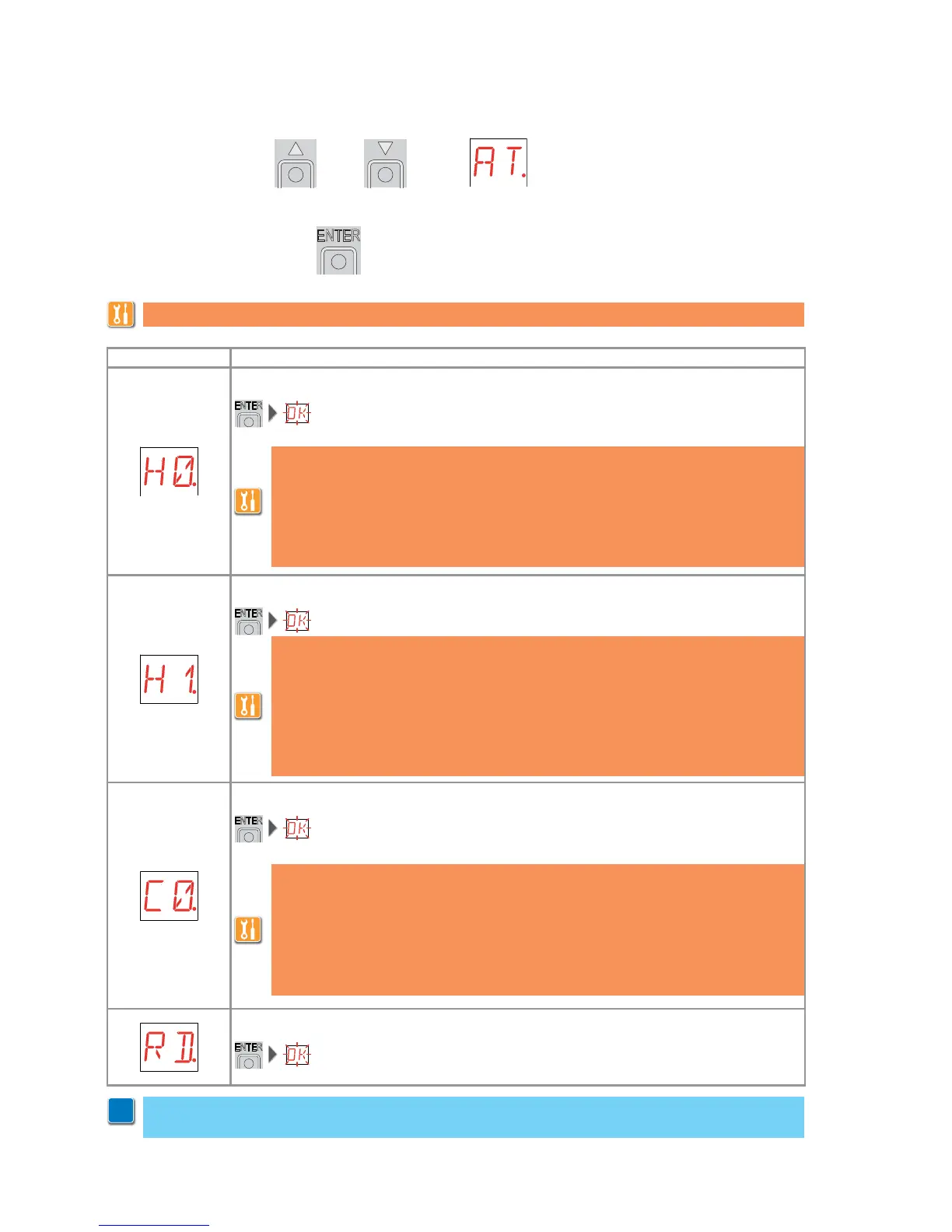
H0 - Predefined setting for residential use 0.
2 s
H1 - Predefined setting for residential use 1.
2 s
C0 - Predefined setting for condominial use 0.
2 s
RD - Resetting the basic settings (SETTINGS RESET).
2 s
- use the keys S and T to select the required function
- press the ENTER key to confirm
9.4 Second level menu - AT (Automatic Configurations)
This selection loads predefined values for certain standard parameters:
AC - enabling of automatic closing : disabled
C5 - step-by-step/opening command operation : step-by-step
RM - remote control operation : step-by-step
AM - AUX coupling board operation : step-by-step
SS - selection automation status at start up : open
This selection loads predefined values for certain standard parameters:
AC - enabling of automatic closing : enabled
TC - setting of automatic closing time : 1 minute
C5 - step-by-step/opening command operation : step-by-step
RM - remote control operation : step-by-step
AM - AUX coupling board operation : step-by-step
SS - selection automation status at start up : closed
This selection loads predefined values for certain standard parameters:
AC - enabling of automatic closing : enabled
TC - setting of automatic closing time : 1 minute
C5 - step-by-step/opening command operation : opening
RM - remote control operation : opening
AM - AUX coupling board operation : opening
SS - selection automation status at start up : open
WARNING: it is possible that, owing to the type of automation and control panel, certain
menus are not available.
i
The procedures to activate the functions are described in the table.


 To Next Page