Page 10
INSTALLING THE DMXIS SOFTWARE
INSTALL THE SOFTWARE BEFORE CONNECTING YOUR DMXIS HARDWARE INTERFACE.
DMXIS must be unlocked before it can transmit DMX data. For this, you need an internet
connection with a web browser, and a valid email address.
MAC OS X
Insert the DMXIS software CD.
Double-click on the setup.pkg icon.
PC WINDOWS
Insert the DMXIS software CD.
Double-click on the setup.exe icon.
UNLOCKING THE PRODUCT
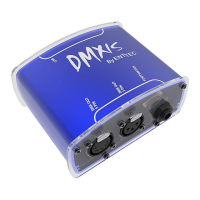
Connect the DMXIS hardware interface to a USB port on your computer
Start the DMXIS standalone program (located in your main OS X Applications
folder, or your Windows desktop).
Note down your Hardware ID.
Go to http://www.enttec.com/unlock_dmxis
Fill in the short form.
You will immediately receive an unlock code.
Enter the unlock code into DMXIS
Your software is now permanently unlocked!
DMXIS does not use restrictive challenge/response copy protection, and is not tied to a
particular computer. The unlock code is unique to your DMXIS hardware interface. You
can use the same unlock code on any computer, as long as that computer is using the
same DMXIS hardware.
If you do not unlock the software, or if the DMXIS hardware is not connected, the software
will continue in demo mode - no DMX data will be transmitted, but the software will
otherwise be fully functional.


 To Next Page