Page 19
DMXIS SOFTWARE REFERENCE
We will now describe every feature of the DMXIS software in detail. Let’s start with the
main screen...
NEW! SHOW MANAGEMENT
DMXIS 1.1.0 supports multiple shows. Each show has its own banks & presets, fixtures,
footswitch settings and MIDI Learn associations.
When you start DMXIS, the Default Show is automatically loaded. You can if you wish use
the default show on its own - this is pretty much how DMXIS 1.0.4 and older versions
worked. However, we highly recommend you familiarise yourself with the new Manage
Shows window. Even if you do not NEED multiple shows, it is a very useful way to create
backups & temporary working copies of your show.
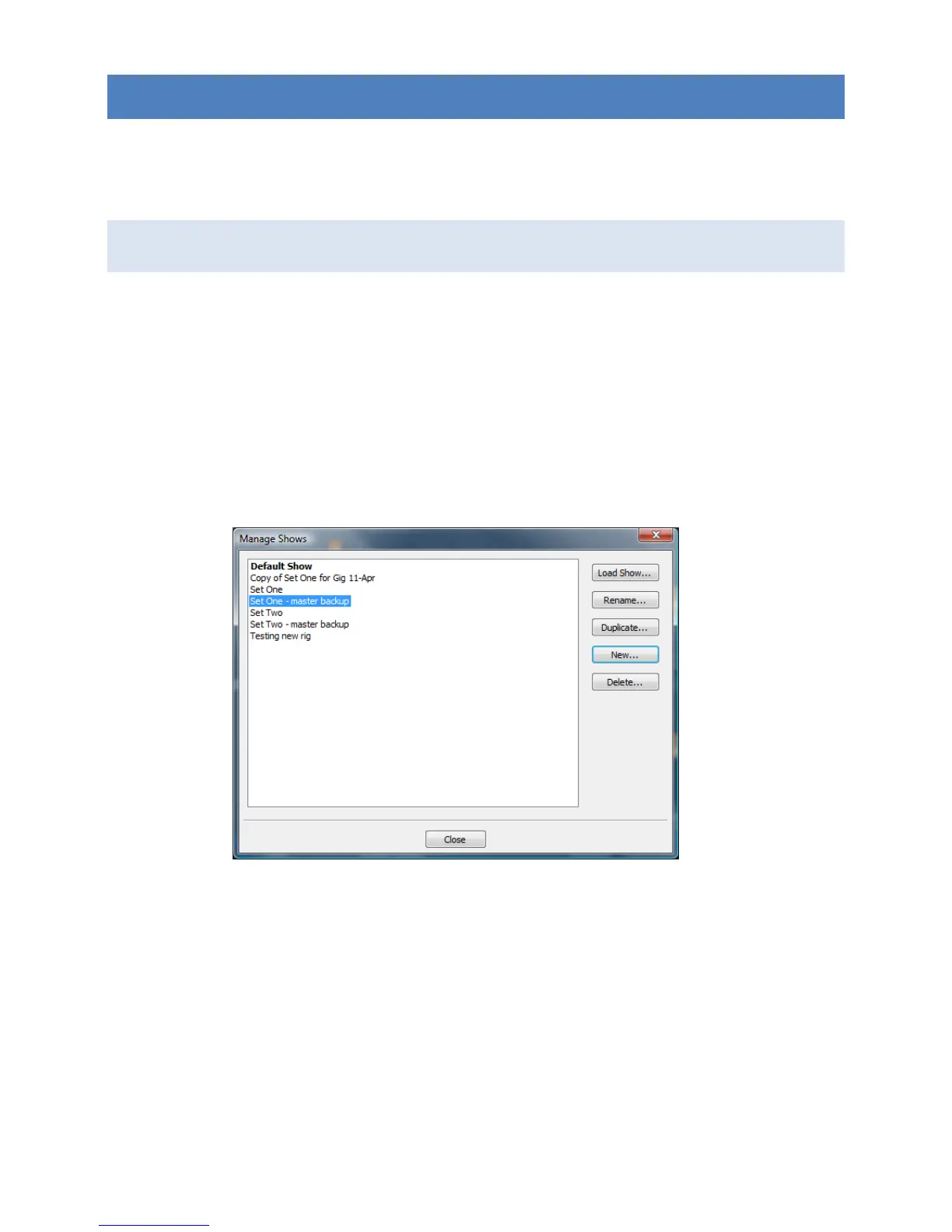
The Manage Shows window (shown above) is accessed from the Shows menu in the
DMXIS standalone application. The currently loaded show is shown in bold (and in the
DMXIS window title).
Load Show... will switch to the highlighted show in the list
Rename... allows you to edit the show name.
Duplicate... lets you create an exact copy of the highlighted show. This is useful
for creating a temporary show for a specific gig (to tweak light positions etc for a
particular stage) or for backing up your show data.


 To Next Page